



P: Large numbers of brush strokes leads to slowdowns and can cause an image's edits to reset.
In Lightroom it is impossible to edit a photo as much as we want or need, using Masking regardless of the hardware you have.
EXPLANATION
Let's say you want to edit a photo with Masking to your heart's content OR because you need to change many aspect of the photo.
Logic tells you "we have Masking so obviously it's possible to do masking safely and as much as I want"
Reality is that in Lightroom Classic there is an "upper limit" of local edits that we can have on a photo: once we reach that "upper limit" the photo will be be reset.
So in Lr it's not possible to sue Masking as much as we want/need.
Usually if you have lots, lots of edits on an image other editing software struggle and get progressively slower and slower (if one has powerful hardware generally slowdowns don't happen or appear later) but in LR a photo can reach a point where it's no longer editable and it will be reset NO MATTER THE HARDWARE YOU HAVE.
All Masking tools (gradients, spot removal, brush, Ai, et...) contribute to reaching this "upper limit" of local edits BUT Brush is the tool that contributes the most because each strokes is made of countless of dab points that are heavy to process.
Here I have attached a preset for everyone to use.
Apply it on one of your photos that already has Masks and your photo will be reset. (Please be sure to undo, or use another another history step or Snapshot to revert back to your safely edited photo)
This "Reset Bug" is a huge problem/limitation AND as long as it exists we users will never, ever be able to use Masking as much as needed/wanted in Lr.
For the record this issue is not present in Adobe Camera Raw or other non Adobe softwares: it is totally unique to Lr.
As far as I have tested we can have "infinite" number of local edits in ACR...logically with many, many mask ACR becomes progressively slower but there is no photo reset.
Best Practice When Working in ACR and LrC using Masking
If you are doing Masking in ACR and import the photo in LrC (or import settings form disk if the photo is in the LrC catalog) then the photo will either be slower to edit OR be reset in LrC.
If a photo is resetting in LrC then you must go one step back beore the reset after that you can finish editing it in ACR but unfortunately you can't safely open/import that photo in LrC again as the edits will be unusable by LrC
Keep a Virtual Copy in LrC before you edit in ACR or import form ACR.
That Virtual Copy will be always usable in LrC.
Best Practice with Brush Tool
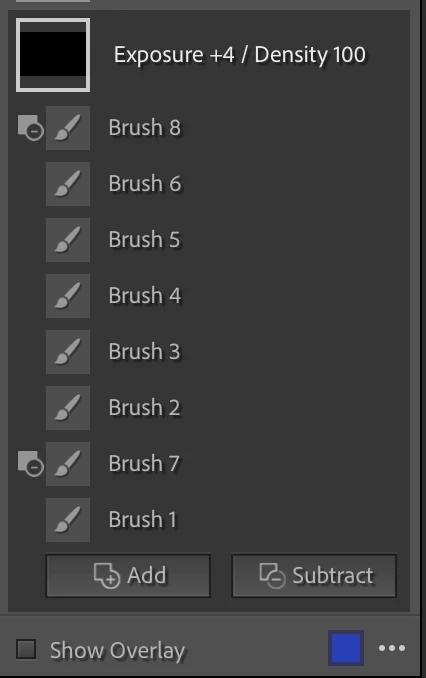
- Create a new Brush Mask for every single stroke you do. This way you can delete the stroke(s) that you don't like, redo them better and go back to an editable photo when the reset happens.
- I recommend to ONLY use Subtract as and never user Erase Brush that adds dab point but are not visible in the overlay. Subtractions are always visible in the overlay and can be deleted.
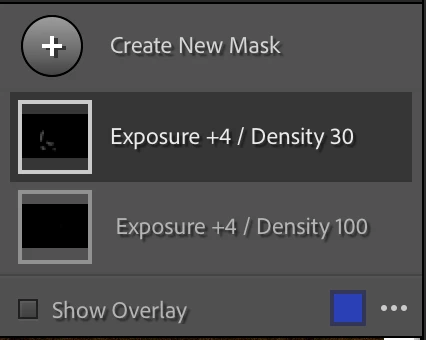
- If you are working with Brush Density I recommend to ALWAYS keep the same Brush Density in the same Correction and ideally write it in the Correction's name. On the same correction a new brush with different Density will overwrite the previous stokes adding more dab points above the ones created but in the overlay it looks like you did fewer. It you find a that a brush at the current density is not giving you what you want then: create a new correction > use the same settings AND use Brush with a different Density in that correction.
I personally work with very low flow and keep always Density at 100 for all my corrections. When is see that a brush is not enough or too much and is not giving me the result I want I: delete it > create a different Correction with higher/lower different settings and brush there but the Density is always at 100.
P.S.
I was the first to discover and report this back in 2017 in this thread. (The username is different but it's me)
I bring it back as a full fledged Bug Report upon request of the Adobe team so please moderators do not merge this with existing Bug reports as this needs to be traceable as a standalone.
 AdChoices