



Karsten.G
Known Participant
June 14, 2022

P: Watermarks rendering darker than preview

  • June 14, 2022
  • 53 replies
  • 18676 views

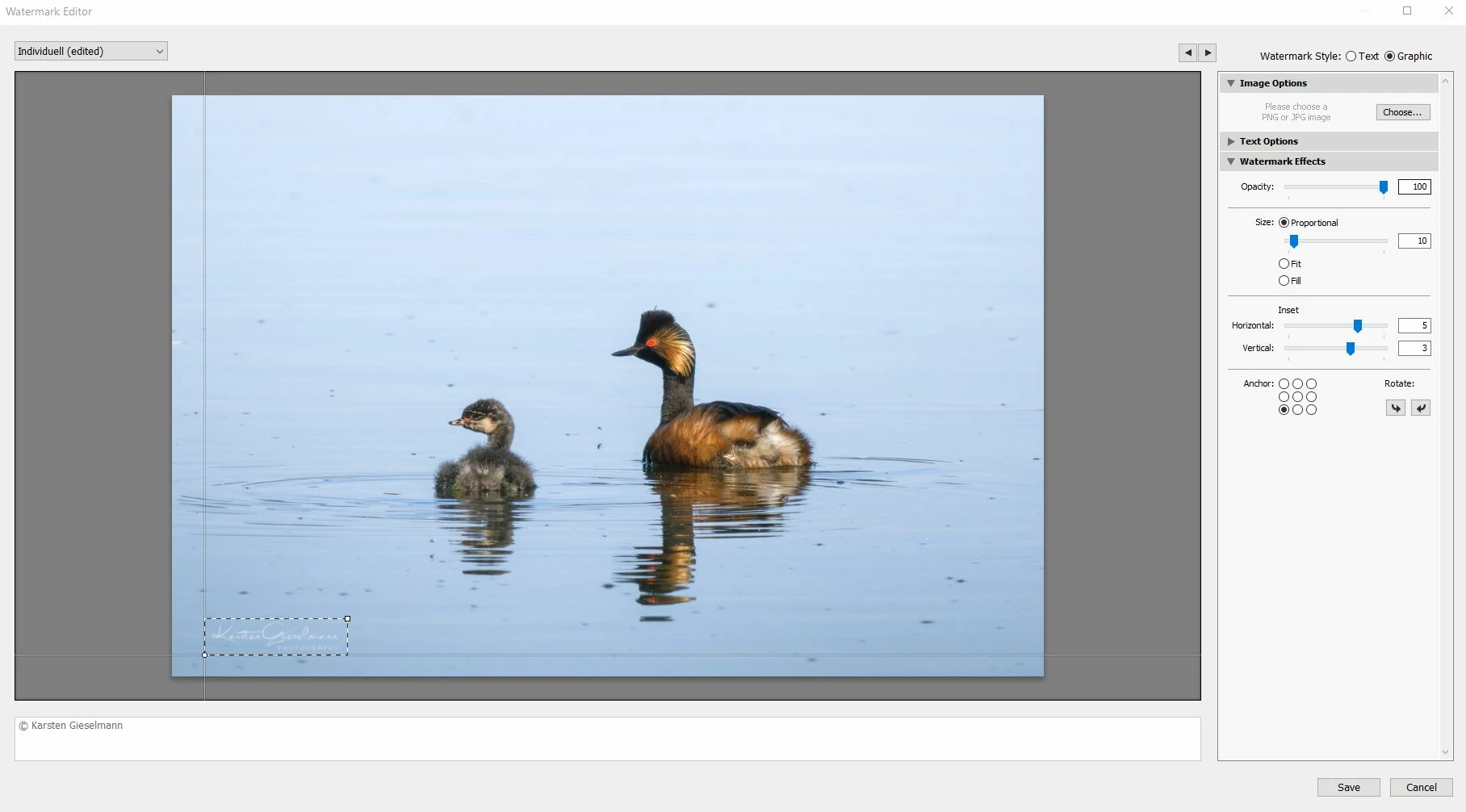
The new release seems to have an issue with watermarks.


What looks still okay in the watermark editor (as it did in previous versions) gets messed up during export, with light color watermark turning to grey.


See attachments.

53 replies

nice_child6C12
Known Participant
June 26, 2022

After the last update when exporting my photos the 100% white watermarks appear with a black border that is placed automatically. I have searched if Adobe added any new option in this regard but I have not found anything, and that ruins the image that I want to show. This has never happened before, I deleted and recreated the setting, using a new watermark, but everything is still the same. Giving a bad appearance and complicating the reading of our brand. // Despues de la ultima actualizacion al exportar mis fotos las marcas de agua 100% blancas aparecen con un filete negro que se coloca automaticamente. He buscado si Adobe agrego alguna nueva opcion al respecto pero no he encontrado nada, y eso arruima la imagen que quiero mostrar. Esto nunca habia pasaodo antes, borre y volvi a crear el ajuste, utilizando una nueva marca de agua, pero todo sigue igual. Dando mal aspecto y complicando la lectura de nuestra marca.

John T Smith
Community Expert
Community Expert
June 26, 2022

When you post a question you always need to tell the Adobe program you are using
There are MANY programs in a full subscription, plus other non-subscription programs
Please post the exact name of the Adobe program you use so a Moderator may move this message to that forum

Participant
June 24, 2022

Is the dark watermark issue fixed?

imprintmedialab
Participant
June 24, 2022

Lightroom Classic Version 11.4

Windows 10 Home 21H1


Since the update my white watermarks are rendering with a grey halo or outline that makes the watermark nearly unreadable. It looks fine in the preview window. To reproduce:

Step 1: Make a white graphical watermark using a transparent .PNG file

Step 2: Export a photo and select the white graphic watermark


Lightroom should export the photo with a clear white watermark (as shown at the very bottom of this report), but instead is exporting the watermark with a grey outline or halo (as shown immdiately below)


For reference - here is a photo I exported on April 27, 2022 using the same method (that I've been using for years with no problem), and it worked perfectly. But today I am getting the same results as above with both my old files and presets and all new files and presets.


imprintmedialab
Participant
June 24, 2022

My post was moved to this thread but I am NOT having a display/preview problem. I am having a rendering problem. The watermark looks fine in the preview on LIghtroom. It is the resulting exported photo that has the grey outline or halo with the watermark.

Participant
June 24, 2022

Ever since my Lightroom has updated to the latest version my watermark exports black when it show up on lightroom as yellow. I have a 2021 macbook pro m1. Is there a way to fix this issue?

Known Participant
June 23, 2022

Depuis la version 11.4 de Lightroom CC, l'apparence des signatures est dégradée. Soucis secondaire, toutes signatures en presets ne retrouvent plus le chemin vers mes PNG alors que rien n'a bougé.


Avant la mise à jour :


Après la msie à jour en 11.4 :

jasonscottphoto
Participant
June 22, 2022

I am having the same problem. Same watermark worked fine about two weeks ago.


The preview shows it correct, but when I export it is much darker.


Participating Frequently
June 21, 2022

Adobe - I know it's early, but do you have any feeling yet on how easy it will be to track down and correct this bug? I ask because if you think it may not be resolved for months or more, I'm going to have to look into designing and testing a new watermark (which will take some time - I already tried a slight modification of my current one and it did not come out looking correct after export). However, if you think this bug may be resolved within a couple weeks, I'm just going to hold off on further editing/exporting and not waste that time designing a new one, as I like my current watermark and would prefer to just keep using it. Thanks for any insight you can provide!

Participant
June 20, 2022

After updating to 11.4, my watermark is grey instead of white. And it didn't show up on some of the images I exported from the same batch. I have tried to create a new watermark, but have the same results. I am not doing anything different than before. I don't know what else to try. Please help! The first image is the problem (gray watermark), the second image is what my result was prior to updating. Mac OS Big Sur 

Participant
June 20, 2022

It looks correct at this point, but when I export the graphic part turns gray. 

Rikk Flohr_Photography
Community Manager
Community Manager
June 15, 2022

Setting status - adding bug number

Rikk Flohr: Adobe Photography Org
Participating Frequently
June 15, 2022

I'm definitely seeing this issue too with the new version of Lightroom Classic. All of my saved watermarks that have worked correctly for years are suddenly dim and grey after photo export. I have tried uploading new watermark graphics and playing with the settings but same issue...everything just converts to a barely visible grey. Adobe - Please look into this ASAP!

Participating Frequently
June 15, 2022

In the meantime, is there any way I can revert from LrC 11.4 to a previous version of LrC so that I can continue working?