



Karsten.G
Known Participant
June 14, 2022

P: Watermarks rendering darker than preview

  • June 14, 2022
  • 53 replies
  • 18672 views

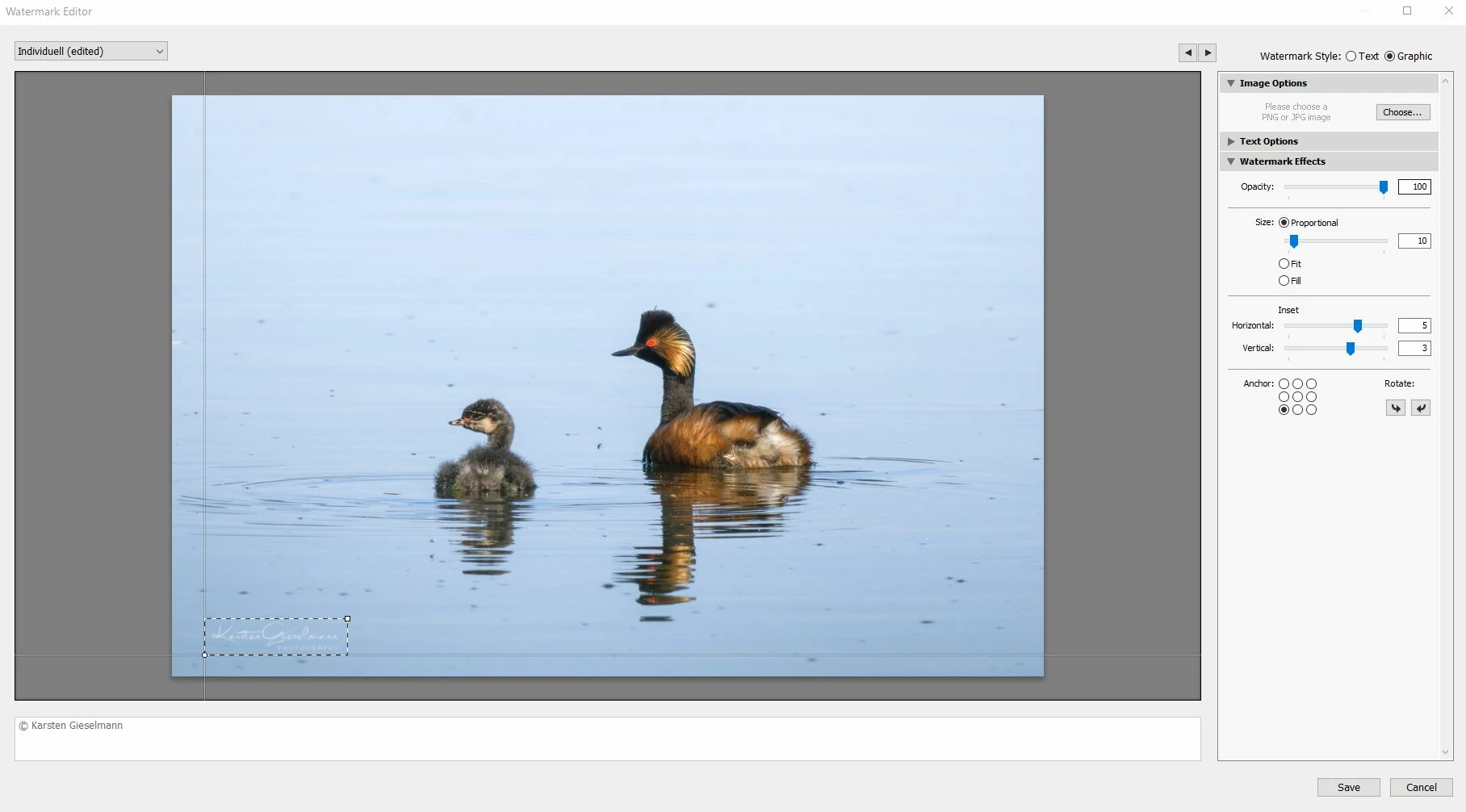
The new release seems to have an issue with watermarks.


What looks still okay in the watermark editor (as it did in previous versions) gets messed up during export, with light color watermark turning to grey.


See attachments.

53 replies

Participating Frequently
July 19, 2022
No! I have tried many ways… nothing! We must wait an update to solve it! --
Inviato da Gmail Mobile su iPhone
New Participant
July 19, 2022

With the new update, my watermark now had a stroke around it. Is there a way to eliminate that?


BENOITA38
New Participant
July 16, 2022

Hello, I am interested by this post.  I do have the same problem wit LrC 11.4.1 and MacOS 12.4 Monterey.
My logo has worked perfectly untill last month, certainly when I updated LrC
Thanks for your recommandation
Benoit

Participating Frequently
July 14, 2022

Ciao a tutti. La filigrana sulle mie foto ha un contorno nero ultimamente. Non riesco a capire il problema! L'immagine di filigrana che applico è un logo tutto bianco in PNG.
Non ho mai avuto problemi e non ho possibilità di apportare modifiche in lightroom... il programma crea questo effetto da solo!
Ho provato ad esportare l'immagine ad alta qualità o ad ingrandire il logo sia con photoshop sia in lightroom senza ottenere nessuna differenza.
Sono certo sia un problema del programma!

I'm using a brend new Mac Studio with last OS istallede and last 11.1.1 Lightroom version
Allego foto di esempio!

Participating Frequently
July 14, 2022

Hello everybody. The watermark on my photos has a black outline lately. I can't understand the problem! The watermark image I apply is an all white logo in PNG.
I have never had any problems and I have no possibility to make changes in lightroom ... the program creates this effect by itself!
I tried to export the image in high quality or to enlarge the logo with both photoshop and lightroom without getting any difference.
I'm sure it's a problem with the program!

I'm using a brend new Mac Studio with last OS istallede and last 11.1.4 Lightroom version
I am attaching sample photos!

DeeNiceF
New Participant
July 13, 2022

Not sure if this is a Lightroom issue but thought I would ask if anyone has had the same issue. I recently purchased a new Logo. When I export my photo with the logo out of Lightroom, the white lettering and the round frame has a grey outline and the pink paint splat that is on the logo turns grey.  It looks great in the preview box before I export it and the one I edited in black turns out fine also. Any suggestions how I can fix this?

New Participant
July 13, 2022

4 weeks since bug confirmed. Status please, Adobe?

New Participant
July 7, 2022

I applied the white watermark png file to the image corrected by lightroom clack, and the output shows the watermark in black. (It looks good in white in the preview.) Is there a solution?

nice_child6C12
Known Participant
July 6, 2022

@Kevin24871349yxws  In order to continue working I have resorted to a 3rd party program... configure my watermark to be used with Photomechanic. // para poder seguir trabajando he recurrido a un programa de 3eros... configure mi marca de agua para ser usada con Photomechanic. 😞👎


nice_child6C12
Known Participant
July 6, 2022

In another conversation thread there are IOS users with the same problem... this is not a Windows-exclusive bug. // En otro hilo de conversacion hay usuarios IOS con el mismo problema... esto no es un fallo exclusivo de Windows.


Participating Frequently
July 3, 2022

latest version11.4.1 on mac has a WATERMARK bug

that when exporting a photo a white PNG text logo watermark, on a colorful background like lemon yellow, will have a BLACK edge

Participating Frequently
July 3, 2022

the watermark png file is pure white without and shadow. but when export will has uglyAliasing black edge with