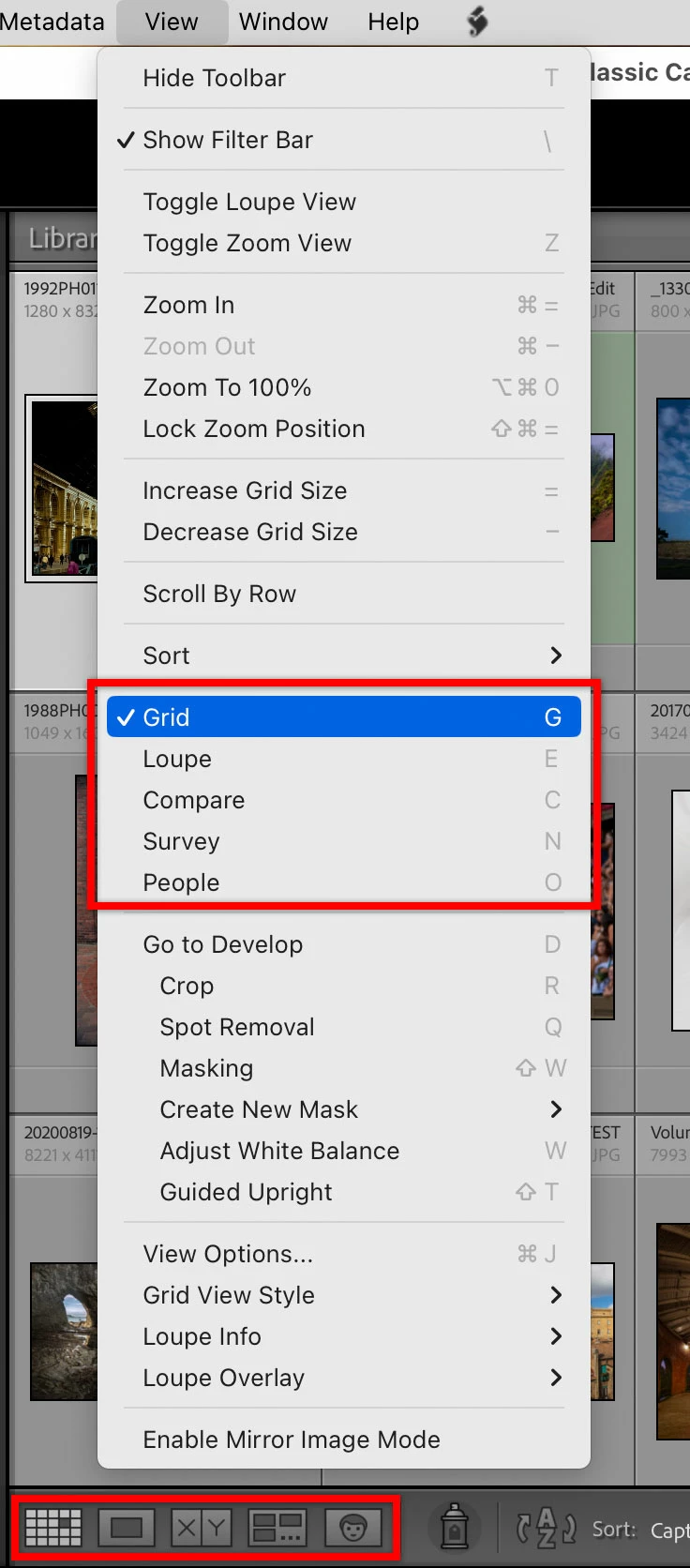
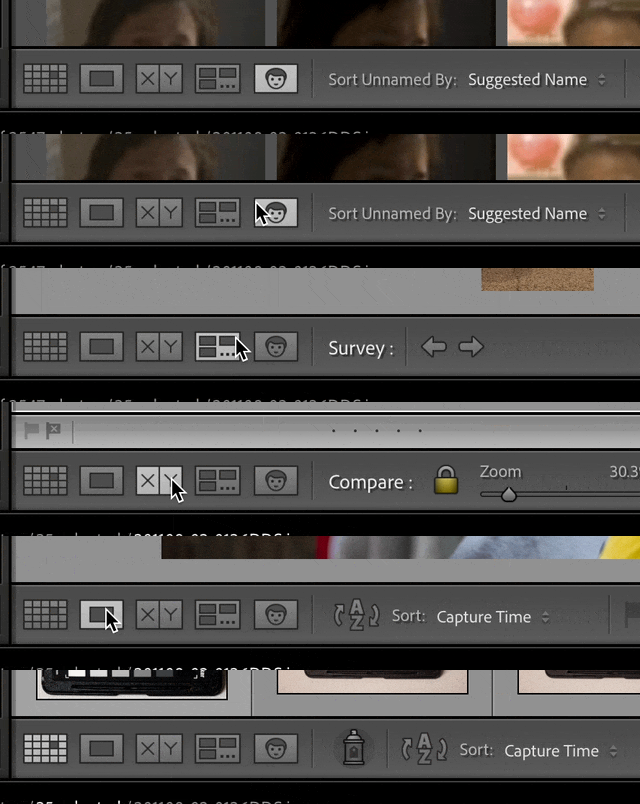
It sounds like you accidentally pressed the O key when the Keywords field was not active, because the O key is the single-key shortcut for switching to People view, as shown below (similar to how pressing the G key switches to the Grid view, and E switches to Loupe view). If the toolbar is set to be visible, there are five buttons down there that correspond to the five view modes (see picture and demo below), so you can also switch that way.
I am not sure what Google search result you saw, because that preference does not exist in Lightroom Classic. It is not possible to disable the People view any more than it is possible to disable, for example, the Grid view.
There is nothing complicated about People view, it’s just another view. The main thing you need to know is how to exit People view, and it’s the same as exiting any of the other View modes: Simply switch to another View mode. For example, if you were adding keywords in Grid view and you accidently switch to People view, just switch back to Grid view as you normally would (the single-key G shortcut, the toolbar button, or the View > Grid command). If you were keywording in Loupe view, just switch back to the Loupe view using whatever way you usually do.



 AdChoices