
Colors look different between apps with a specific set of images.
I've been editing this gallery and encounted this issue with four specific images. The colors look different when exporting. I'm viewing the exports in Bridge but the colors look equally as wrong when looking through Windows Photo. (I always view my exports in Bridge but i wanted to verify different apps.) What's even more curious is that when I preview the RAW file on Bridge, the colors are equally as wrong. I then opened up the image on Camera RAW through Bridge and while the settings are the same, there is a clear difference, the colors are bluer/cooler. I've looked through several forums and did all the steps of calibrating my monitor to srgb, I made sure to export in srgb, i've even tried exporting in other color profiles. I noticed no change between the diff color profiles exports (the exports honestly looked the same whether they were srgb, adobe rgb, or prophoto). The only difference is between the applications, and is specific to those four sets of images, as with all the other images in the gallery so far, the colors look the same between apps. I will upload two differente images, one where the colors match between apps, and the other where the colors don't match. The exported images are being view through Windows Photo, but like I said, the colors look equally as wrong in Windows Photo, Bridge Preview, and Camera RAW hosted on Bridge. Some guidance would be great. Thank you!
Lightroom is updated to most recent version.
GPU Driver is also updated.
Monitor has been calibrated to srgb per a previous forum here.
Windows 10, nvidia rtx 3060, AMD Ryzen 7 5700G, 32gb ram, lmk if more info in needed
Image where color match:
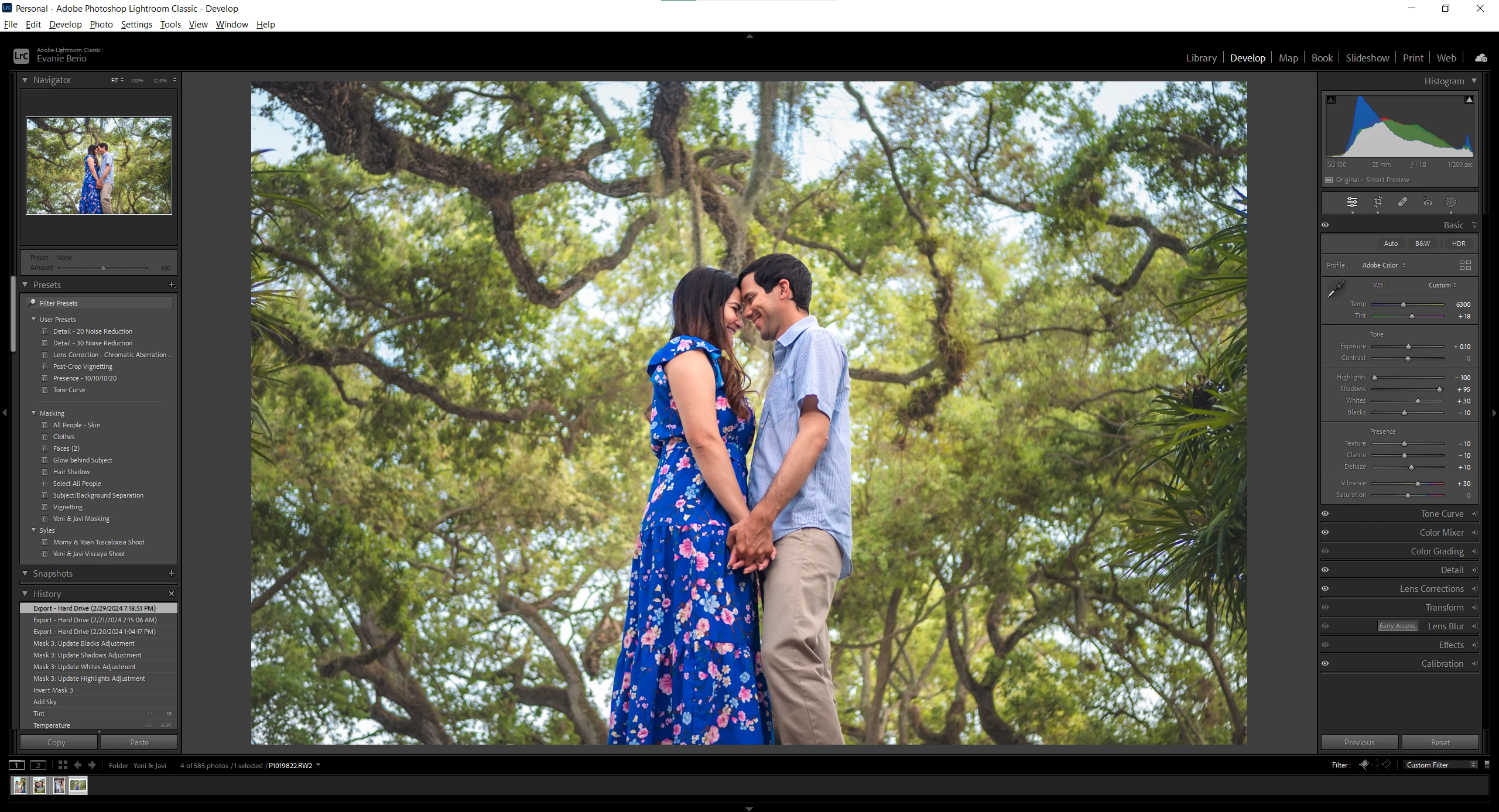
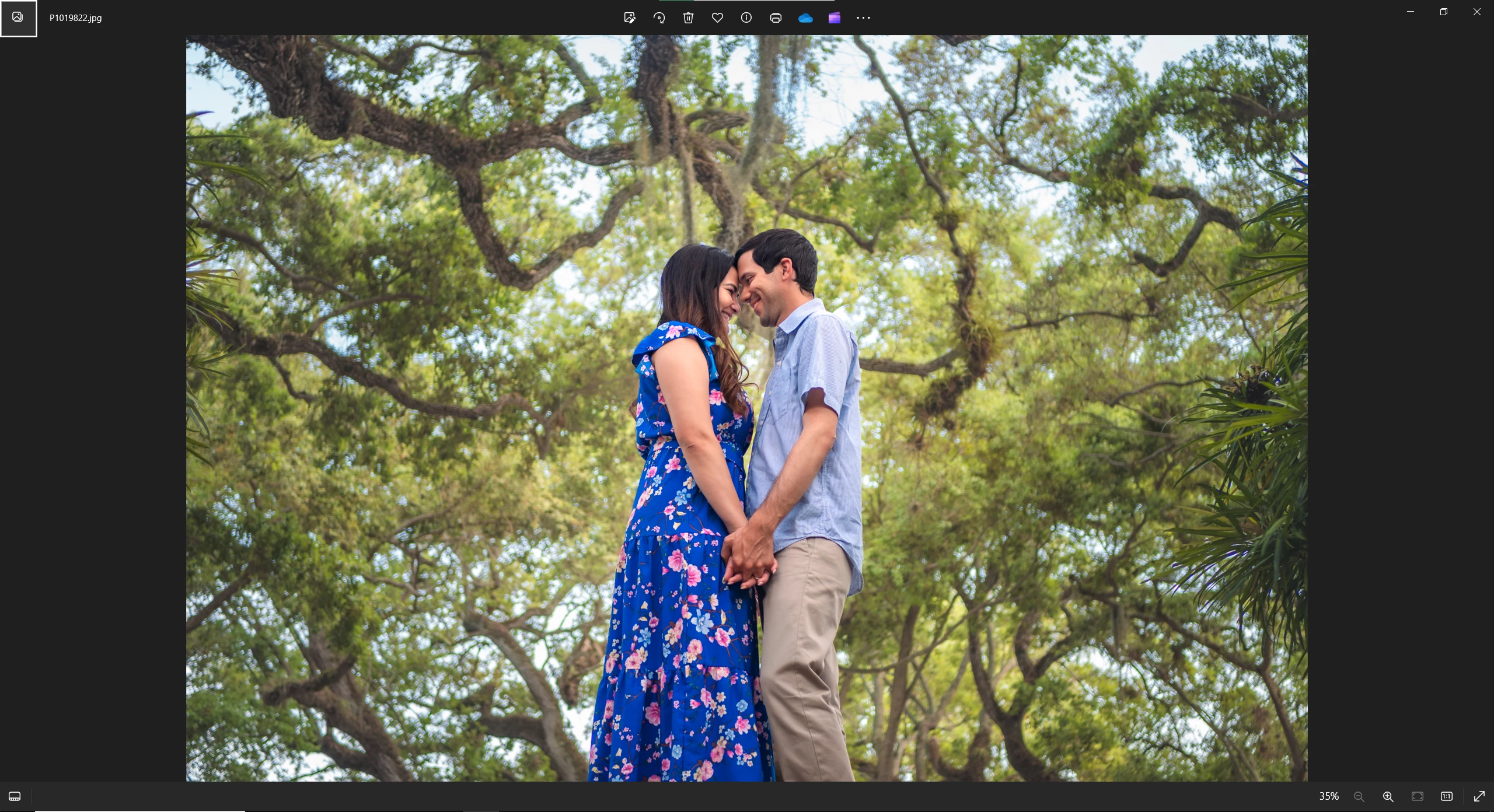
Image where colors don't match:
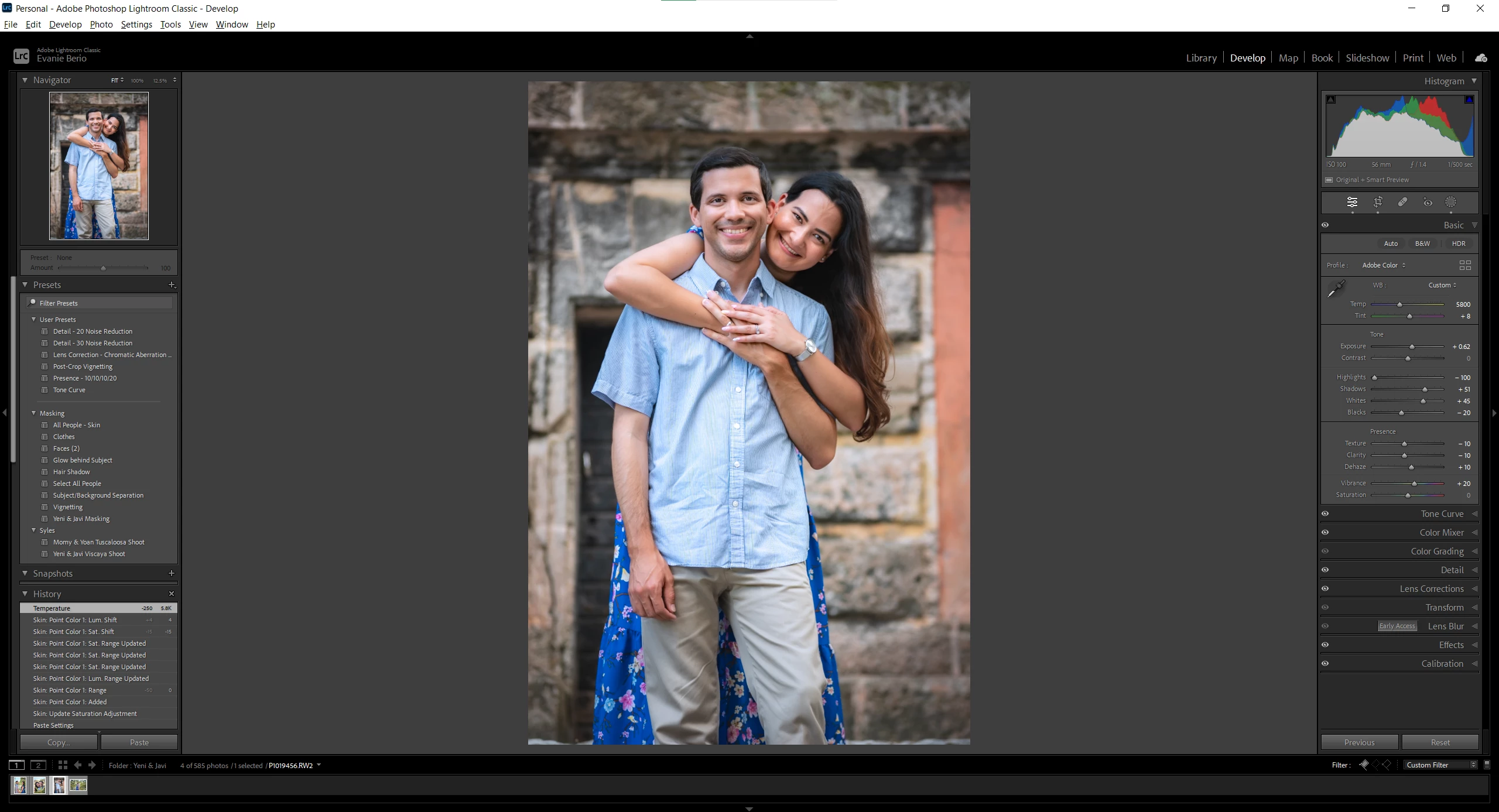
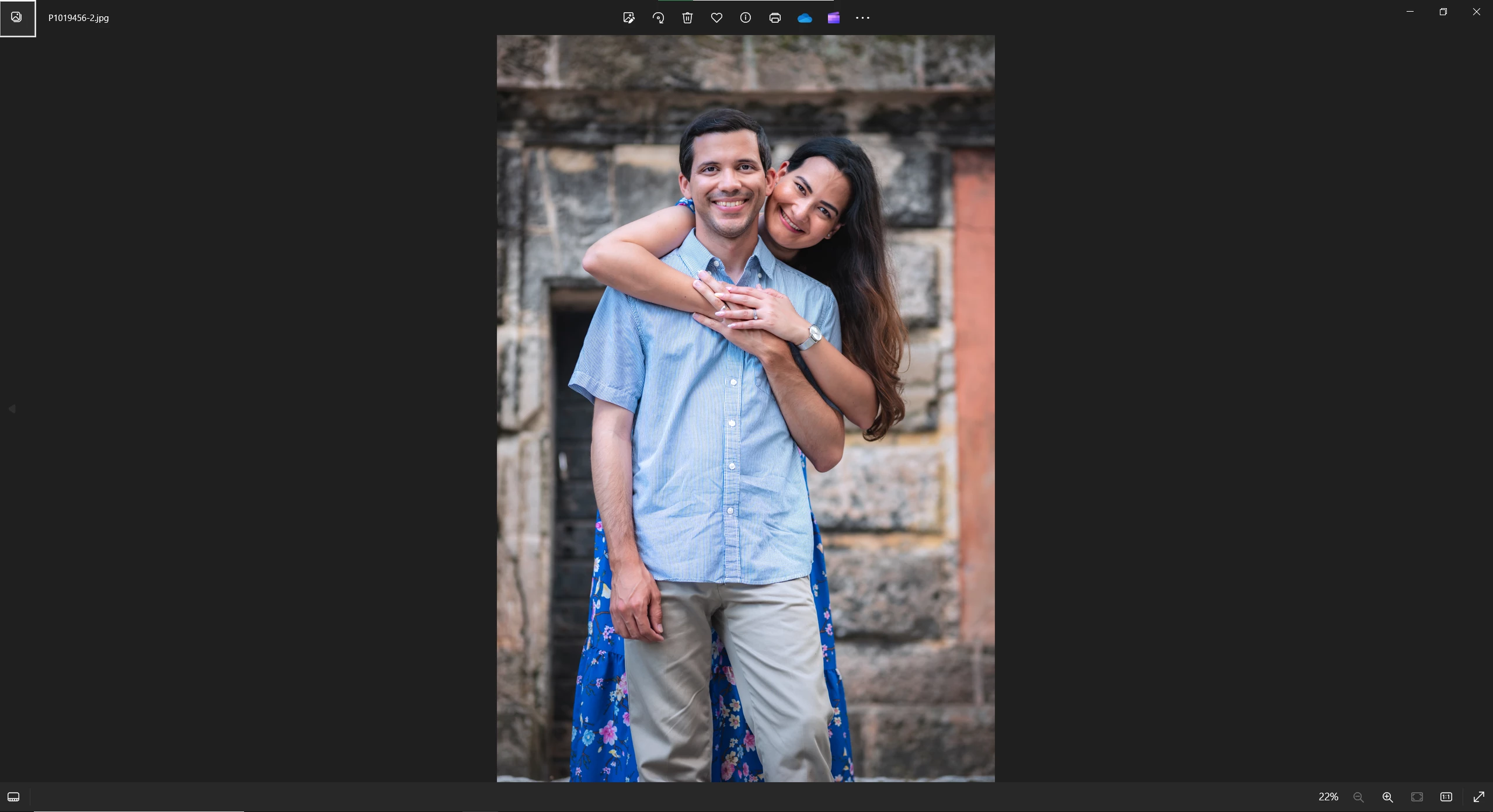
The colors are more blue and slightly more magenta.
 AdChoices