

Question
Develop Settings > Update AI Settings always greyed out
[Updated to include the discrepancy with the Library occurrences of Update AI Settings.]
In Develop, the menu command Settings > Update AI Settings is always greyed out. I haven't found any conditions in which it is enabled. But Update AI Settings in the context menu for the filmstrip, in Library's Photo menu, and Library's filmstrip context menu are correctly enabled. Whatever the intended conditions of when the command should be enabled, it is clearly a bug that some occurrences of the command are enabled while others aren't.
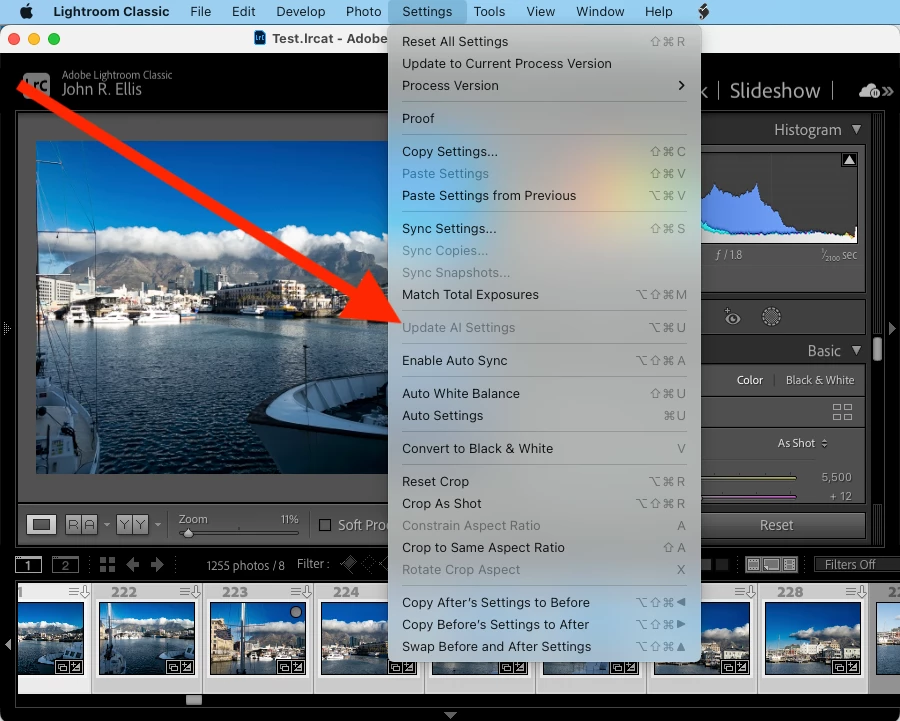
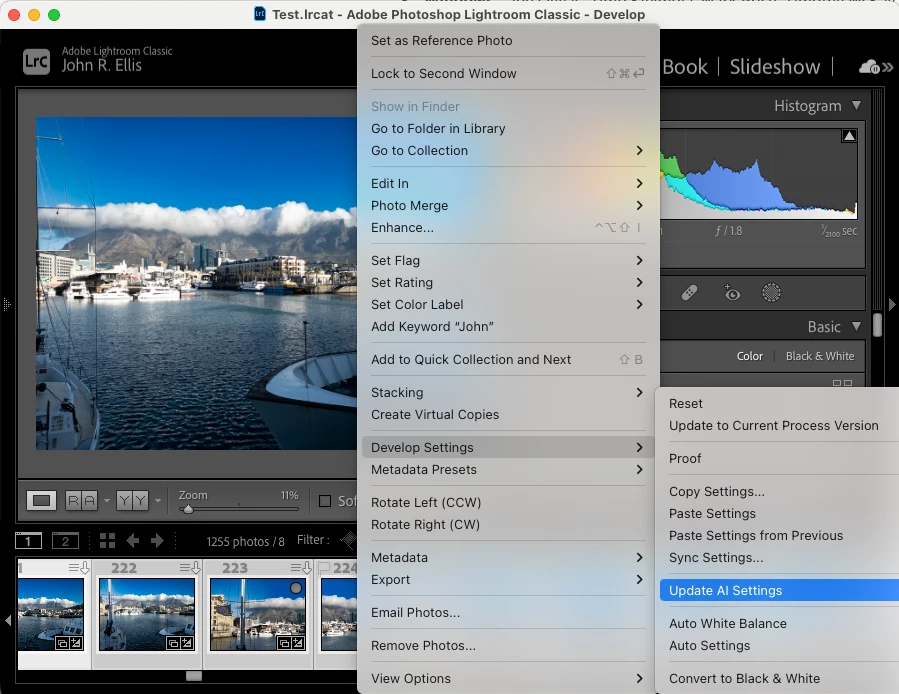
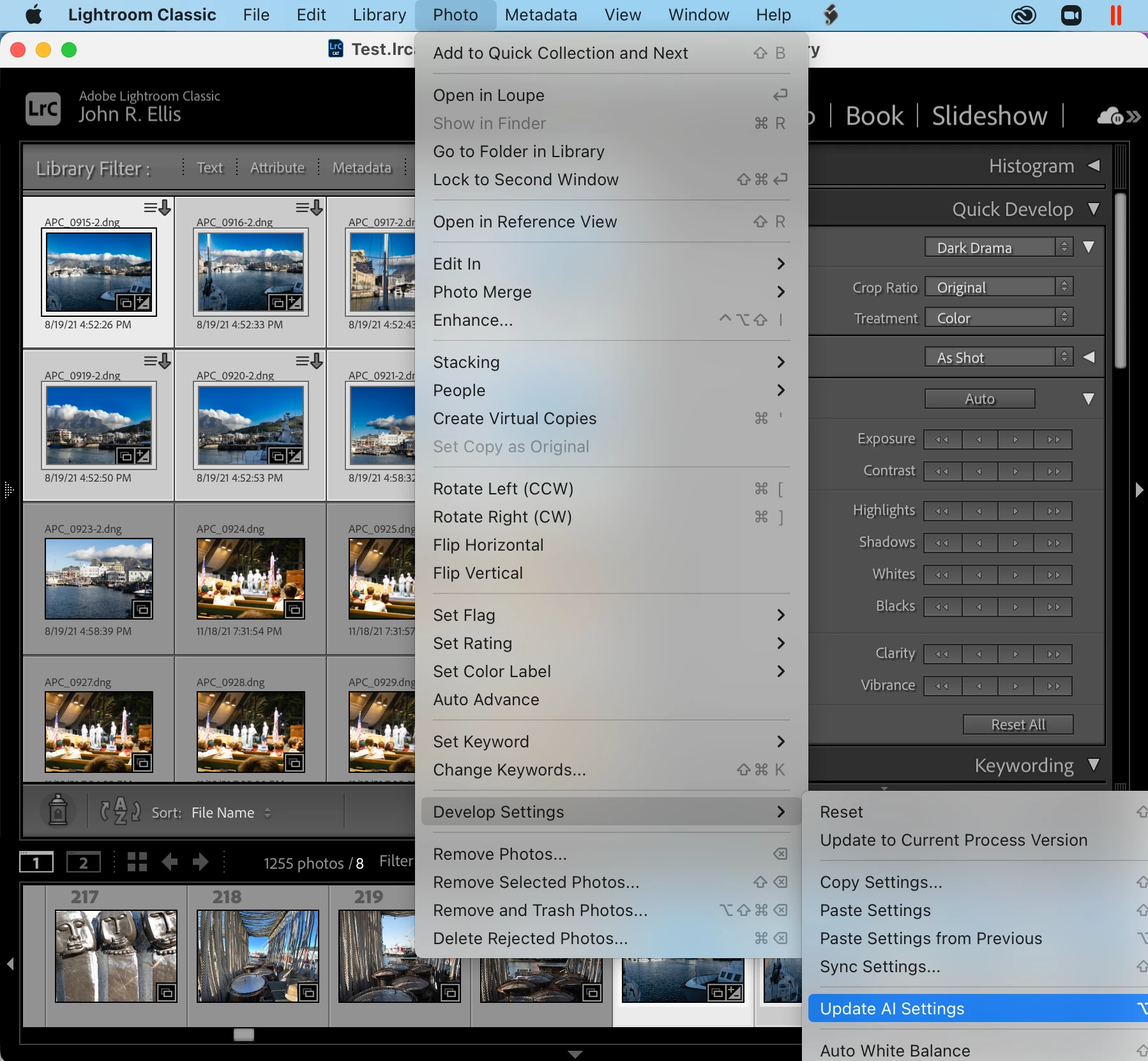
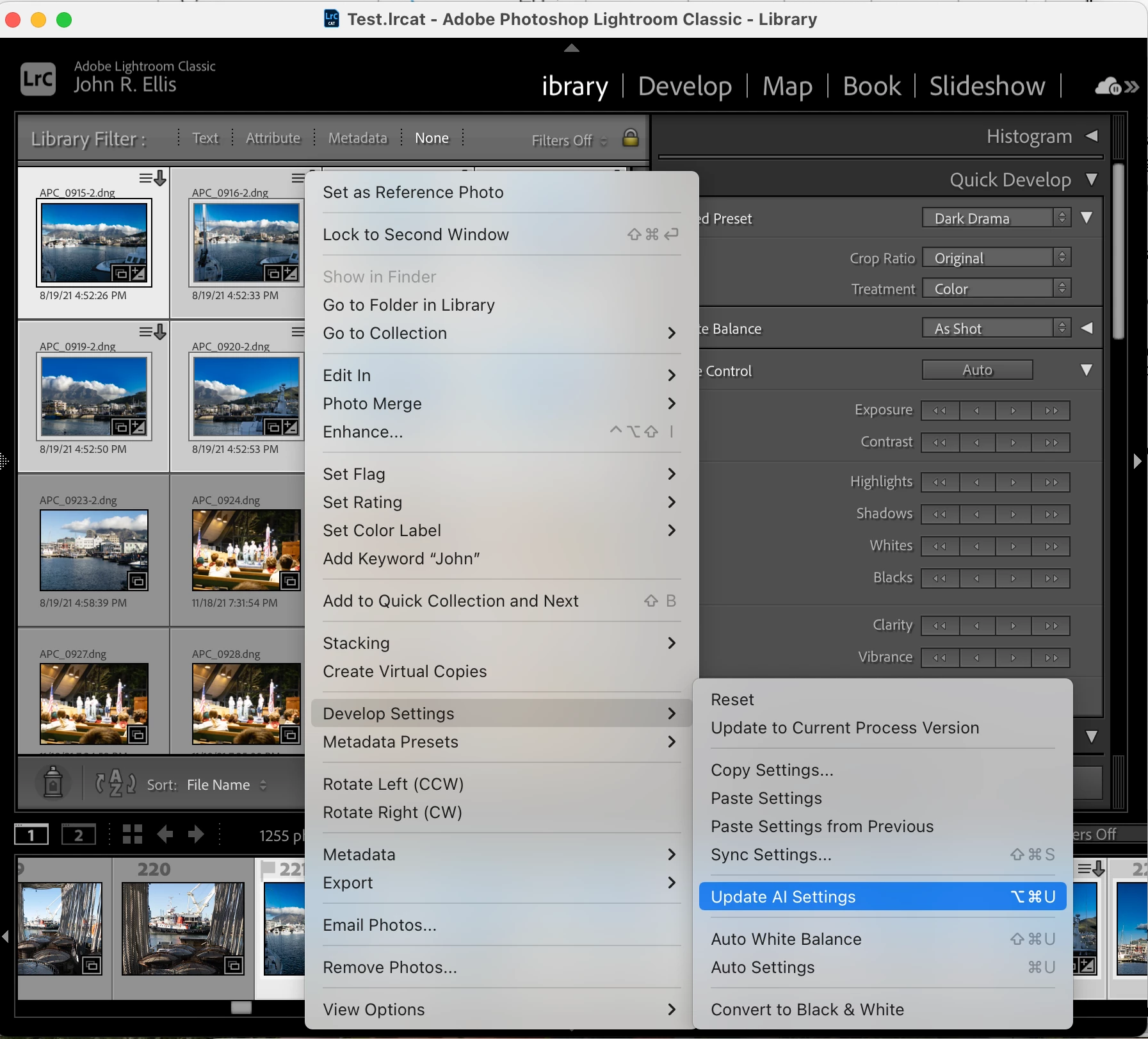
Tested on LR 12.0 / Mac OS 12.6 and Windows 10.


 AdChoices