
Inspiring
August 9, 2024
Answered

Edit In no longer has any options.

  • August 9, 2024
  • 4 replies
  • 962 views

The issue is with LRC 13.4, Photoshop 25.11.0, and Window 10 64bit.  In Preferences/External Editing, I have no software showing up.  Clicking on the window does nothing.  I tried using the Additional External Editing window setting up Photoshop 2024 as the default, but LRC will let me access this from the Edit In menu.  It only gives my and error message tellng me to select an External Editing Software. 


I have deleted the preferences 3-4 times. Tried to open an older catalog, same problem.  Reinstalled Lightroom twice. Nothing works. 


In addition, Lightroom no longer opens from the Alias.  I now go to the folder with the catalog and open the catalog from there, in order to access Lightroom. 


My workaround is to no longer use Edit In.  Instead, I use the Export Window to get to Photoshop.  


I am so tired of LRC being totally unreliable.  Version 12.5 was the last stable version on my machine.


Machine and Software stats, Windows 10 64 bit latest version, Lightroom Classic 13.4, and Photoshop 25.11.0.
This topic has been closed for replies.
Correct answer GoldingD
n addition, Lightroom no longer opens from the Alias

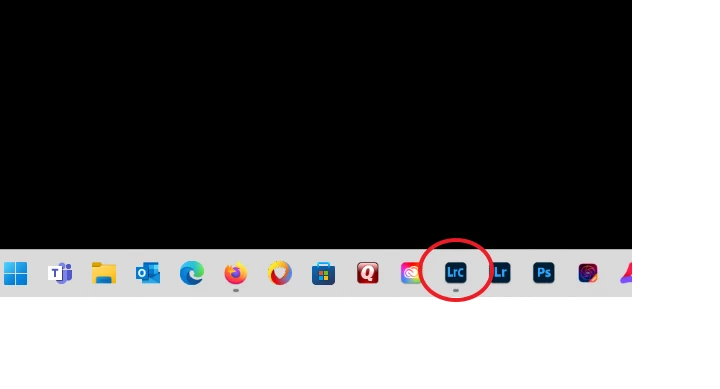
By that I assue you meen a Strrtup Shortcut Icon, such as this one down in my Task Manager:

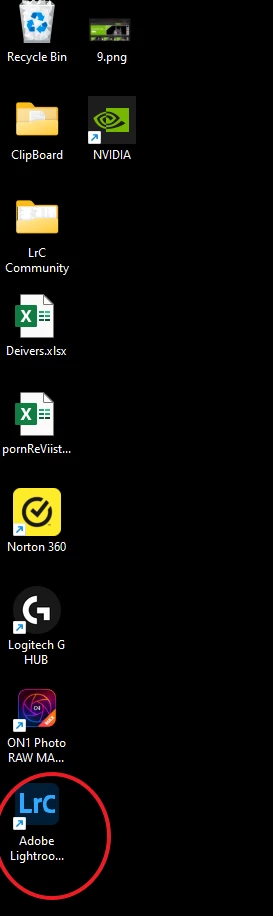
 Or perhaps one like this on the Desktop:


If those do not have the correct Target, then they will fail, that can be corrected. In the case of the Desktop one, right click and look at the properties and correct the Target. Or just select the application over in Start, and  it to the desktop.

4 replies

KBStudioAuthor
Inspiring
August 10, 2024

It was painful, but all your suggestions did solve the problems.  I only wish I had backedup my settings.  I had so many custom menus and such.  I guess I will discover the ones I missed.

Thanks to all.

Kim


AxelMatt
Community Expert
Community Expert
August 10, 2024

In addition to @GoldingD post.


If the steps that @GoldingD doesn't work try to reinstall LR and PS again. But this time with removing the preferences when ask during the deinstallation.


My System: Intel i7-8700K - 64GB RAM - NVidia Geforce RTX 3060 - Windows 11 Pro 25H2 -- LR-Classic 15 - Photoshop 27 - Nik Collection 8 - PureRAW 5 - Topaz Photo
GoldingD
Legend
August 9, 2024


Reinstalled Lightroom twice. Nothing works.  


Did you attempt the alternate fix as follows:


  • Bring up your Adobe Creative Cloud Desktop App
  • Remove both LrC and PS
  • Install PS (Do not install LrC before PS)
  • Install LrC.


the above has been stated as a reply in a few postings, such as:


P.S. did you ever have PS Beta?

GoldingD
GoldingDCorrect answer
Legend
August 9, 2024
n addition, Lightroom no longer opens from the Alias

By that I assue you meen a Strrtup Shortcut Icon, such as this one down in my Task Manager:

 Or perhaps one like this on the Desktop:


If those do not have the correct Target, then they will fail, that can be corrected. In the case of the Desktop one, right click and look at the properties and correct the Target. Or just select the application over in Start, and  it to the desktop.