sumnicole
Participating Frequently
October 18, 2018
질문

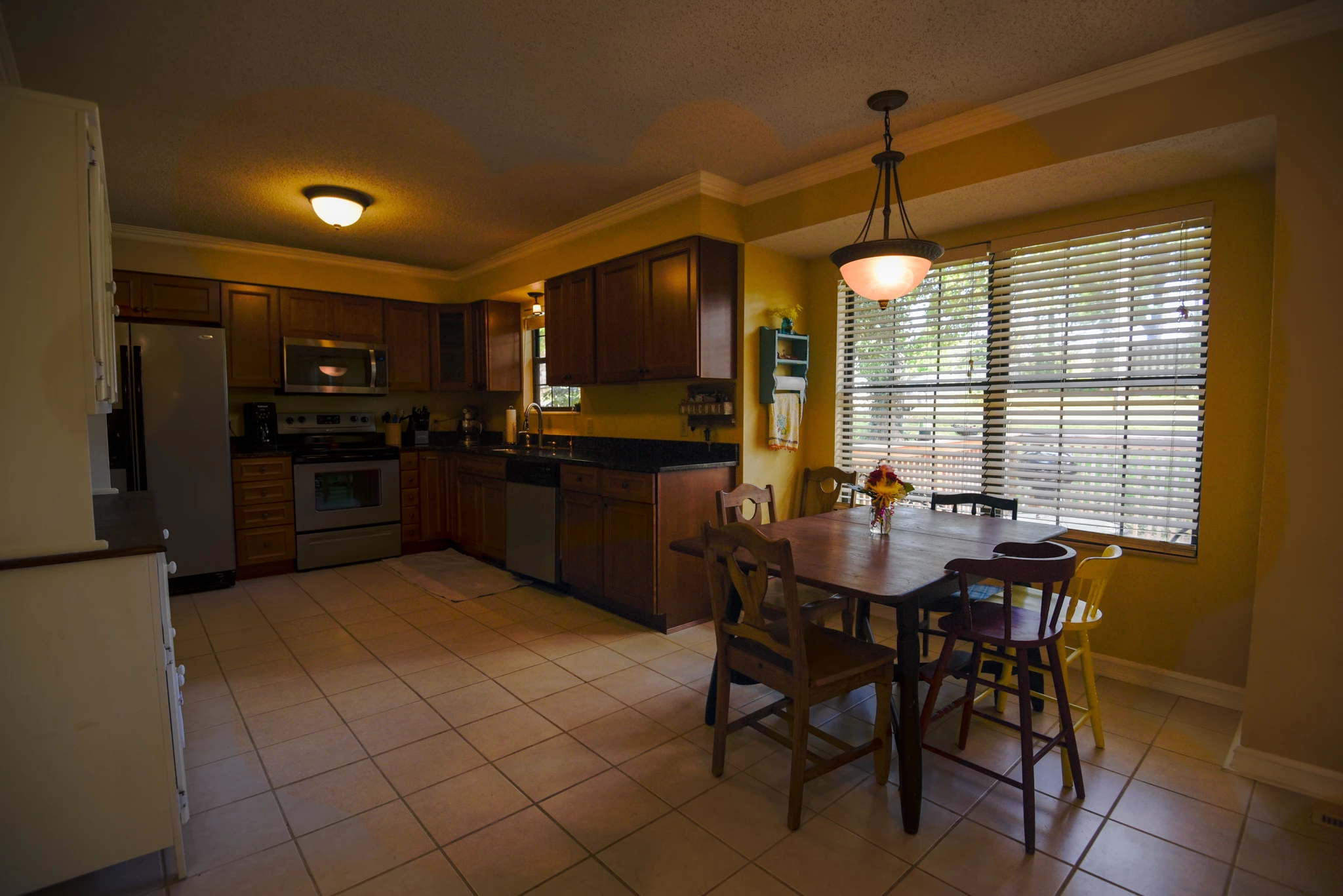
HDR merge all of a sudden high contrast, high saturation, hot WB

  • October 18, 2018
  • 7 답변들
  • 6588 조회

I use HDR to merge all of my real estate photography and all of sudden today when I merge the same (low exposure, correct exposer, and high exposer) images together, Lightroom is giving me an orange, highly contrasted, highly saturated mess of an image that isn't fixable. All my settings seems the same so what is the deal?!?!?!?!?!??!?

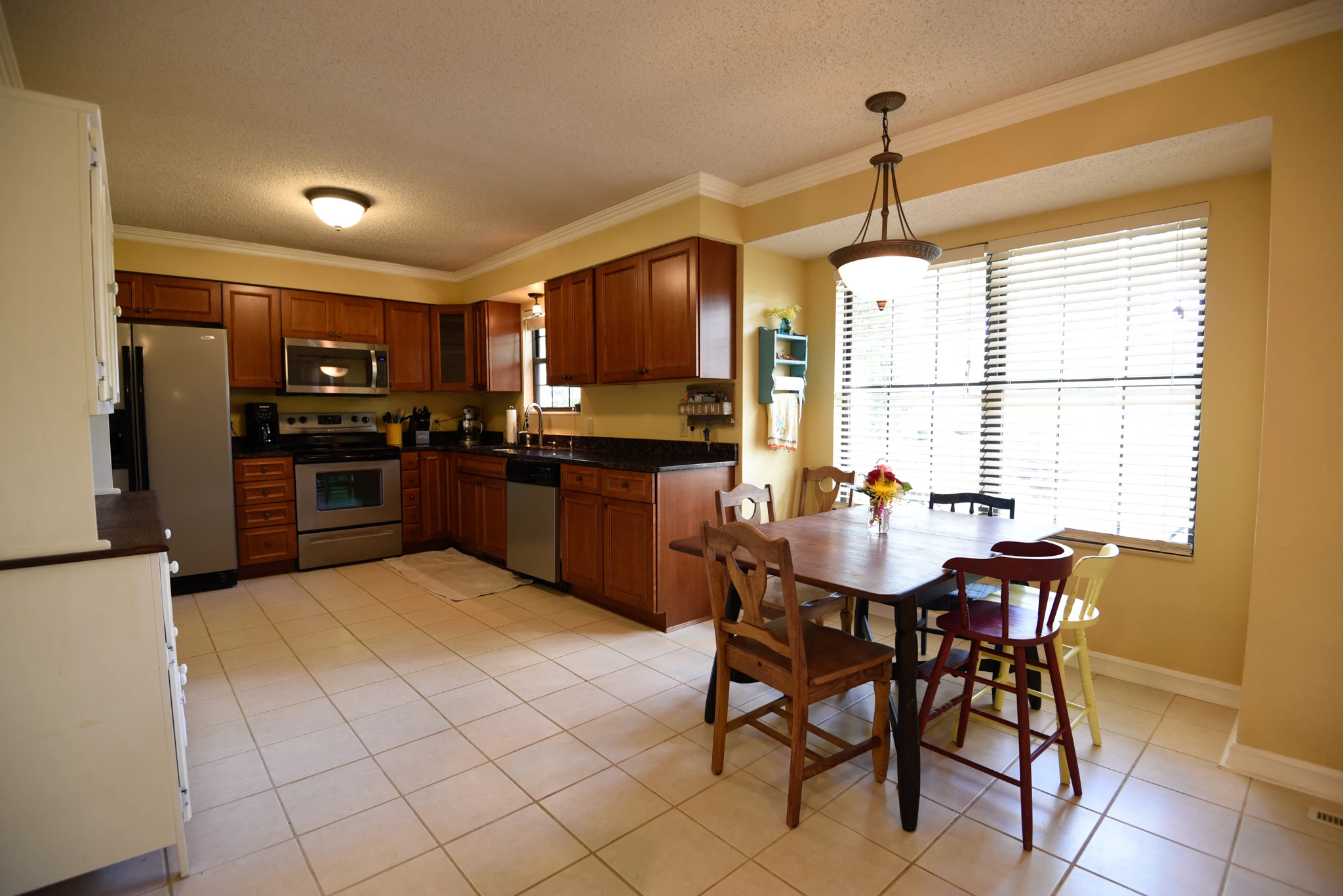
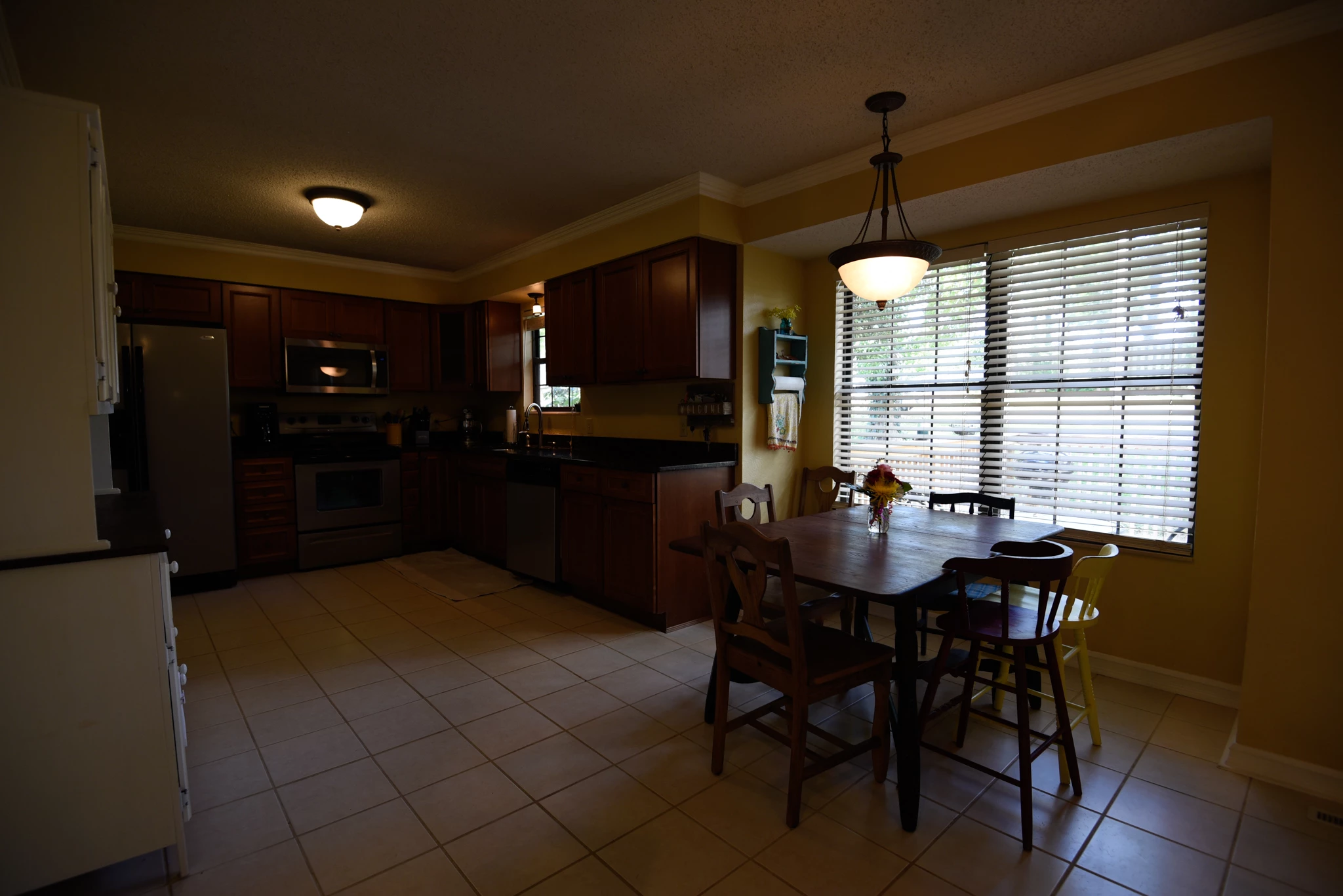
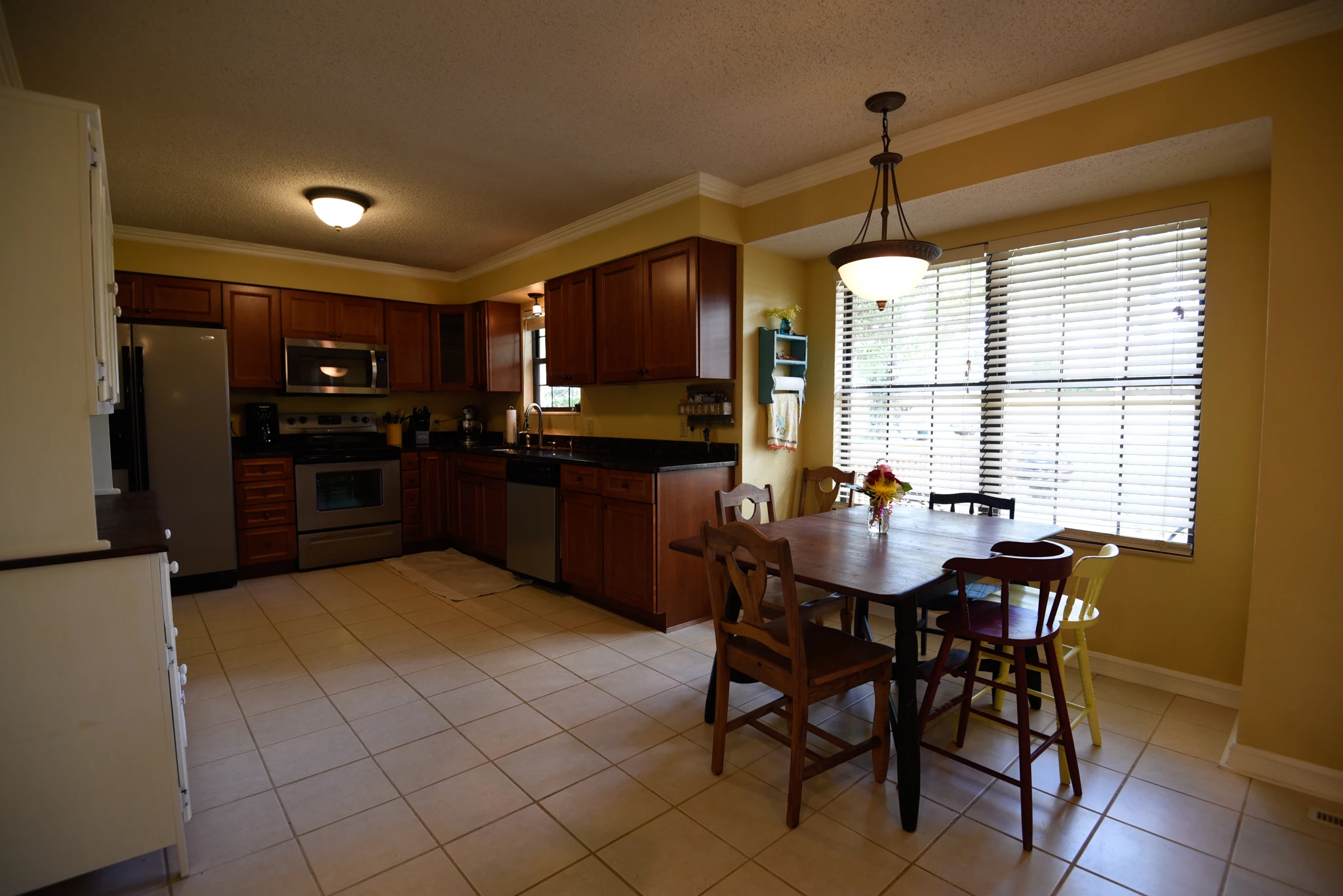
You can see the 3 original images and the weird 4th images is the HDR image.
이 주제는 답변이 닫혔습니다.

7 답변

GoldingD
Legend
July 24, 2021

White Balance, post processing, in Develop module, post merge


So the interior shots, mixed lighting. This is a case where As Shot may be problematic.


In the Develop Module, Auto apparently does not work. The other presets, shady, cloudy, etc, probably not.


Might be a situation to use the WB eye dropper (sampler)


You may want to include a shot of a color checker card, or a grey card in future interiors with mixed light, to use as a standard.


Participating Frequently
July 24, 2021

It's just really strange. These are exterior shots, 3 bracketed photos. Shot the same way I've shot over 600 properties in the last 3 years, and now all of a sudden during LR HDR merge, they are overly saturated, and detail is gone. It's bizarre......and quite annoying.


GoldingD
Legend
July 24, 2021

Deghost  amount


In your interior shots, nothing is moving in the subject matter, select Deghost none.

That is for objects moving, not for camera movement.


In your exterior shots, go with the least amount of Deghost required to deal with objects moving. Too much Deghosting can cause issues. This can often show up in mostly empty sky's. Use  the Deghost overlay to see what might be required. Select the different Deghost amounts to see what changes, consider if going higher is required, consider if going lower will work. Be wary of a Deghost overlay showing up in the bland sky. Your clouds might need some, or maybe not. 


GoldingD
Legend
July 24, 2021

Auto Settings in Merge.


One change in processing  that I would recommend based on experience with LrC Merge HDR, 

Turn that option for Auto Settings off. Often it work Ok, not great, just Ok, but sometimes, and I have never figured out why, it fails miserably. And I then need, in Develop,in Basic panel, to uncheck Auto. 


Not a real estate photog, my field is Landscapes, might have a few hundred sets of bracketed shots for HDR, even HDR/PANO. Out of the hundreds, maybe one or two set(s)would act wiered with Auto Settings on.

Demand Marketing
Known Participant
September 19, 2019

sumnicole did you get anywhere with this? I am having the same problem! High-contrast orangey mess 😕😕

KR Seals
Community Expert
Community Expert
October 19, 2018

I use HDR in real estate and nature extensively. From what I see, your lightest exposure is what I would call the normal one. If this was my series, I would expect middle and brightest shots to be about 1.5 to 2 stops brighter. The orange you are talking about is the result of the inside tungsten light being rendered too dark. As colors get darker in an image, they also seem to be more saturated.

Ken Seals - Nikon Z 9, Z 8, 14mm-800mm. Computer Win 11 Pro, I7-14700K, 64GB, RTX3070TI. Travel machine: 2021 MacBook Pro M1 MAX 64GB. All Adobe apps.
sumnicole
sumnicole작성자
Participating Frequently
October 19, 2018

Thank you for trying to help! Yes on interior light and sometimes I do have a brighter one also, but in today's case, it didn't matter. It was even doing this crazy saturation on my exterior natural light images. I was able to adjust the exterior pictures, but not the interior. Lightroom couldn't correct the white balance. The 4th picture is the HDR merged picture. But all this to say, I'm using the same exact workflow and something has changed.

JohanElzenga
Community Expert
Community Expert
October 19, 2018

I'm still waiting to see the settings in Lightroom. You seem to think that the merge should always directly produce a final result, without you having to do any further tweaking in the Develop module. That is not the case. The merged HDR DNG is just the starting point for your edits, like any other raw file.

-- Johan W. Elzenga
JohanElzenga
Community Expert
Community Expert
October 18, 2018

Without seeing any settings, who can tell?

-- Johan W. Elzenga
sumnicole
sumnicole작성자
Participating Frequently
October 18, 2018

What settings do you want to see?

Per Berntsen
Community Expert
Community Expert
October 18, 2018

I have done hundreds of these sessions and this has never happened. Perhaps I'm not explaining it very well.


What happens if you set Deghost to None?

I have created many HDRs somewhat similar to yours, and have never used Deghost.

kglad
Community Expert
Community Expert
October 18, 2018