
Answered
How do I apply a preset to multiple photos at once using Lightroom CC
This is a feature I used to use a lot within Lightroom 5, in the grid view, I used to select all the photos I wanted to apply it to, right click, Develop, then find my preset and apply it.
This seems to either have moved or gone from Lightroom CC?
Here's a screenshot of what I mean...
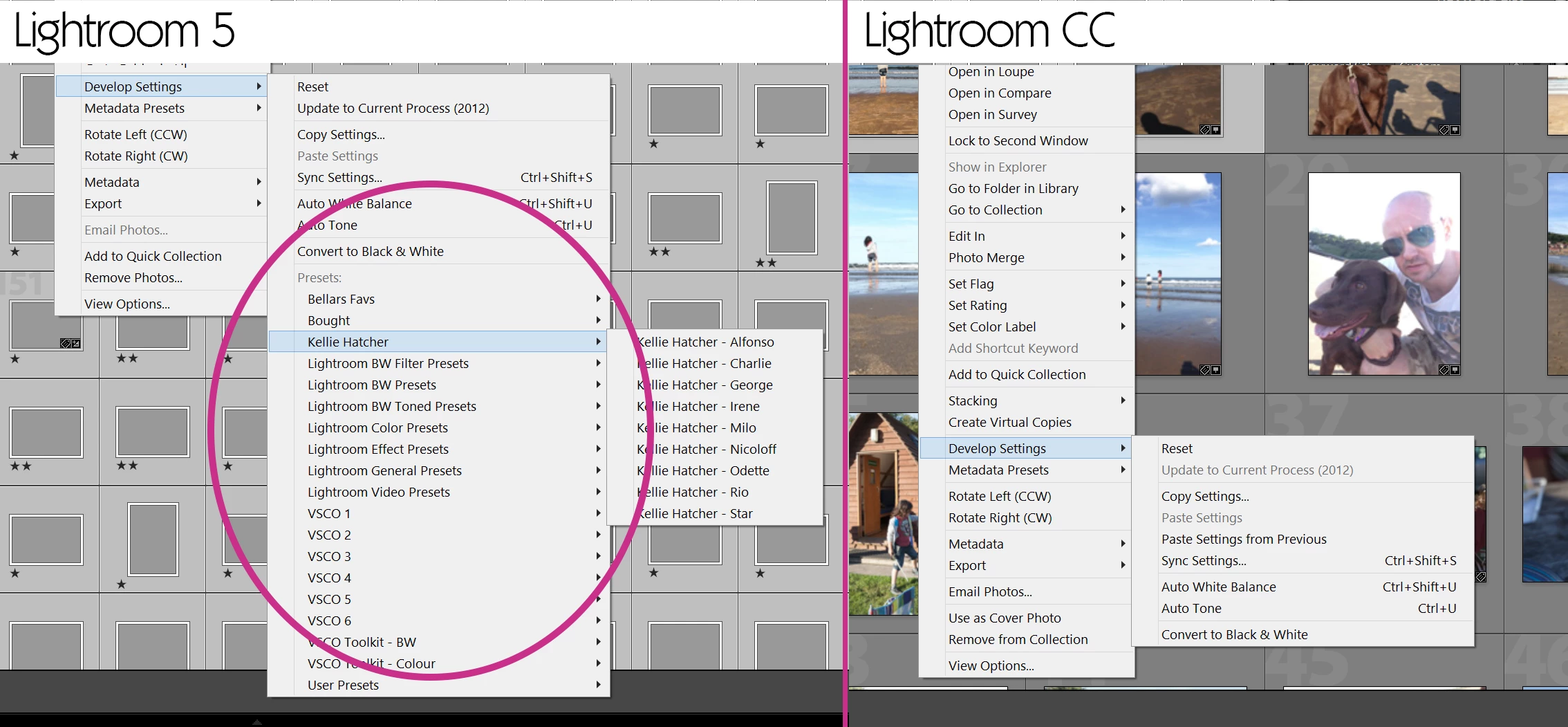
If anyone can help I'd appreciate it.
P.S I don't want to use sync as that's not exactly what I'm after which other people have suggested.
 AdChoices