
Participant
December 6, 2022
Question

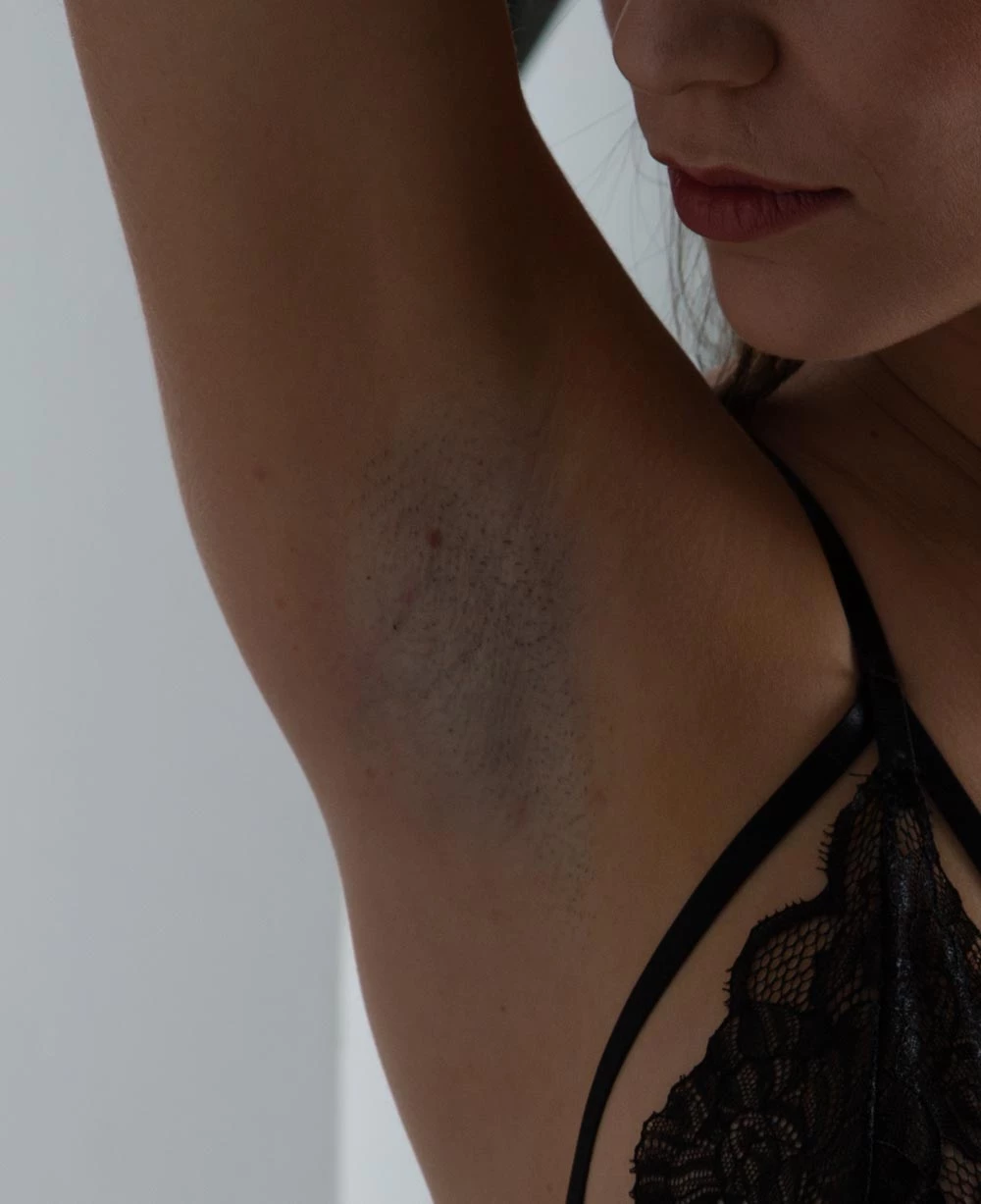
How to remove hair shadow from the armpit

  • December 6, 2022
  • 2 replies
  • 1471 views

Hello.

I have a "little" problem with one of the last models I shooted.

As you may know some details are only viewables after the session because of the flashes. That was the issue. I didn't realize it during the shooting, but when in Lightroom: Boom!

I tried many things without success.

You can see what I'm talking about in the picture attached.

Thankx in advance for any help.

Sergio
This topic has been closed for replies.

2 replies

Participant
December 6, 2022

Hello, again:

That's what I get after retouching, but I'm not fully satisfied.


[image removed by moderator - please keep in mind our Community Guidelines]

Sean McCormack
Community Expert
Community Expert
December 6, 2022

It's something I'd do in curves really on PS.. 


https://www.youtube.com/watch?v=c5gZQ3QE5ys


Sean McCormack. Author of 'Essential Development 3'. Magazine Writer. Former Official Fuji X-Photographer.
Sean McCormack
Community Expert
Community Expert
December 6, 2022

To me this is an easy Photoshop fix. In Lightroom I'd probably try using the colour swatch in Masking's Brush too. I'd sample the correct colour and then paint over the bad area. You may need to play with the brush Saturation and Exposure too. 

Sean McCormack. Author of 'Essential Development 3'. Magazine Writer. Former Official Fuji X-Photographer.
Participant
December 6, 2022

You're right.

This is easier with PS, but I was trying a quicker way.

I will try what you're proposing to me.

Thanks for your help.