
질문
Lightroom and Photoshop printing issues
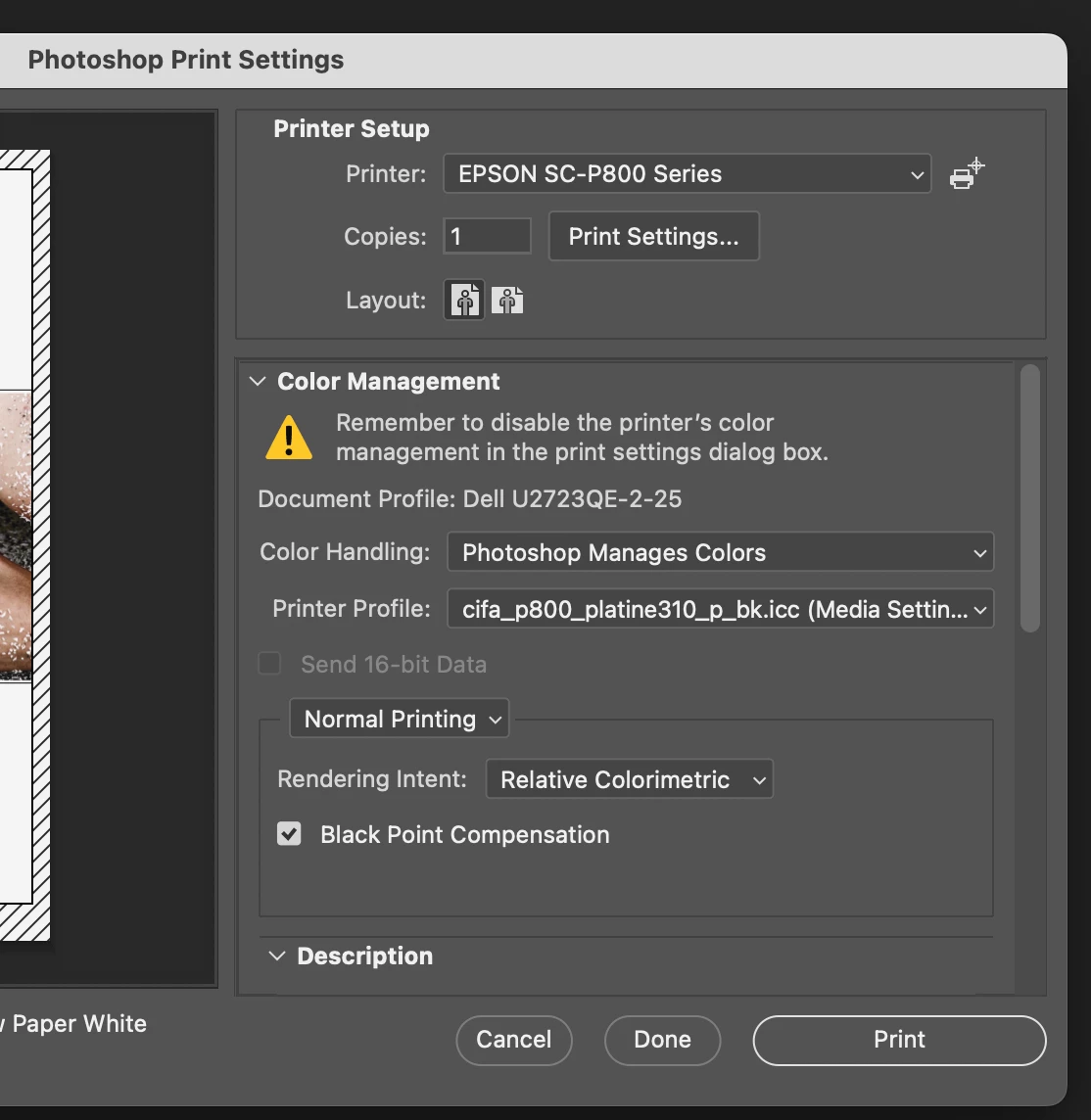
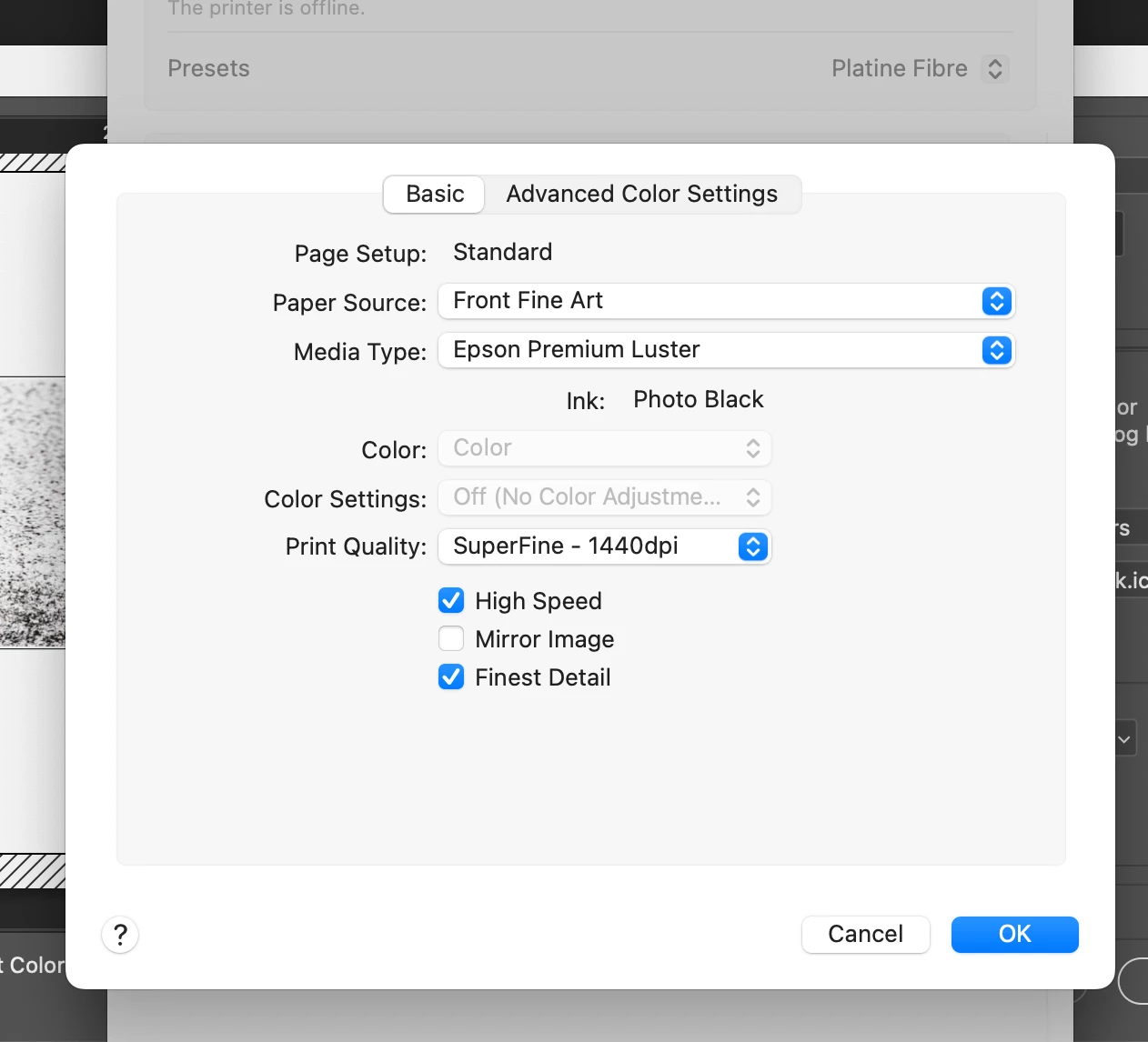
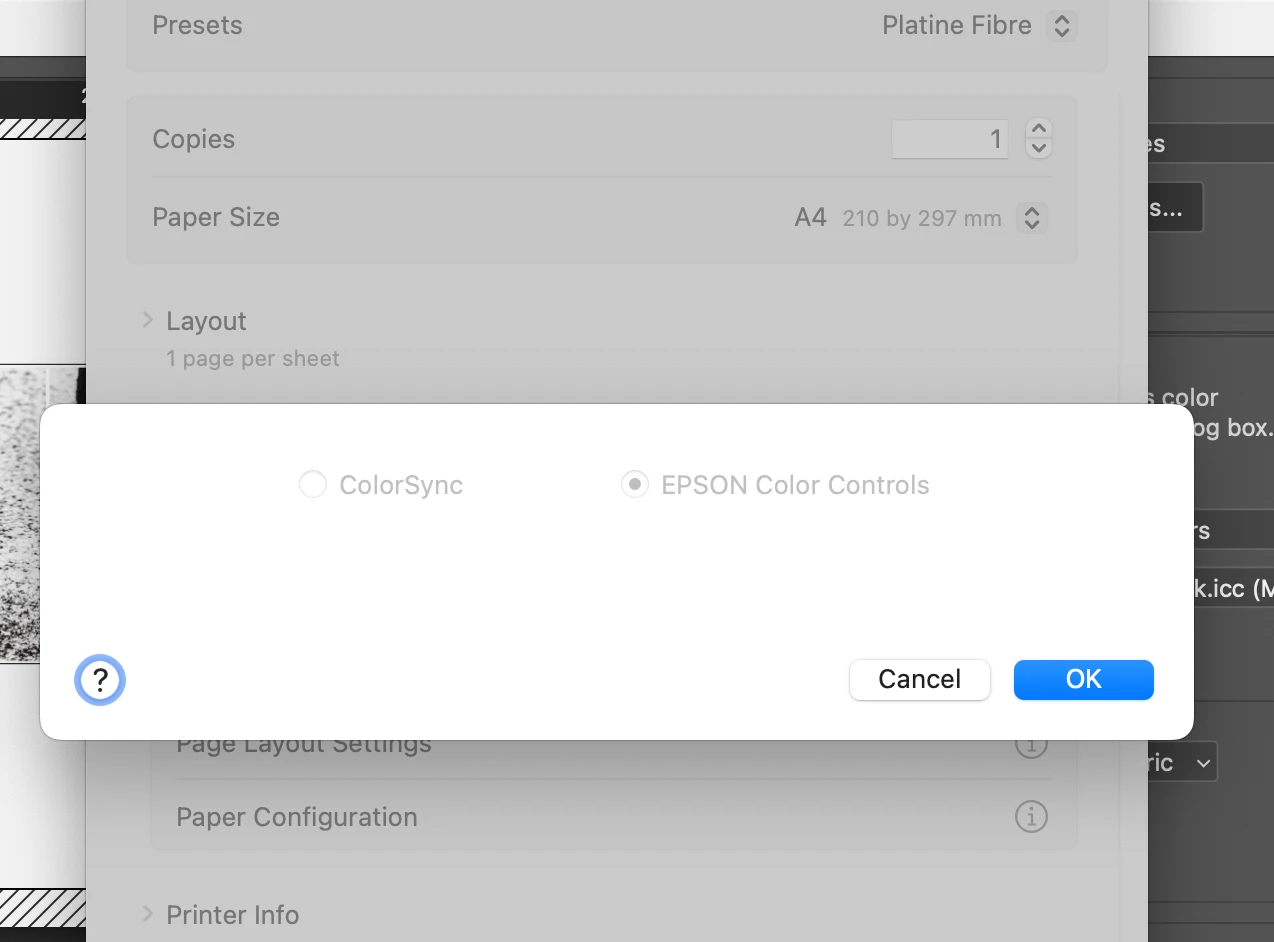
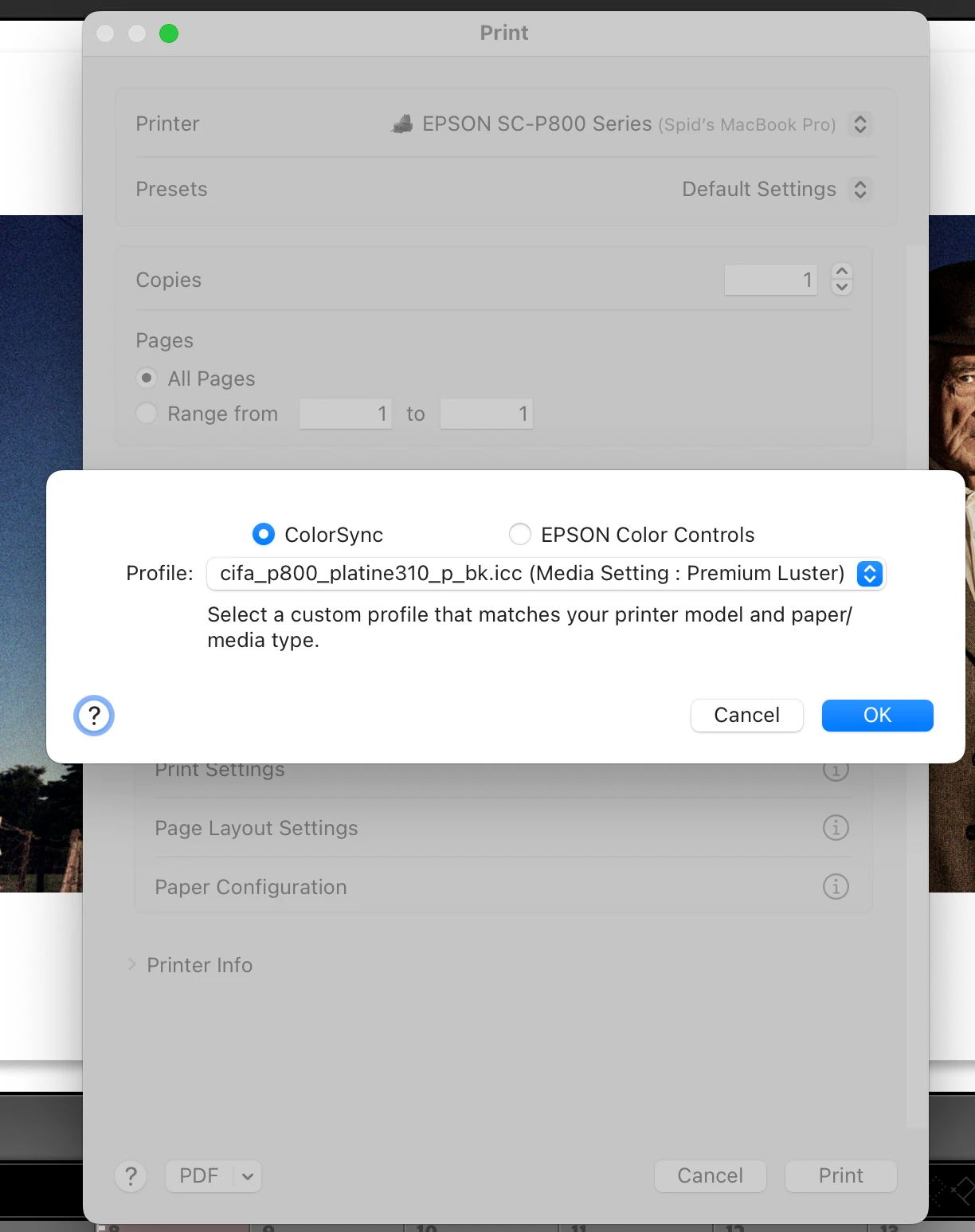
Has anyone got a solution for the printing issue that currently exists in LR and PS with the Epson injet printers? The problem is that there is no way of selecting your paper/printer icc profile in these programs and therefore epson color controls the color output, see screen shots below. I have uninstalled all adobe software and then deleted all epson software and then reinstalled it all. Any ideas how to fix? I'm using a macbook pro - sonoma and epson sure color p800 printer. The only solution I have come up with is to let the printer manage colors and then you can select colorsync and then select your icc profile.
 AdChoices