Participating Frequently
December 13, 2020
질문

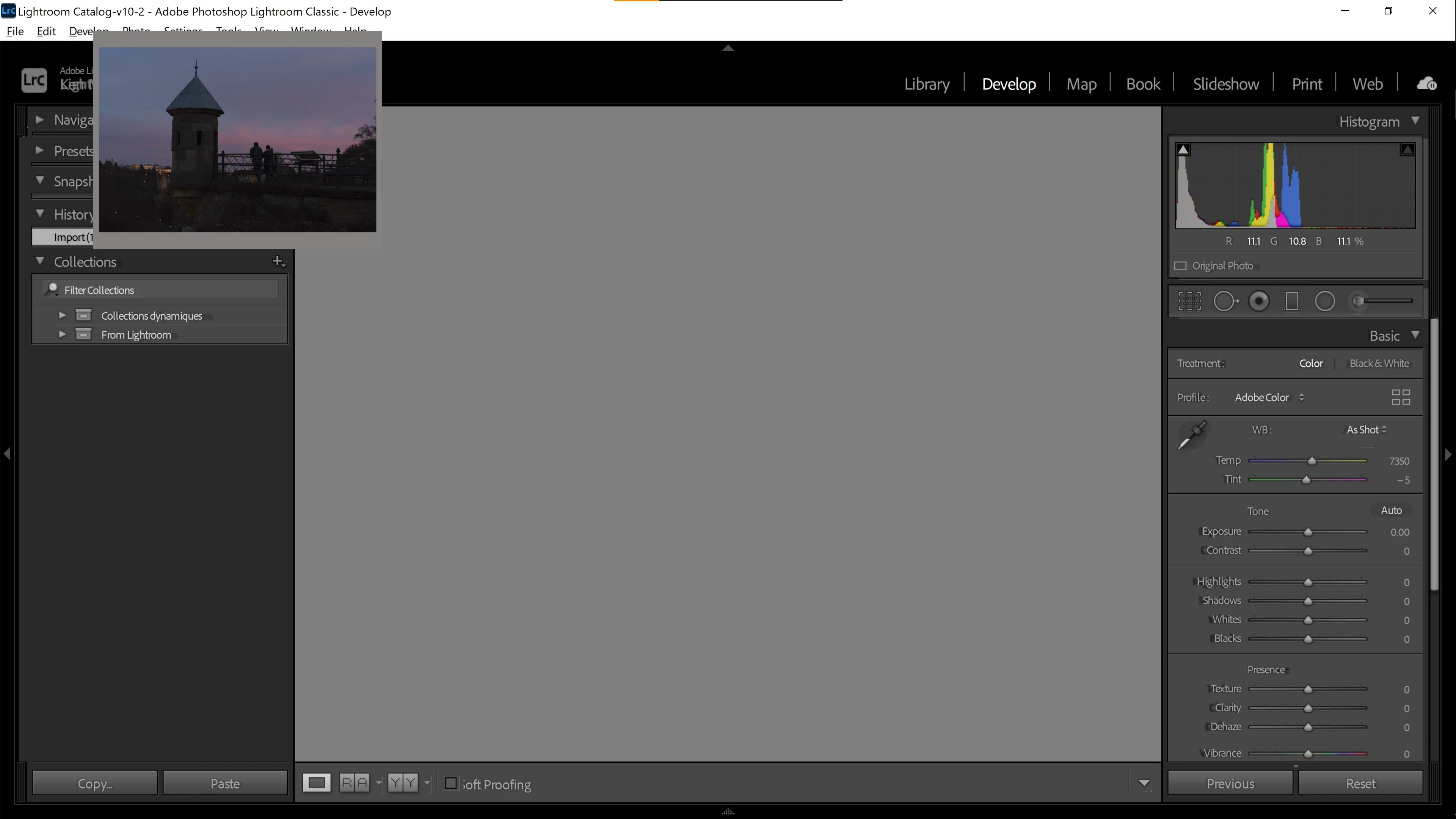
LIghtroom classic develop module showing small photo window

  • December 13, 2020
  • 3 답변들
  • 2286 조회

Hello,

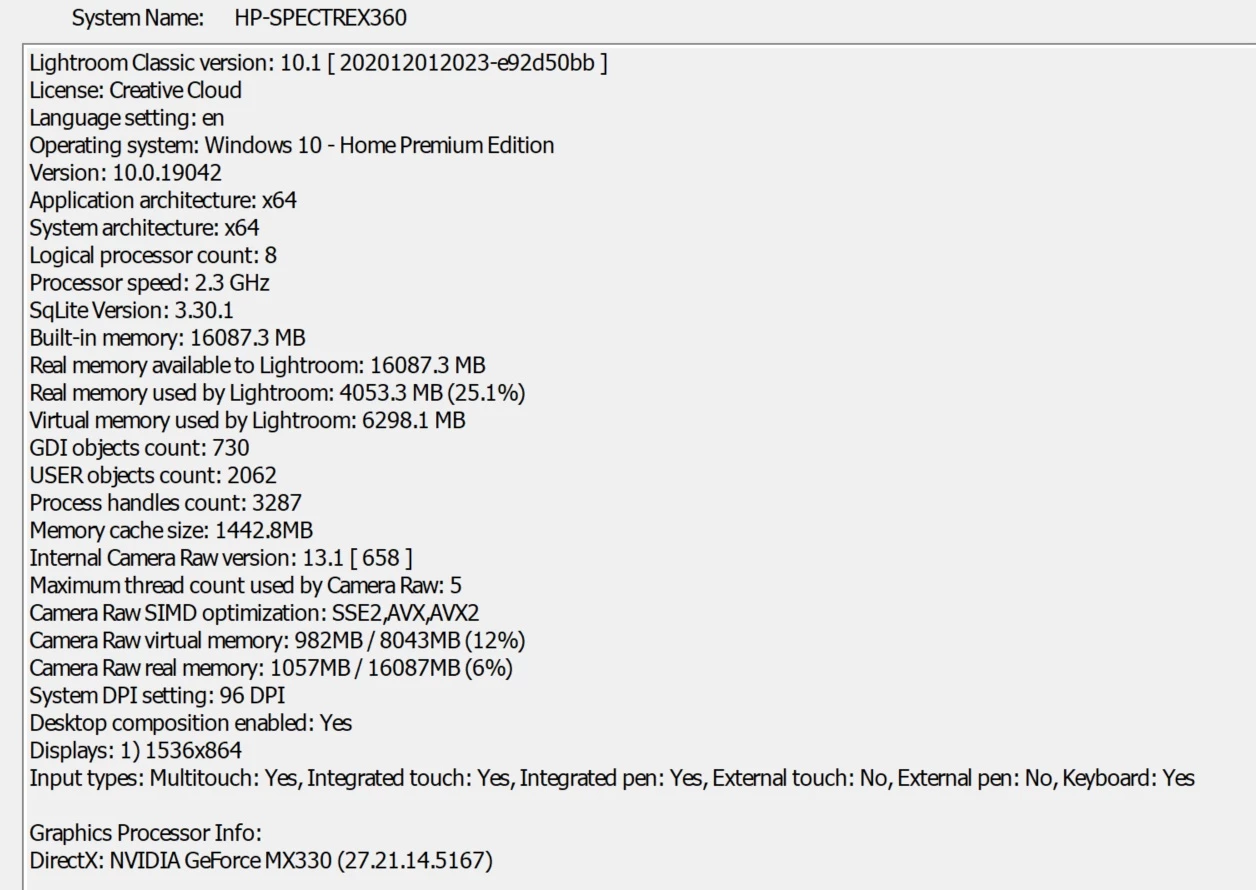
I just changed laptop and when i ran LrC v10.1, whenever I go to develop module, rather than seeing the actual photo in big view, only a small window pops up and the big photo area is just gray. And i cannot really click the small window. see screenshot below, together with full system info.


Thanks in advance!


이 주제는 답변이 닫혔습니다.

3 답변

TheDigitalDog
Inspiring
December 15, 2020

First, try disabling GPU in the preferences (Preformance). Any better?

Author “Color Management for Photographers" & "Photoshop CC Color Management/pluralsight"
shutrbugjo
Participant
December 15, 2020

I am having this issue, too. Please post any answers you get.  How did you change the DPI -- in Lightroom or on your display?

Participating Frequently
December 15, 2020

I changed the DPI settings in Lightroom. I read a thread here (can't find it again) basically instructing to apply high DPI scaling override. 

  • find the LrC exe (or even the shortcut to LrC)
  • right click, then Properties
  • go to Compatibility tab > Change high DPI settings
  • Override high DPI scaling behaviour > [Application, System, System Enhanced]


Originally, I used the System Enhanced option to fix scaling problems between my 4k laptop screen and my FHD 2nd monitor , but that's when the issue on small photo window arose. So now I choose the Application option, which solved the problem, but Im back to my original scaling issue. 

Participant
December 17, 2022

I've got the same problem now with LR CC23 and a BenQ SW271C Pro 27in IPS LCD Monitor, you would think that Adobe would have solved this problem by now!  I can either have readable menu text OR use the Develop module!!  Please suggest a fix Adobe!


Michael J. Hoffman
Community Expert
Community Expert
December 13, 2020

That almost looks like a secondary display window. Does pressing F11 (Window > Secondary Display > Show) have any effect? What about pressing the "D" key to go to normal "Loupe" view in the Develop Module?

Participating Frequently
December 13, 2020

Thank you for your reply. It didnt help. But for some reason, it disappeared when I changed the high DPI settings. My problem now is that the texts are too small in my laptop screen (4k) but too big in my secondary monitor (FHD only). I know there is a thread to resolve this, I will try that first. But Im afraid that the same problem will come back once I adjusted the DPI settings. I will update this thread on what will be the result.