


a.s13394455
Participant
February 2, 2023
해결됨

Lightroom, is gone in "Files and Folders" permission settings on Mac Ventura

  • February 2, 2023
  • 2 답변들
  • 808 조회

Hey there,

hopefully someone can help.

After updating our iMac to Mac OS Ventura, which we use exclusively for tethering purposes in our inhouse studio, the Adobe apps in the "Files and Folders" permission settings window are gone. Every start Lightroom mentions that there are troubles with the permissions and tethering won´t wor anymore.

We tried uninstalling, reinstalling, checked the preferences and runned the script according to https://helpx.adobe.com/lightroom-classic/kb/lightroom-basic-troubleshooting-fix-most-issues.html

Not working at all.

What to do to fix the permission issue? Thought after reinstalling they might reappear, but this is not the cas.


Thank you

regards 

Artur
 

이 주제는 답변이 닫혔습니다.
최고의 답변: DdeGannes

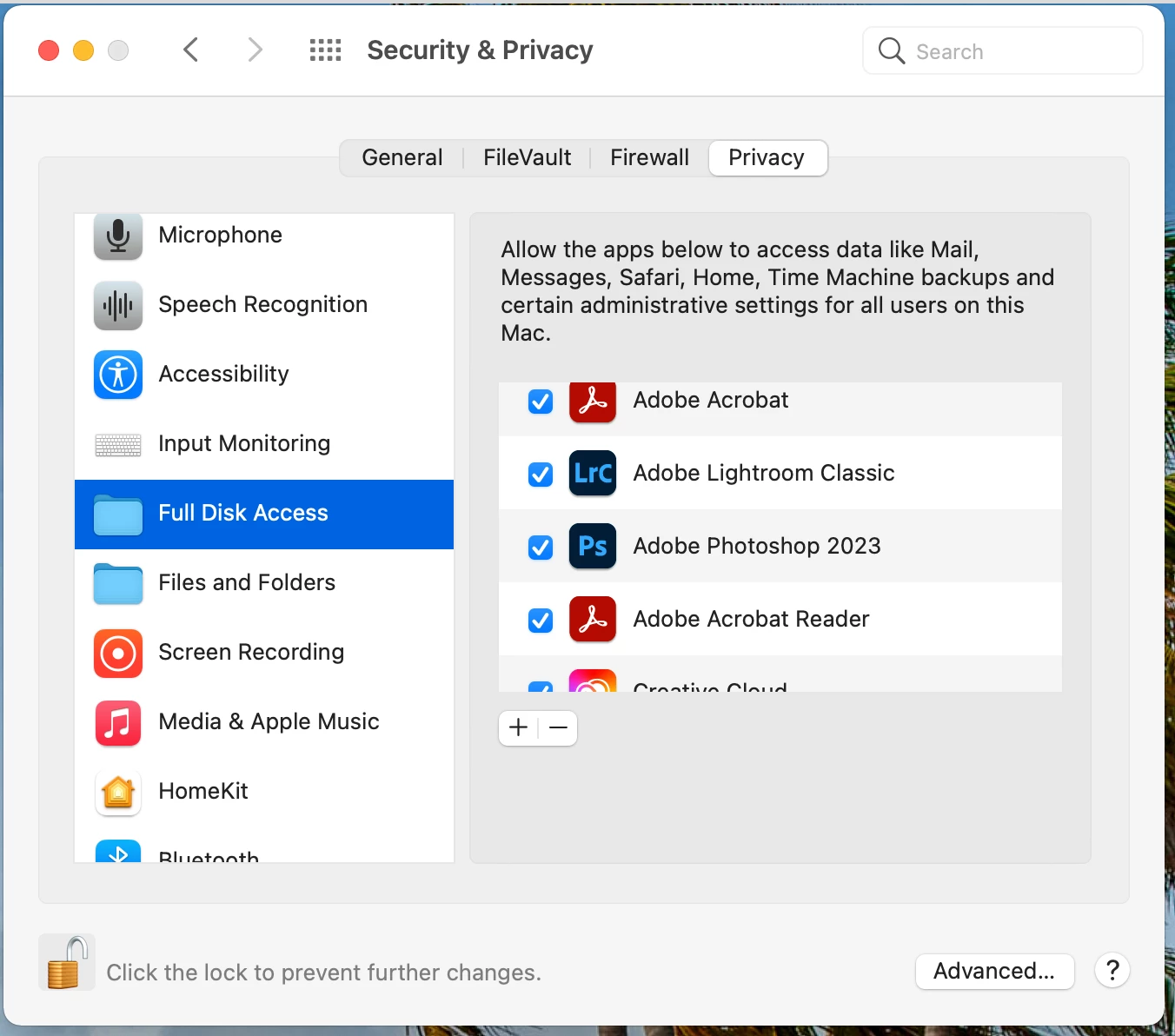
Make sure you have provided LrC and your Adobe apps with "Full Disk Access" in your Apple > preferences > Security and Privacy ", then reboot your computer system to ensure the change takes affect. See the screen capture.


2 답변

DdeGannes
Community Expert
DdeGannesCommunity Expert답변
Community Expert
February 2, 2023

Make sure you have provided LrC and your Adobe apps with "Full Disk Access" in your Apple > preferences > Security and Privacy ", then reboot your computer system to ensure the change takes affect. See the screen capture.


Regards, Denis: iMac 27” mid-2015, macOS 11.7.10 Big Sur; 2TB SSD, 24 GB Ram, GPU 2 GB; LrC 12.5,; Lr 6.5, PS 24.7,; ACR 15.5,; (also Laptop Win 11, ver 24H2, LrC 15.0.1, PS 27.0; ) Camera Oly OM-D E-M1.
a.s13394455
a.s13394455작성자
Participant
February 2, 2023

Thank you Denis,

to be true, that preferences have been turned off. Why? We don´t know...

But changing them didn´t do anything solving the tethering problem.
I can see the camera (Nikon Z 7 II) and pictures on SD Card when choosing the camera for importing while connected via USB(C). (Tried a bunch of different cables.)
But tethering, doesn´t matter if SD Card in, with or without images, or SD Card out, it doesn´t establish an connection to the cam ...
What a strange behaviour. Regarding to the Adobe compatibility list it should work and it did until yesterday.
We didn´t chance anything except the updates from Adobe...

Can´t believe an Adobe Update shuts off harddisk permissions and kills Camera compatibility.


Regards Artur

johnrellis
Legend
February 2, 2023

Mac OS 13 broke tethering to Nikon cameras:

https://community.adobe.com/t5/lightroom-classic-discussions/p-mac-ventura-known-issues-please-read-before-you-upgrade-your-os/td-p/13285146


It appears that Adobe is waiting for Nikon to fix its tethering library (upon which LR relies).

a.s13394455
a.s13394455작성자
Participant
February 2, 2023

Oh, i forgot:

  • iMac 2017
  • Ventura 13.2
  • Adobe CC 5.9.0.373
  • Lightroom Classic 12.1