
Participant
April 20, 2015
Answered

Lightroom not responding, it won't quit, force quit...just freezes

  • April 20, 2015
  • 13 replies
  • 39235 views

‌I have a MacBook Pro.  I can't import files like I'm used to.  It imports about 5 out of 300, then stops.  I cancel task, then LR goes in to not responding.  It won't force Quit and when I turn off my laptop, I try again and the process repeats...  I'm so frustrated.  Please help.
This topic has been closed for replies.
Correct answer dj_paige

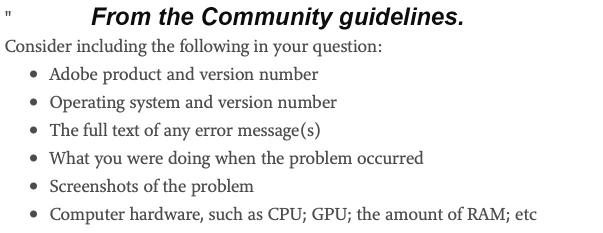
Gibran Lucas ... please start a new thread and describe your problem in detail. Please also provide the information requested below

13 replies

Sebastian Sodsriwiboon
Inspiring
October 20, 2021

Is your CPU usage high?

Participant
July 21, 2020

I have a new Macbook and I am having this problem. I don't think is a hardware issue!!!

dj_paige
dj_paigeCorrect answer
Legend
July 21, 2020

Gibran Lucas ... please start a new thread and describe your problem in detail. Please also provide the information requested below

mcraeb89739581
Participant
September 17, 2017

Mine is doing the exact same thing:(

SAzor
Participant
April 18, 2016

These people saying it's a hardware problem must not know much about computers. If you're able to use other apps just fine without them crashing and only having trouble with LR it's more likely an app problem instead of a hardware problem. Only in very few instances it may be a hard disk but I wouldn't suspect that unless there's a lack of RAM which forces the computer to use the HD extensively for swap space.

I have no other issues with any other apps and I'm using an SSD and I have plenty of RAM. It's not a hardware issue. There must be something going wrong with LR somewhere. Maybe a PList file, maybe I need to log-off and log back onto Adobe CC. Maybe the app somehow has gotten corrupted and needs to be removed and reinstalled. I haven't gotten that far yet.

Geoff the kiwi
Community Expert
Community Expert
April 18, 2016

Sazor, I suggest you start a new thread describing your issue and providing details... this is an old thread.

Let's deal with the current situation and we don't know yours...

SAzor
Participant
May 4, 2016

Update: I force-quit the app and reinstalled it. So far so good. This only happened during the last update. I'm thinking the update had glitched somewhere either during the download or the installation. I seem to be good to go at the moment.

Afterthought: LR Mobile Sync may also have something to do with it as it warns you whenever it's synching to LR Mobile while you're trying to quit the app. The glitch may exist there.

Community Expert
November 14, 2015

If you all are using LR CC 2015.2.1, try reverting to the 2015.1.1 version. There is a nasty bug in the export code in 2015.2.1 that rears its head on mac os X. Not for everybody but for a lot of folks. See instructions here: http://www.lightroomqueen.com/how-do-i-roll-back-to-lightroom-2015-1-1-or-lightroom-6-1-1/

williamm45822449
Participant
November 14, 2015

Same issue. Lightroom CC

Elias Lahtinen
Participant
November 14, 2015

I'm having the same problem. Yesterday I was importing photos to my macbook pro (mid 2014 retina, OS X 10.10.5) in halftime brake of a basketball game. I was on an assignment and usually I send some pics during the brake. Suddenly after importing the photos Lightroom stops responding. After that it has stopped responding or has worked very very slowly every time I open the app. I was so freaking frustrated! I'm happy that the match wasn't very important so I could send the photos from my old computer when I got home.

But this problem has to be taken care of!

JJC-73
Participant
November 3, 2015

I'm having the same problem - Mac lightroom CC

Participant
November 1, 2015

I'm having the same issue. Haven't run disk utility yet but the issue started since I have upgraded the Lightroom.

Pattyoboe
Known Participant
May 22, 2015

I'm having exactly the same issue. I've run disk utility. I'll try what jato vdL has suggested ... I'm curious if that worked for you, Tamko?

Participant
July 30, 2015

Same problem here. Windows 8.1, Lightroom 6.1.1, Lenovo y50 i7 cpu, 16 gb memory, 500gb SSD.  All 6 of 7 cpus running at 60 to 30 %. Lightroom running alone, after exporting one JPG file, it semi-froze (I could select other photos but could not edit or even add keywords to them). Clicked X to close window and nothing happens after that except CPUs still cranking.

It doesn't sound like hardware to me.