

Copy link to clipboard
Copied
Lightroom Classic 12.3 is crashing (Macbook Pro, M1, Ventura).
I tried to recieve help from Adobe Support, but they could not help.
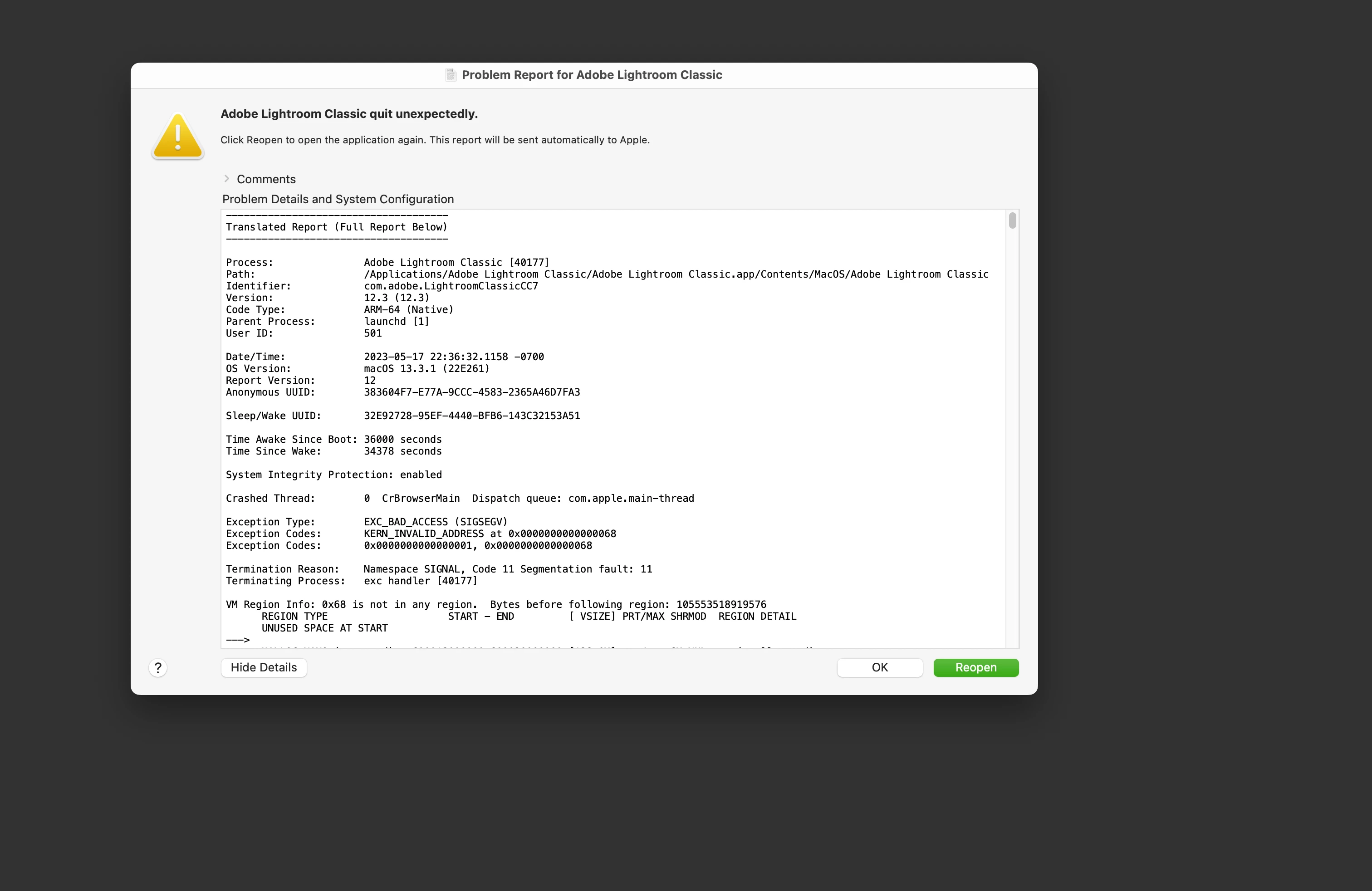
[Mod: Thread locked because double posting]
[Further discussions please here: Lightroom Classic Crashes - Adobe Support Community - 13809007]
Copy link to clipboard
Copied
reset your preferences.
<moved from cc desktop bugs>
Copy link to clipboard
Copied
which prefernces?
Copy link to clipboard
Copied
https://helpx.adobe.com/lightroom-classic/help/setting-preferences-lightroom.html
Also see: https://community.adobe.com/t5/lightroom-classic-discussions/important-steps-for-manually-resetting-...
Quit Lightroom Classic.
macOS: Press and hold the Shift + Option keys.
Windows: Press and hold the Shift + Alt keys.
While holding down the keys, launch Lightroom Classic.
When asked, select "Yes".
Copy link to clipboard
Copied
Get ready! An upgraded Adobe Community experience is coming in January.
Learn more