
Participant
November 12, 2018
Question

LR BUG? More noise in LR than in Photoshop when loading JPG

  • November 12, 2018
  • 8 replies
  • 2594 views

Hi all!

When loading JPEG in lightroom, I can see noise shaped like short horizontal segments of lines.

This does not appear in other images viewer such photoshop or GIMP. Is it a Lightroom BUG ?

how to avoid this bad looking noise ?

Here is the comparison, I increased the contrast so you can see it easily:

Left: Lightroom (Classic CC Version 1.4, Camera Raw 10.4), top right: photoshop.
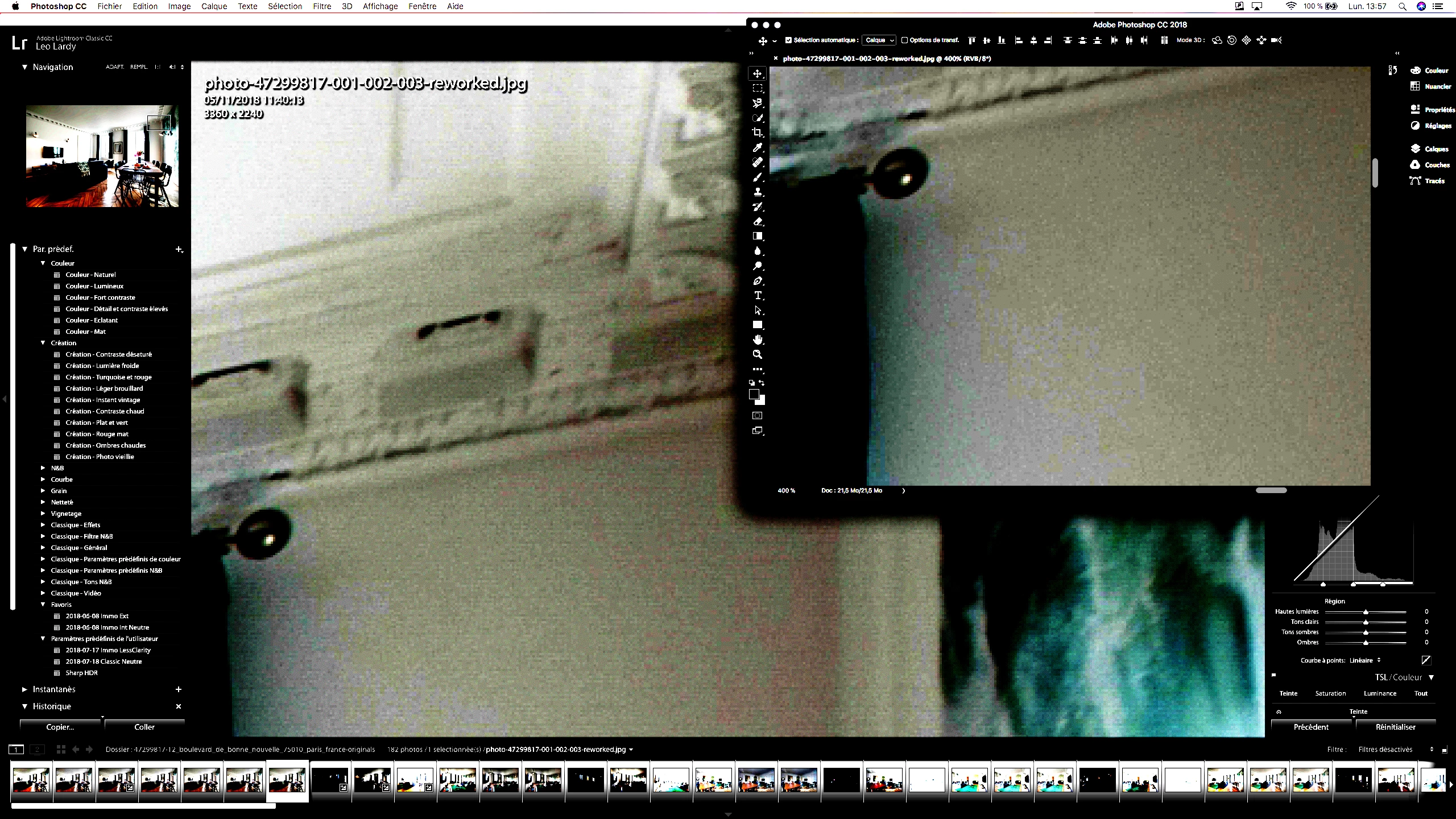
GIMP behave like photoshop.

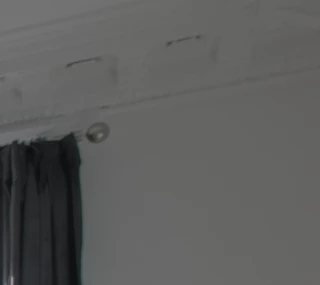
Here is the original picture:
Thanks for your help.

This topic has been closed for replies.

8 replies

Community Expert
November 15, 2018

Thanks ssprengel that confirms it is a general thing and not Mac only or dependent on GPU or some strange thing like that.

Community Expert
November 15, 2018

Thanks ssprengel. You can actually see the artifacts in Lightroom without doing any edits. No artifacts in Photoshop. I only did a tone curve here. No sharpening needed. I can't get these lines in any other editor so it is LR/ACR specific.

Community Expert
November 15, 2018

Here are screenshots. This is Lightroom with ONLY a curves adjustment:

Here is Photoshop with basically identical curves:

No line artifacts in PS.

The artifacts are visible in exports from Lightroom but not in Photoshop. You do get the same artifacts in camera raw if you dial in the same curves:

This might be that the math in Photoshop in only 8-bits precision is not capable of showing the artifacts that are there in the original file, so  I tried opening the jpeg directly in Photoshop, converting to 16-bits and doing the same curves but you still don't see the artifacts in that case. Something is different in how Lightroom and ACR read these jpeg files from Photoshop.

GoldingD
Legend
November 15, 2018

Did you edit the image in Photoshop, create some layers in Photoshop, then save with the layers? Then back to Lightroom?

ssprengel
Inspiring
November 15, 2018

It doesn't matter what was done to create the JPG.

The point is that the same JPG is being used as input to LR/ACR-plug-in vs ACR-filter with the same settings applied and it looks different between the two.

Community Expert
November 15, 2018

ssprengel  wrote

It doesn't matter what was done to create the JPG.

The point is that the same JPG is being used as input to LR/ACR-plug-in vs ACR-filter with the same settings applied and it looks different between the two.

The only difference between the two methods is what code read the jpeg. If you use ACR as filter, the image data was already loaded into a Photoshop buffer and that data gets run through the ACR code. If you open the jpeg directly in ACR or Lightroom, it uses it's own jpeg decompression code instead of Photoshop. That is perhaps where the problem occurs.

Community Expert
November 14, 2018

The interface in your screenshot looks incredibly strange. Extremely high contrast also in the interface elements like the menu bar and the buttons. Do you have a mode turned on such as increased display contrast? This is done in the system preferences on your mac in Accessibility->Display. You should not have anything enabled and the display contrast should be set to normal. It looks as if you have it dialed up. This will mess with the image display in Lightroom otherwise.

Community Expert
November 15, 2018

Sorry you wrote that you increased the contrast on the screenshot. I checked your file and you are right if you dial in an extreme tone curve on it it will show stripes. Doing the same thing in Photoshop does not show the stripyness. This looks like a weird bug to me. Nothing to do with the GPU. No clue what causes it. Please report at https://feedback.photoshop.com

Todd Shaner
Legend
November 15, 2018

https://forums.adobe.com/people/Jao+vdL  wrote

I checked your file and you are right if you dial in an extreme tone curve on it it will show stripes.

Jao I'm not seeing that on my Windows 7 system.

I also need to add sharpening and a high Dehaze setting to reveal any pattern artfacts, which look like sensor noise and JPEG compression artifacts.

Todd Shaner
Legend
November 14, 2018

matthieug84604588  wrote

Here is the comparison, I increased the contrast so you can see it easily:

The JPEG you uploaded has very low contrast, exposure, and sharpness. This requires increasing the exposure, contrast, and sharpening inside LR, which reveals sensor noise and JPEG compression artifacts. You can work around this issue by using LR's Basic and Detail panel controls as shown below.

A better solution is to adjust the camera's settings to obtain an image file with normal exposure, contrast, and sharpness.

GoldingD
Legend
November 14, 2018

Exactly the sort of image that can look different in Library as opposed to Develop.

GoldingD
Legend
November 14, 2018

Try your sample again, this time comparison (Lightroom) in Develop Module (sure looks like your were in Library Module)

GoldingD
Legend
November 12, 2018

In your catalog settngs, what do you have previes set for? Size and quality.

ssprengel
Inspiring
November 14, 2018

This is in Develop which doesn't use previews, right?

Participant
November 14, 2018

Here is the link with read access: photo-47299817-001-002-003-reworked(1).jpg - Google Drive

I'm viewing it in Develop yes !

Thanks a lot for your help

ssprengel
Inspiring
November 12, 2018

Does this happen with all JPGs?

Does it happen if the GPU (Graphics Processor) is turned off or on, whatever is different than now?

Can you provide a link to the original JPG on somewhere like dropbox or googledrive or onedrive and let us see if the same happens for us?

Participant
November 12, 2018

It happens on LR develop, on all JPG, with or without GPU, same kind of noise

Here is the image:

https://drive.google.com/file/d/1YFW5jr0rHjdCynY6aOWk4BuAK8gufHfv/view?usp=sharing

ssprengel
Inspiring
November 14, 2018

That link is private, for you only, not public, for everyone, or access to that image needs changed to public, at least temporarily.

Here is what I see logged in as me when I click on it, and I'm not going to request permission: