


Known Participant
April 9, 2022
질문

LR Classic mask panel disappears

  • April 9, 2022
  • 6 답변들
  • 2860 조회

Every now and then, the mask panel disappears. To get it back, I have to quit and restart LR (vs 11.2). I'm on a 2017 27" iMac, running OS Catalina 10.15.7 with 64 GB RAM (Radeon Pro 580 8 GB), but this happened when I had upgraded to Monterey, too — one of the reasons I went back to Catalina.

I usually don't restart my Mac for several days and LR is usually open the whole time. I had not used any masks for two days. Yesterday, I went through 2600 images without Keywords, remedied that, then put the Mac to Sleep for the night. When I tapped the spacebar to wake it in the morning, the LR window popped up in the Library window. I enlarged a few images, marked a few with ‘x’ to delete later, selected one and pressed ‘d’ to develop it. I clicked the Auto button, then the mask icon. The mask list opened and I chose  Select Sky, which it did, however, the Mask box was not there (top screenshot). I quit LR and restarted and now the Mask window showed up (collapsed version which may be a key — second screenshot).
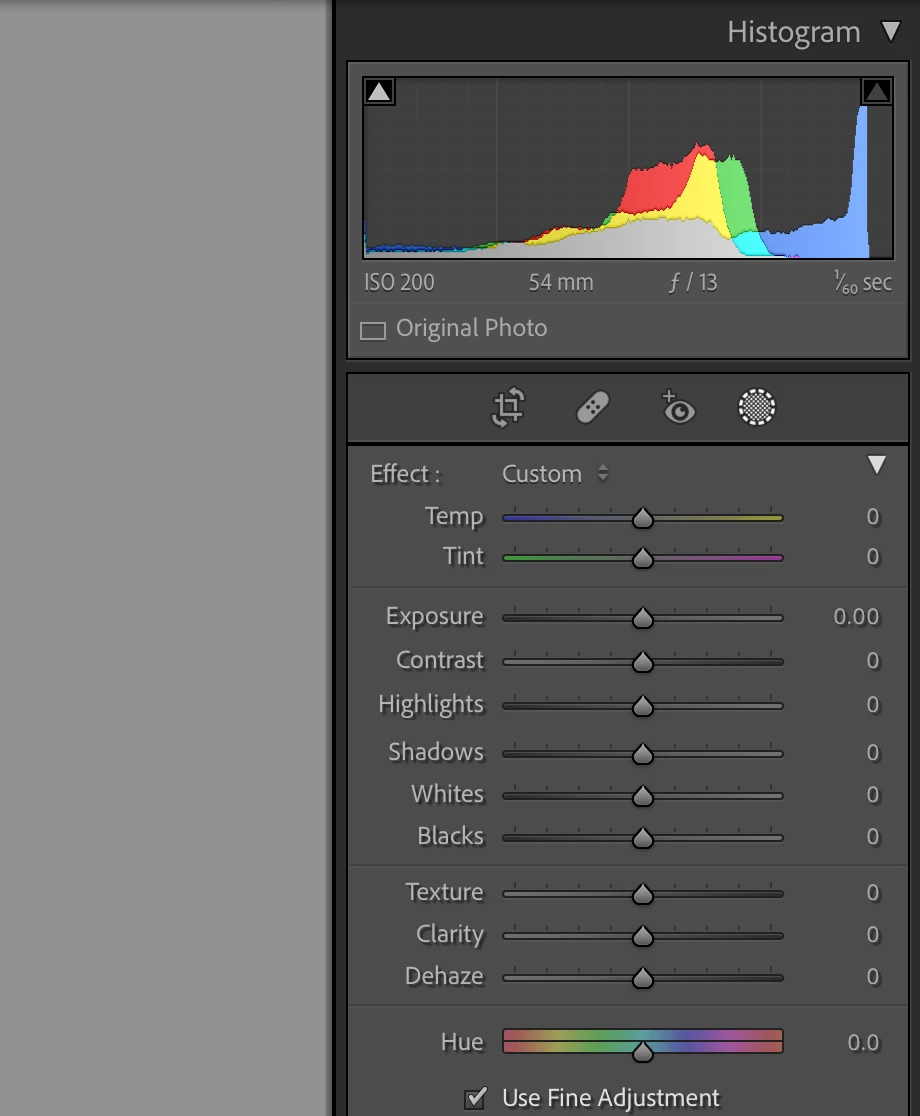
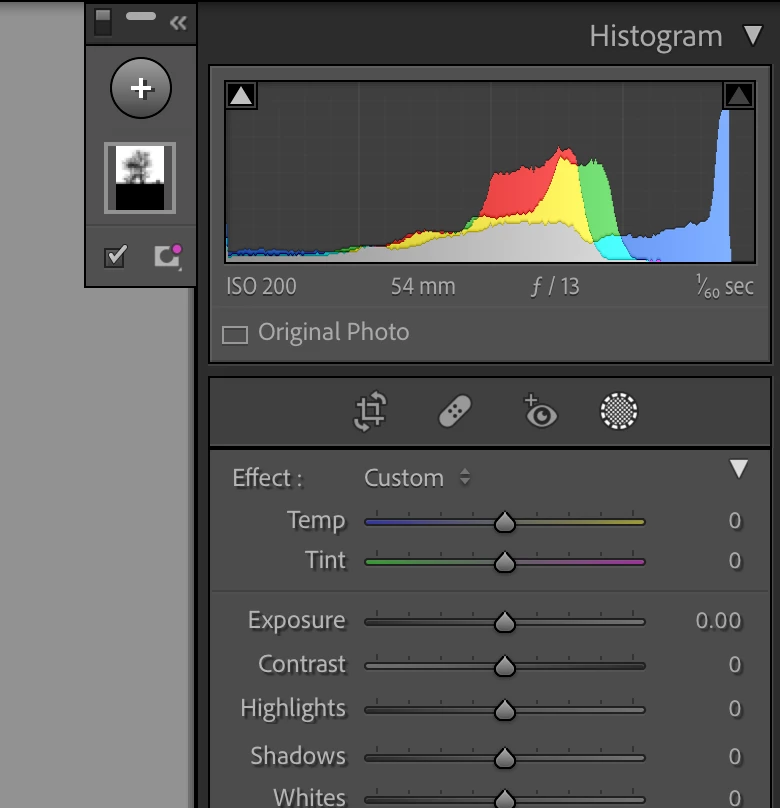
This has happened to me quite often; I use all 3 views of the mask panel, even trying it docked in the right panel, but I'm not sure if that made a difference. I was with someone recently who was projecting his computer screen onto a larger screen and it happened to him, so I know it’s not just me.

Please figure out what's going on. I use Masks a lot and can't keep restarting LR or my computer because the mask panel isn't showing. Thanks.

    이 주제는 답변이 닫혔습니다.

    6 답변

    Participant
    November 16, 2022

    Exact same issue for me.

    JohanElzenga
    Community Expert
    Community Expert
    November 16, 2022

    Dock the panel and your problems are over. Drag it into the right panel, just below the histogram.


    -- Johan W. Elzenga
    mclynn작성자
    Known Participant
    April 17, 2022

    I recently installed the newest version of LR (11.3) with hopes that this probelm had been addressed. Alas, no. Last night, I had the exact problem. After editing about 10 images with masks, I applied a brush mask to an image; when I went to add another mask, the panel was gone. The only way to get it back was to quit LR and start again. I've done all the other suggestions mentioned in this thread to no avail.

    This is a real nuisance. If I knew how to report bugs, I'd do it. Anyone want to tell me how?

    Thanks.

    Community Expert
    April 17, 2022

    This forum is divided into several sub-areas, one of those is for bug reports and another is for suggesting new features. So if you like how it should work, but it doesn't work that way for you in practice, bug report. A post with some guidance is pinned.


    If you would rather it worked a different way or did something extra, but it does work as designed in practice, feature request.

    JohanElzenga
    Community Expert
    Community Expert
    April 17, 2022

    Do not post a bug report simply because something doesn't work for you. In most cases this is not a bug but user error or something else on the user's machine. So start in the Discussion forum unless it is clear that this is a bug. Your chances of getting an answer are greater in this forum than in the Bugs forum.


    -- Johan W. Elzenga
    GoldingD
    Legend
    April 9, 2022

    An apparent bug exists for MACOS when the screen is maximized, and the Mask Panel was not docked on the right. Apparent workaround is to dock the panel in the right column before going full screen, then see if moving it after going full screen behaves. 

    mclynn작성자
    Known Participant
    April 9, 2022

    Thing is that my screen was not maximized, but about 80% of the screen size, so that's not my problem. I have docked the Mask Panel seeral times but, as I said, that means I have to scroll farther to move any sliders, which I don't want to have to do — small thing, but it's one more thing to think about when you're used to doing it a different way.

    Community Expert
    April 9, 2022

    I did have some strange behaviour from the "movable" masks panel initially, losing its position / failing to show. Ever since I "docked" it to sit in just under the Histogram, though, it has opened and closed reliably (for me). I am on Windows, a single monitor setup.


    mclynn작성자
    Known Participant
    April 9, 2022

    I've done that, too. However, sometimes I don't feel like scrolling down to get to the sliders and docking the mask panel means more scrolling. Besides, this shouldn't happen, which is the point.

    Community Expert
    April 9, 2022

    I do agree the floating mask panel should operate as apparently designed. But at least there's a workaround. While we're at it, maybe other panels should be able to float too (and then stay reliably where put) - but that's quite another discussion.


    So far as scrolling down the interface, it helps to hide seldom used panels. And Solo mode is great. You may already be using these techniques as I do - but one other tip I was unaware of until recently, is the shortcut Ctrl+[number key]. I assume on MacOS that's Cmd+number. Basic panel is controlled by number 1, the next panel down (that you have chosen to display) is 2, and so on.


    So Ctrl+1 goes to the Basic panel, or pressed again, collapses that. In Solo mode, memorising this one shortcut alone may suffice - the mouse-button alternative, being the arrow next to the word "Basic". All the panel titles lower down, will likely then come up into view without any scrolling needed. Ctrl+0 toggles the Histogram open and shut too, giving further vertical screen-space to the adjustment panels.

    dj_paige
    Legend
    April 9, 2022

    I don't know why the mask is collapsed, unless you accidentally clicked on the collapse icon (which is >>). You can un-collapse it by clicking on the << icon.

    mclynn작성자
    Known Participant
    April 9, 2022

    I did nothing after Selecting Sky. I know how to collapse the mask panel and to get it back by clickng the tiny arrows. This is not that issue. It happens spontanweously without doign anything. All of a sudden, it's just not there.

    JohanElzenga
    Community Expert
    Community Expert
    April 9, 2022

    Try pressing Shift-W. If that does not work, then maybe you need to reset the preferences: 

    https://www.lightroomqueen.com/how-do-i-reset-lightrooms-preferences/


    -- Johan W. Elzenga
    mclynn작성자
    Known Participant
    April 9, 2022

    I will try that, but won't know if it solved the problem unless/until it happens again.

    Thanks for your answer!