Exit
  • Global community
    • Language:
      • Deutsch
      • English
      • Español
      • Français
      • Português
  • 日本語コミュニティ
  • 한국 커뮤니티
0

LR Classic not able to export JPG after latest upgrade

New Here ,
Nov 25, 2025 Nov 25, 2025

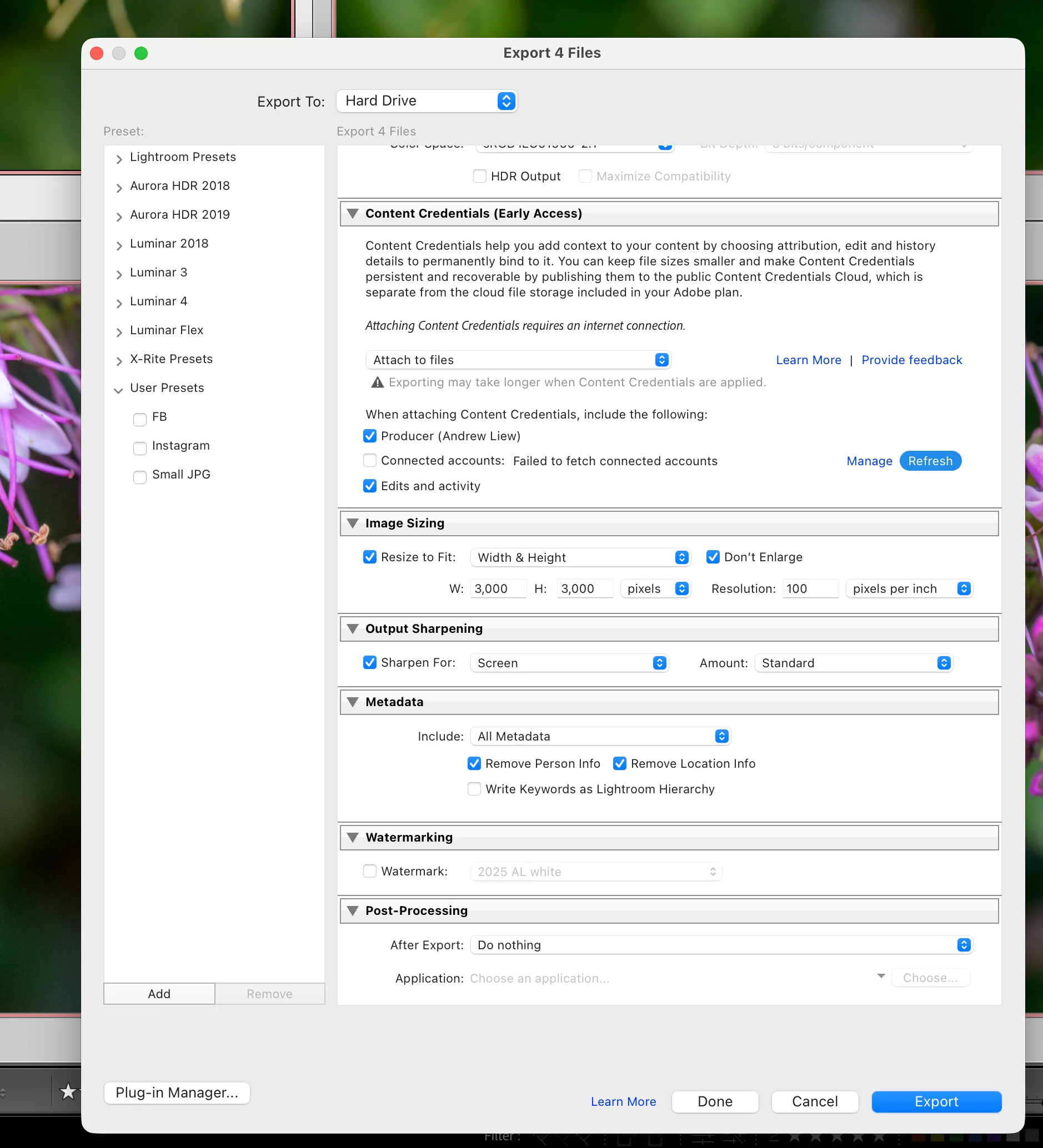
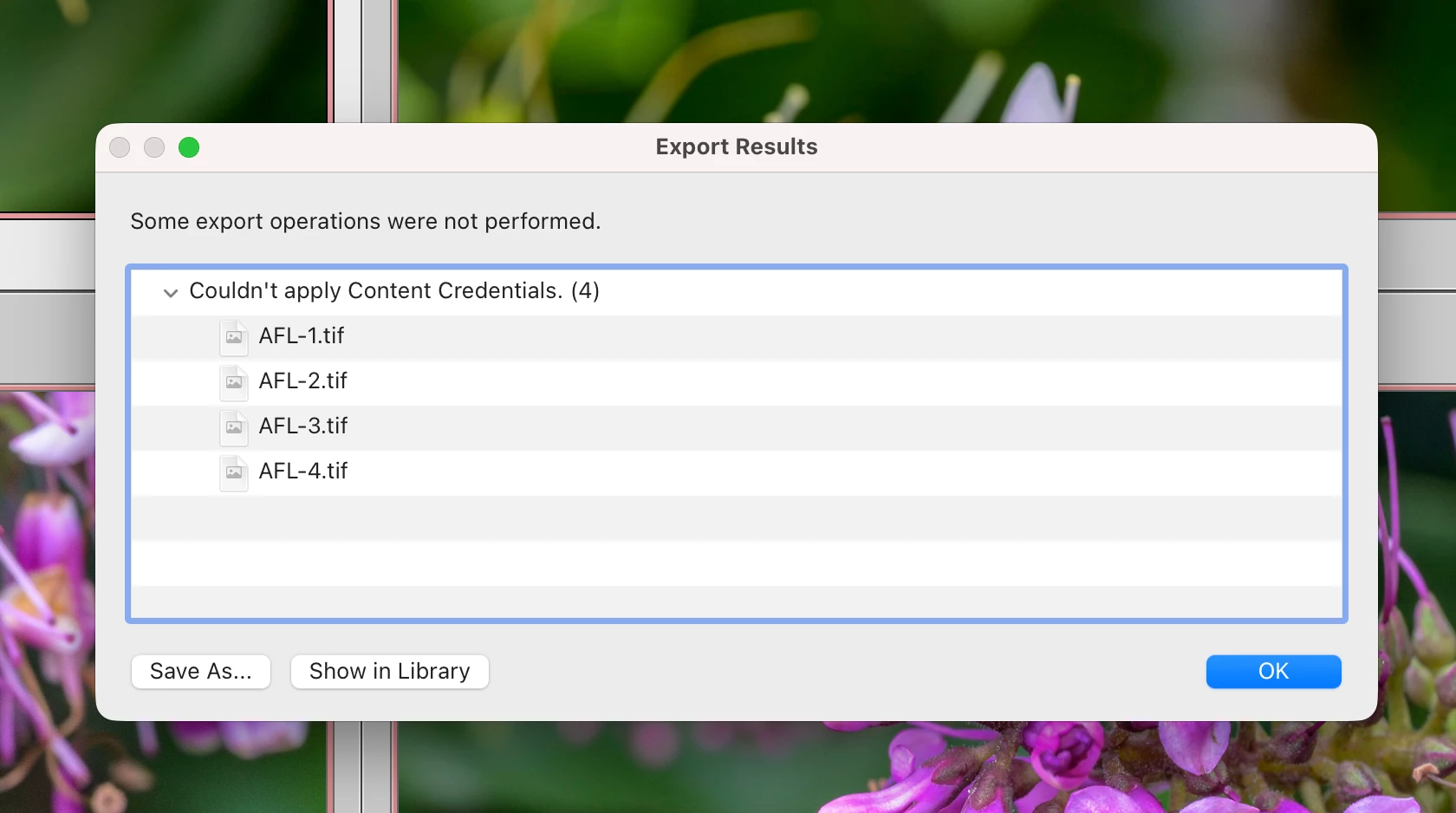
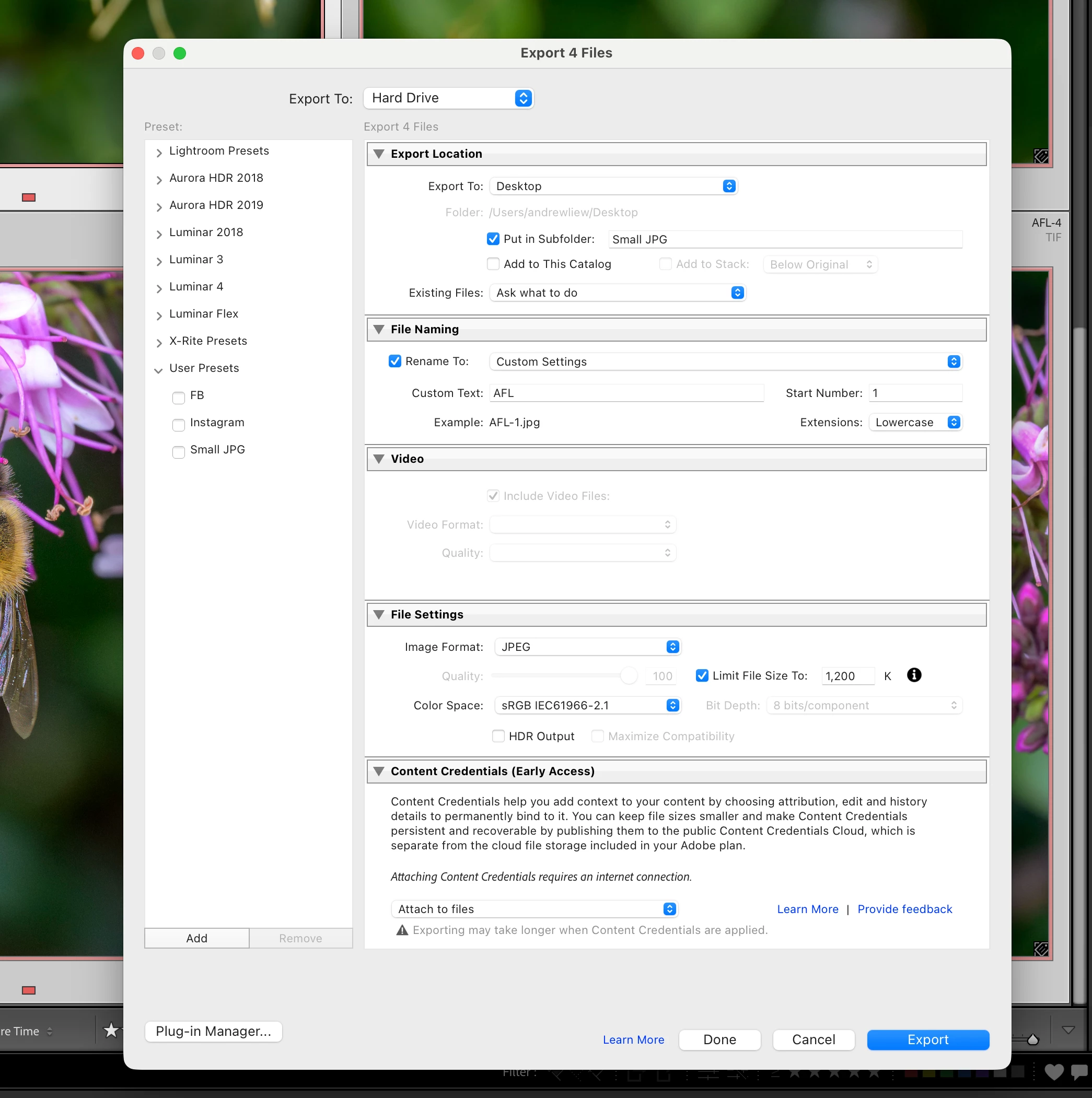
I posted earlier aboutb this issue. Here are the details with screen shots.
Screenshot 2025-11-26 at 5.11.46 am.png

Screenshot 2025-11-26 at 5.11.56 am.png

Screenshot 2025-11-26 at 5.12.18 am.png

   I can export the photos in TIFF or Raw, but not in JPG.

I tried not to use water mark. Not working.


It was working perfectly before.

I need JPG for email attachments, and social media posting.

Please help.

TOPICS
macOS
105
Translate
Report
Community guidelines
Be kind and respectful, give credit to the original source of content, and search for duplicates before posting. Learn more
community guidelines
Community Expert ,
Nov 25, 2025 Nov 25, 2025

You have limited the file size to 1200 KB. I wonder if the problem is that this is simply not enough to include content credentials as well.


-- Johan W. Elzenga
Translate
Report
Community guidelines
Be kind and respectful, give credit to the original source of content, and search for duplicates before posting. Learn more
community guidelines
New Here ,
Nov 25, 2025 Nov 25, 2025

Johan. What size should I try? Thanks.


Translate
Report
Community guidelines
Be kind and respectful, give credit to the original source of content, and search for duplicates before posting. Learn more
community guidelines
LEGEND ,
Nov 25, 2025 Nov 25, 2025

Try a simple troubleshooting experiment: Don't limit the file size at all.

Translate
Report
Community guidelines
Be kind and respectful, give credit to the original source of content, and search for duplicates before posting. Learn more
community guidelines
New Here ,
Nov 25, 2025 Nov 25, 2025

Tried that. No difference. 

Can Adobe help me?


Translate
Report
Community guidelines
Be kind and respectful, give credit to the original source of content, and search for duplicates before posting. Learn more
community guidelines
Adobe Employee ,
Nov 25, 2025 Nov 25, 2025

Content Credentials are currently only supported for the JPEG format according to this: https://helpx.adobe.com/lightroom-cc/using/content-credentials-lightroom.html 

Your exception screen lists Tiff files - are the originals Tiff or is this an exception screen from a different attempt?


Rikk Flohr: Adobe Photography Org
Translate
Report
Community guidelines
Be kind and respectful, give credit to the original source of content, and search for duplicates before posting. Learn more
community guidelines
New Here ,
Nov 25, 2025 Nov 25, 2025

Since the latest update, I can not export photos from Lightroom Classic in JPG. Ok when i tried exporting in TIFF or Raw. I need the JPG for email and social media. 

Please help

Translate
Report
Community guidelines
Be kind and respectful, give credit to the original source of content, and search for duplicates before posting. Learn more
community guidelines
Community Expert ,
Nov 25, 2025 Nov 25, 2025

Be more specific, please. What does (not) happen when you try to export as jpg?


-- Johan W. Elzenga
Translate
Report
Community guidelines
Be kind and respectful, give credit to the original source of content, and search for duplicates before posting. Learn more
community guidelines
LEGEND ,
Nov 25, 2025 Nov 25, 2025
LATEST

Moderators, @Rikk Flohr: Photography, please merge with the poster's other thread:

https://community.adobe.com/t5/lightroom-classic-discussions/lr-classic-not-able-to-export-jpg-after...


[Merged by moderator]

Translate
Report
Community guidelines
Be kind and respectful, give credit to the original source of content, and search for duplicates before posting. Learn more
community guidelines