
Participating Frequently
July 2, 2025
해결됨

LR doesn't save the status of the denoise process.

  • July 2, 2025
  • 1 답변
  • 909 조회

My LR has been updated automatically in my MacOs. It seems that denoise AI disappeared, instead Adobe added new (not intuitive) option in "detail" section. Ok, I figured it out after about 30 min (as I said, it is not intuitive). The problem is, LR doesn't save the status of the denoise process. In old way, LR created dng file (denoised), and LR known which photo was processed. Now, LR doesn't know anything. When my denoise for +300 photos has been drastically stopped (some error or whatever), when pasting settings again, it's starting from the beginning! Its feature or bug? Is it possible to work with old flow?
최고의 답변: Ian Lyons

@Lukas26172756td8t 


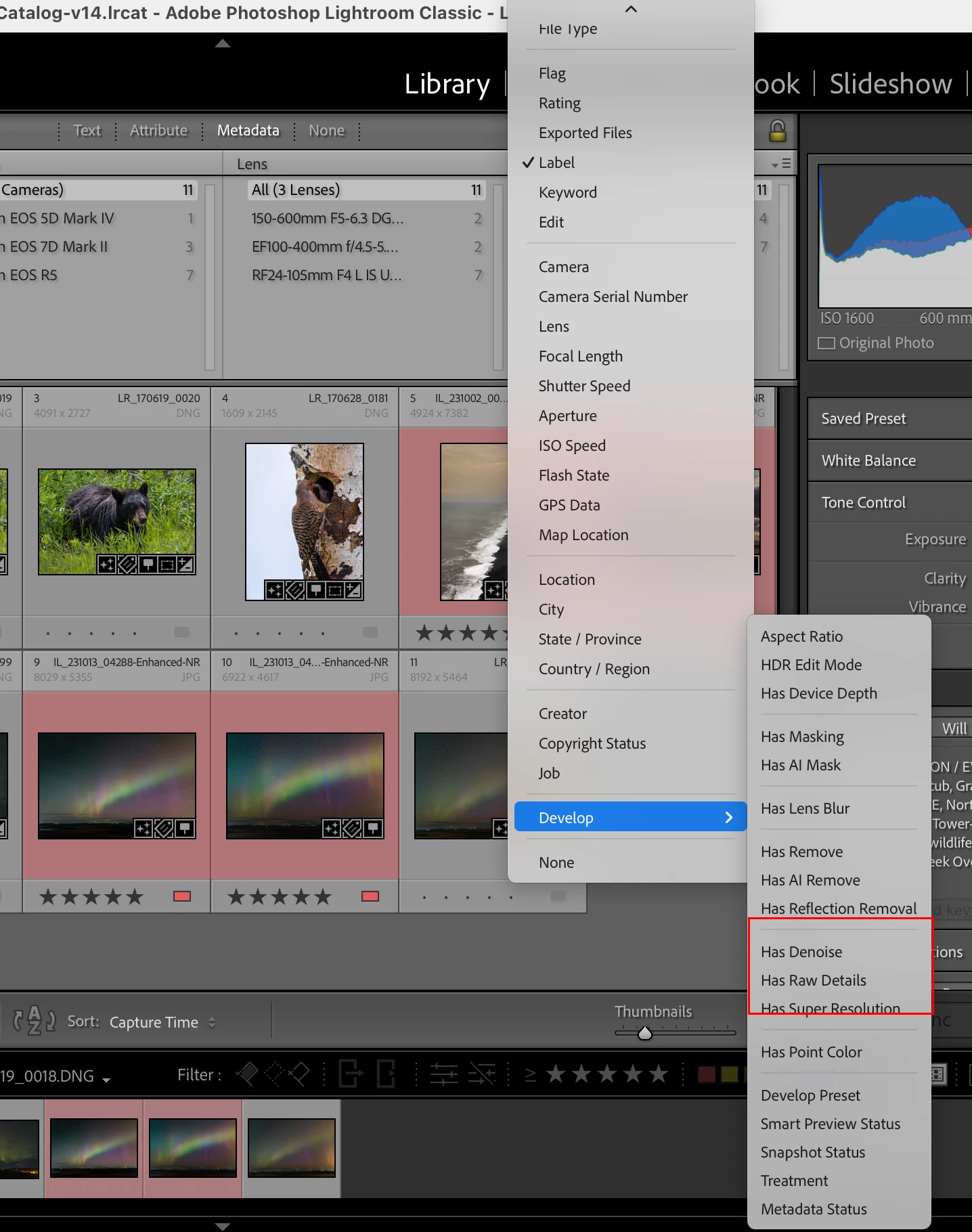
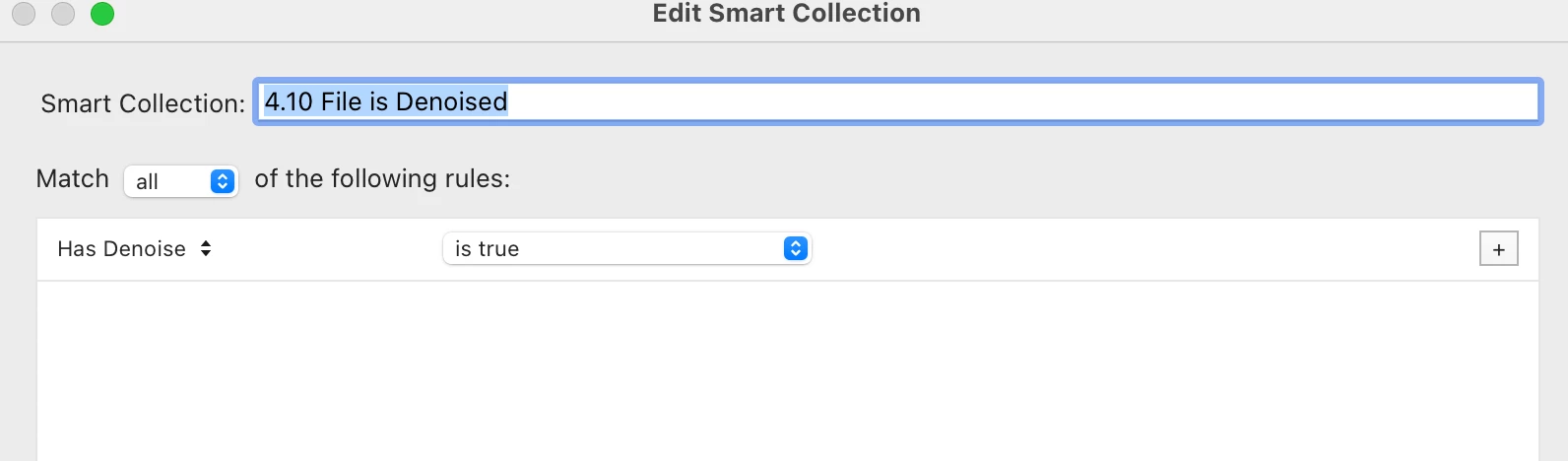
Finding which images that have enhanced processing is relatively easy. Adobe added new filters and smart collections for each of the three enhanced options. I've attached 2 screenshots that should help you find how to use these.


1 답변

Legend
July 2, 2025

The problem is, LR doesn't save the status of the denoise process.


If you are talking about Lightroom Classic, it does save the status. The denoise action appears in the History Panel of the Develop Module, and if you turn on this feature, it adds a keyword "Enhanced" (I think, I am not at home now so maybe it adds some other keyword). And of course, it creates a denoised photo.


When my denoise for +300 photos has been drastically stopped (some error or whatever), when pasting settings again, it's starting from the beginning!


So don't paste settings to photos which have the "Enhanced" keyword. Only select photos that don't have that keyword.

Participating Frequently
July 2, 2025

How do i know which photos where processed or not?

Legend
July 2, 2025

There is no option develop in filter section. As I said, it's not intuitive. Don't understand Why Adobre changed it to something more complicated 


@Lukas26172756td8t 

This is the wrong menu. The menu you want (that Ian Lyons was showing) is in the Filter Bar, click on Metadata, and then click "Date" or any other column header and then that menu will appear (See the first graphic here https://photographylife.com/how-to-use-the-filter-bar-in-lightroom).


I don't mind if they changed the user interface, that's usually a good thing that allows more powerful workflow; but they should give us more explanation of where things are now, and that the Enhanced keyword is not longer in use (if indeed that is the change).