


DdeGannes
Community Expert
Community Expert
June 18, 2019
Question

Problem with monitor profile on my iMac

  • June 18, 2019
  • 2 replies
  • 629 views

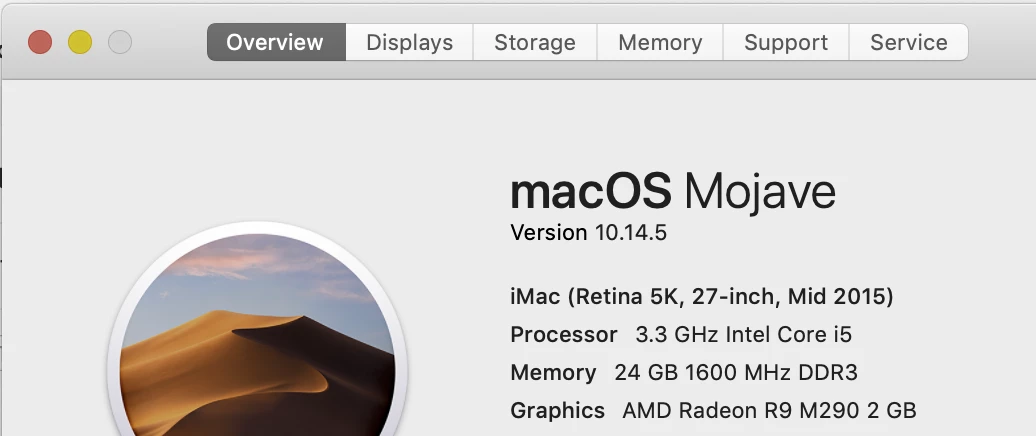
I have been using a ColorMunki Display to profile my iMac display. See the specs of my computer.
Soft ware is ColorMunki V 1.1.5, the recent profile with my monitor displays images very saturated with a significant shift in the colours on the display.

Images look fine on my iPad Pro which is synced to LR Classic  on the iMac, however if I save a file from the iPad and display it displays the same weird colours on the iMac.

Is there a problem with the software? any advice. . 

    This topic has been closed for replies.

    2 replies

    Tony_See
    Inspiring
    June 18, 2019

    Can you post a cropped screenshot of the comparison ? (Saturated vs otherwise)  . . .

    GoldingD
    Legend
    June 18, 2019

    Anything odd when you clcik on that Displays tab?

    DdeGannes
    Community Expert
    DdeGannesCommunity ExpertAuthor
    Community Expert
    June 18, 2019

    Like what?? I have never interfered with that tab.

    Regards, Denis: iMac 27” mid-2015, macOS 11.7.10 Big Sur; 2TB SSD, 24 GB Ram, GPU 2 GB; LrC 12.5,; Lr 6.5, PS 24.7,; ACR 15.5,; (also Laptop Win 11, ver 24H2, LrC 15.0.1, PS 27.0; ) Camera Oly OM-D E-M1.
    Per Berntsen
    Community Expert
    Community Expert
    June 18, 2019

    It seems that Lightroom has a problem with the monitor profile.

    It may have become corrupted, or it might have been created using wrong parameters.

    Run the calibration again, and make sure to create a version 2 (not version 4), matrix-based (not table-based) profile.

    Matrix may be referred to as Curves or Gamma in the calibration software.