

PSD files import error
Hello everyone. I hope you have a very nice 2024!
Let's cut to the cheese:
I just moved all my files to a new Disk, so I created a new database (LRC). Windows 10 machine.
After the disastrous file moving (I had all sorted by folders by name eg: "20231212_sabrina", etc.)
Now I have a lot of "2023-12-12" folders... (hahaha 😞 )
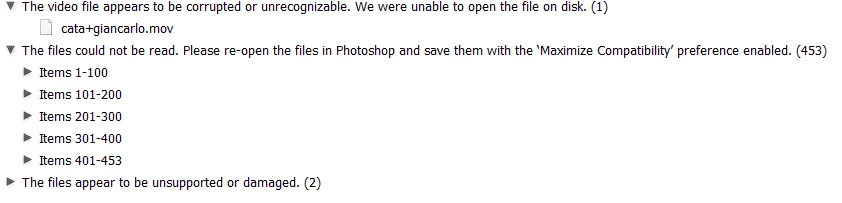
the problem is: in these folders I have lots of PSD files that seems to be saved without "maximize compatibility - (MC)" check. So LRC won import them. I'm talking about 500 files. not so much, but definitively a lot to do it MANUALLY convert.
Does any one knows if there is a way to take the list that LRC gives you of all those files and, export it or do something like a batch to re save them with MC fixed?
I'm a big of bridge and its scripts. and I'm about this little to regret moving to LRC.
 AdChoices