Inspiring
October 20, 2023
해결됨

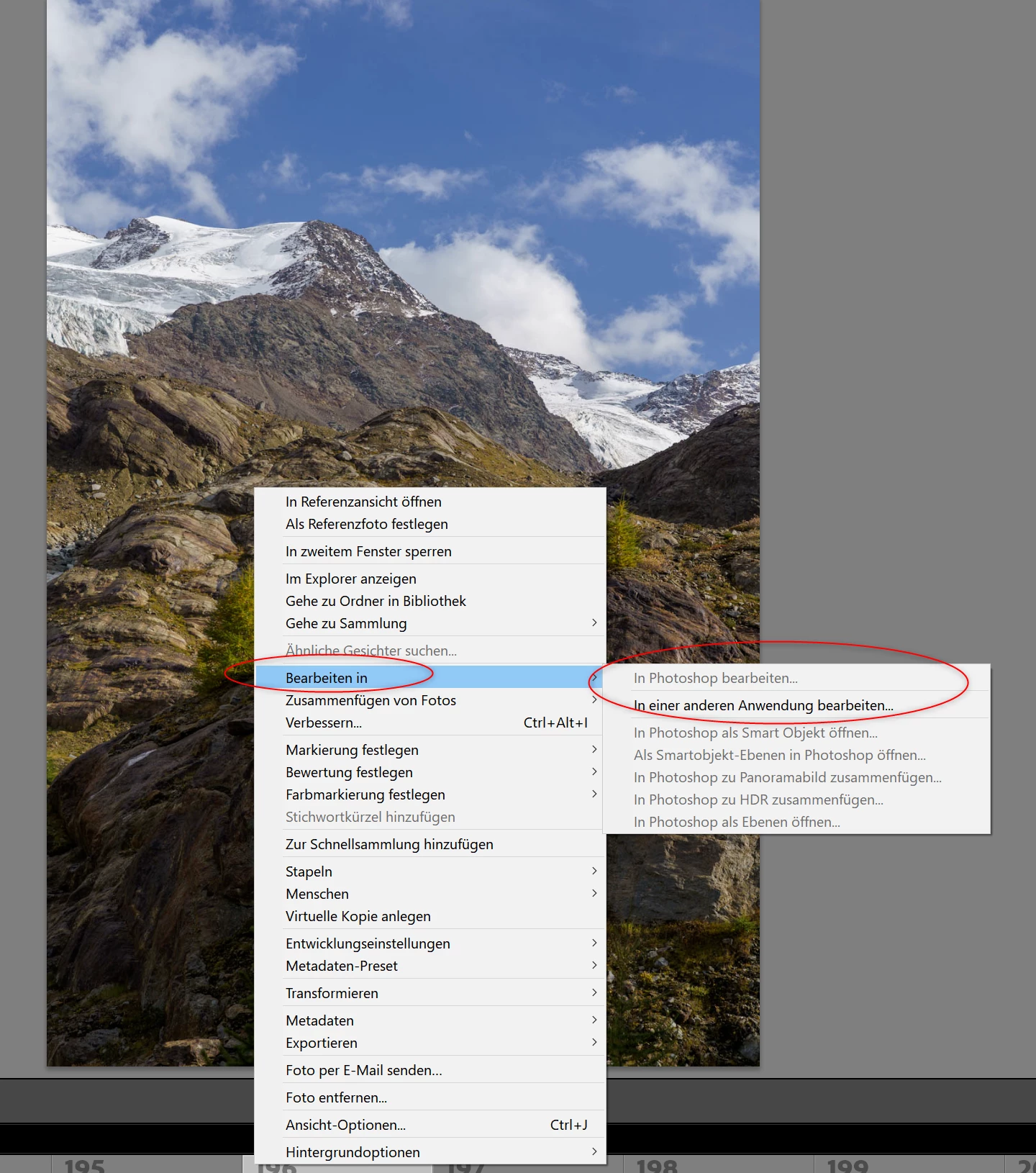
Seit LR Classic V13.1 kein "in Photoshop bearbeiten... " Kontextmenü möglich

  • October 20, 2023
  • 1 답변
  • 571 조회

Hallo,

seit Update auf Lightroom Classic Version  13.1 kann man im Kontextmenü nicht mehr den Punkt "in Photoshop bearbeiten... " auswählen. Photoshop (V.25.0) 

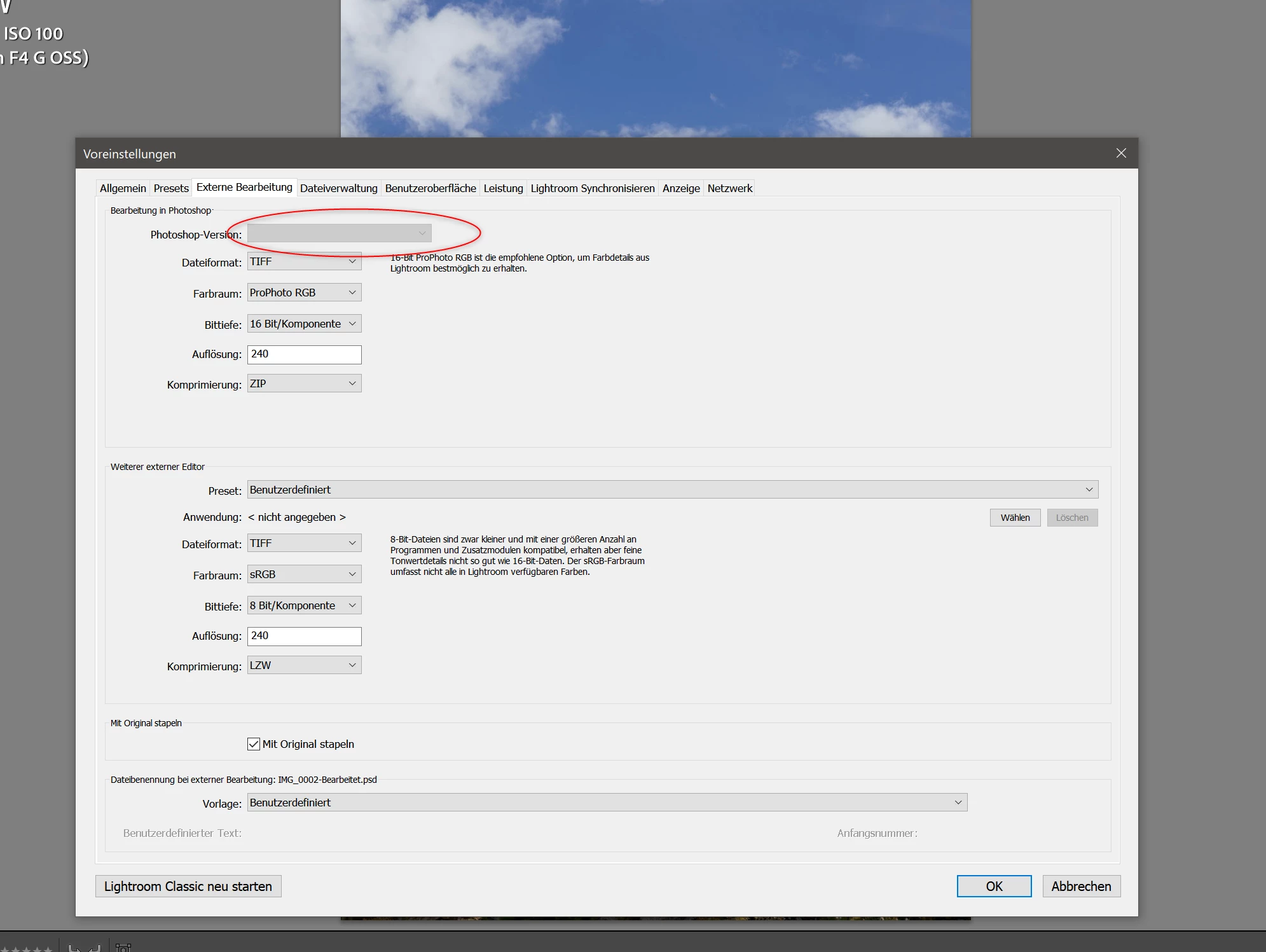
ist installiert! Gehe ich in die Voreinstellung um dort "Photoshop" auszuwählen ist das Feld ausgegraut und kann nicht verwendet werden.

Ich habe hier seit Jahren die aktuelle Version und aktive Lizenz für das Creative Cloud Fot-Abo im EInsatz.   Siehe Screenshots!

Danke vorab für die Unterstützung


이 주제는 답변이 닫혔습니다.
최고의 답변: JohanElzenga

If there was an easier way, don't you think I would have told you that? Don't worry, it is really simple. All your personal settings will remain. Just keep your preferences when asked during the uninstall.


1 답변

JohanElzenga
Community Expert
Community Expert
October 20, 2023

Usually this is solved by uninstalling both Photoshop and Lightroom Classic and then reinstalling Photoshop first and Lightroom Classic after that.


-- Johan W. Elzenga
Oilinga작성자
Inspiring
October 20, 2023

I actually wanted to avoid that. Why is it always the user who has the problem of having to fix something? With a subscription fee of 90 € per year, I expect that the f**k applications work and that I don't have to repair them.
Is Adobe incapable of providing these update routines without flaws?
What about my personal settings when I uninstall and install? Am I then allowed to set up everything again from scratch?

JohanElzenga
Community Expert
Community Expert
October 20, 2023

If there was an easier way, don't you think I would have told you that? Don't worry, it is really simple. All your personal settings will remain. Just keep your preferences when asked during the uninstall.


-- Johan W. Elzenga