


Since V14.4 LRC update previously imported and converted images are considered as INVALID DNG.
This shows up on Windows 10 PC with AMD CPU/GPU e.g. upon export as JPG.
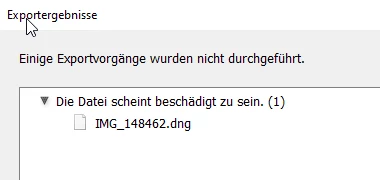
Afterwords it is marked with an explanation mark in the library:
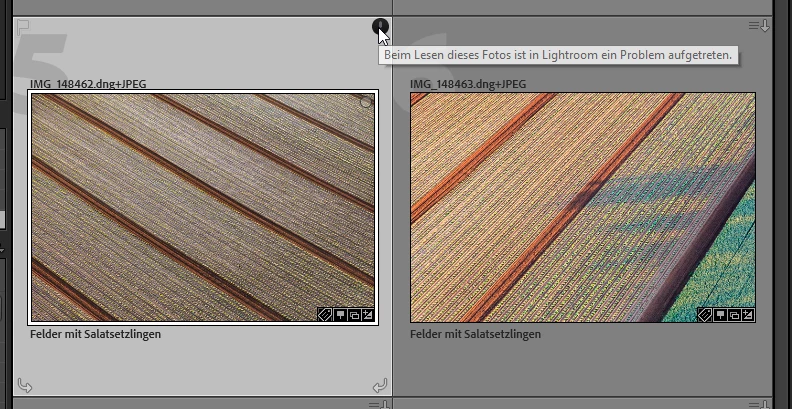
This happens arbitrarily for sveral images imported in the past, that could be exported without problems by the previous release. Since the DNG-Files can be opened externally without problem and can be reimported and the error dissapears, I suspect a bug or instability with the with the enhanced for new features of the DNG component reading older legacy DNGs.
My Systeminformation:
Lightroom Classic-Version: 14.4 [ 202506051112-5918896a ]
Lizenz: Creative Cloud
Spracheinstellung: de
Betriebssystem: Windows 10 - Business Edition
Version: 10.0.19045
Anwendungsarchitektur: x64
Systemarchitektur: x64
Anzahl logischer Prozessoren: 16
Prozessorgeschwindigkeit: 1,9GHz
SQLite-Version: 3.36.0
CPU-Auslastung: 5,0%
Stromquelle: Angeschlossen
Integrierter Speicher: 15182,4 MB
Dedizierter GPU-Speicher, der von Lightroom verwendet wird: 35,0MB / 1007,5MB (3%)
Für Lightroom verfügbarer phys. Speicher: 15182,4 MB
Von Lightroom verwendeter phys. Speicher: 2531,4 MB (16,6%)
Von Lightroom verwendeter virtueller Speicher: 2619,6 MB
Anzahl GDI-Objekte: 927
Anzahl BENUTZER-Objekte: 2837
Anzahl Prozess-Handles: 2700
Cache-Speichergröße: 162,8MB
Interne Camera Raw-Version: 17.4 [ 2272 ]
Maximale Anzahl Threads, die Camera Raw verwendet: 5
Camera Raw SIMD-Optimierung: SSE2,AVX,AVX2
Virtueller Speicher in Camera Raw: 47MB / 7591MB (0%)
Physischer Speicher in Camera Raw: 48MB / 15182MB (0%)
Cache1:
NT- RAM:0,0MB, VRAM:0,0MB, Combined:0,0MB
Cache2:
m:162,8MB, n:0,0MB
U-main: 196,0MB
DPI-Einstellung des Systems: 96 DPI
Desktop-Komposition aktiviert: Ja
Standardvorschaugröße: 1440 Pixel
Monitore/Anzeigegeräte: 1) 1920x1080, 2) 3440x1440
Eingabetypen: Multitouch: Nein, integrierte Toucheingabe: Nein, integrierter Stift: Nein, externe Toucheingabe: Nein, externer Stift: Nein, Tastatur: Nein
Informationen zum Grafikprozessor:
DirectX: AMD Radeon (TM) Graphics (31.0.21024.5005)
Anfangsstatus: GPU für die Anzeige wird standardmäßig mit Unterstützung für Bildverarbeitung und Export im benutzerdefinierten Modus unterstützt
Benutzerpräferenz: Automatisch
 AdChoices