
Something wrong with Adobe DNG Converter and Lighroom
I noticed this issue in a smaller quantity last week but now it seems even more. Yesterday I made a picture of a bunny and after converting the image with Adobe DNG Converter (version 11.0.0.61 at first and updated to 11.3 and still same problem) and the green were overly saturated compared to the original .ORF file from Olympus E-M1 Mark I and that subjects with a green background behind them seem to lose the texture and colour like the demosaic gets confused about what's where:

Converted .ORF to .DNG (Full Size JPEG Preview and Fast Loading Data)

Screenshot of the original .ORF file opened with Microsoft Photos
I imported the .ORF file in Lightroom with 1:1 Preview and I still get the same problem:
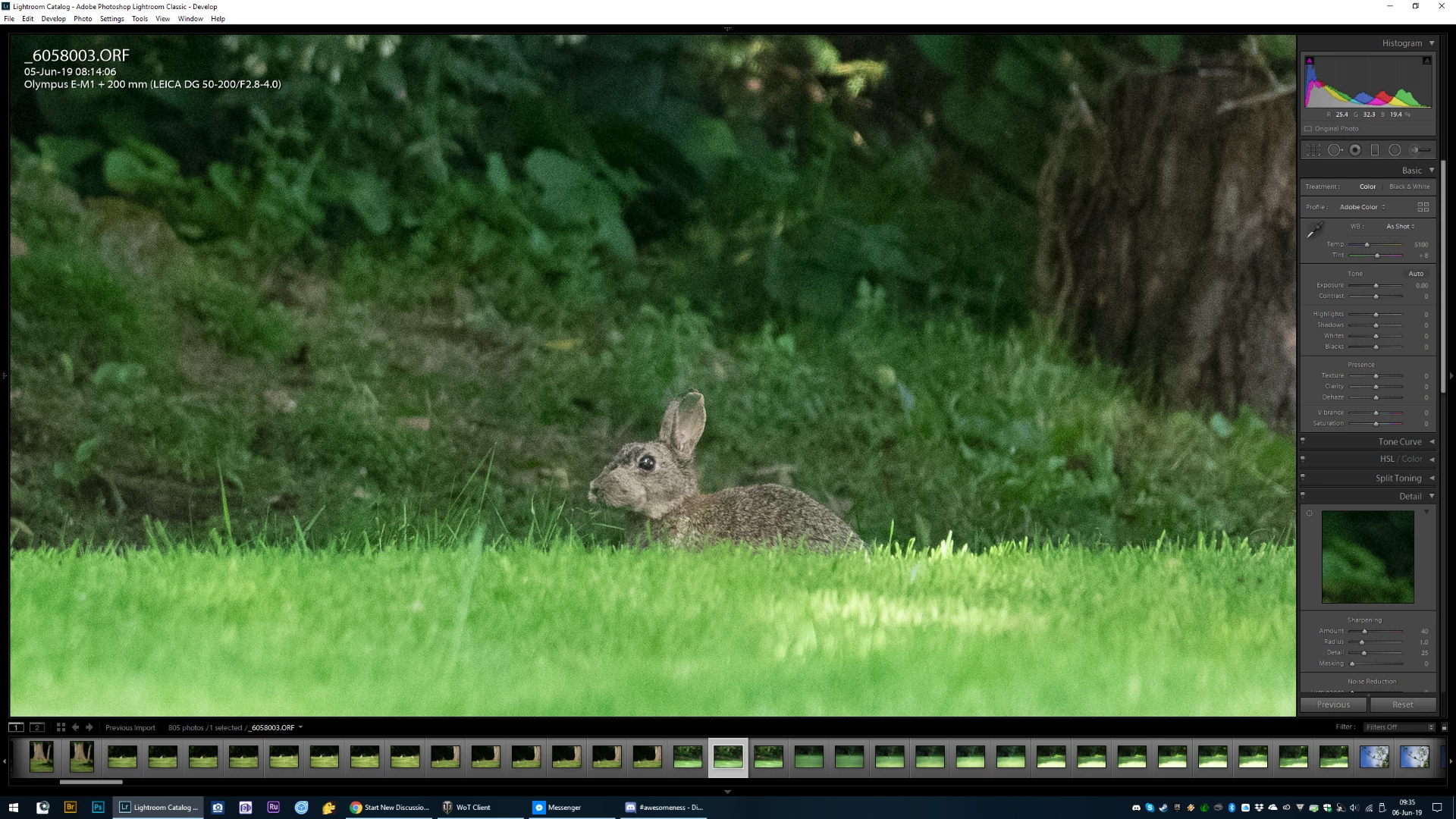 There's a hole in his ear.
I noticed similar issues on one of my bird in flight image were under the wing there was a green colour cast and the eye was glowing green, the subject was behind a tree and the size of the bird was very small in the frame (it was about 50 meters away, maybe more).
I am very confused about why is this happening. For now, I have to stop converting to DNG but worse is I can't trust Adobe Lightroom right now to do my edits and I shoot only RAW.
 AdChoices