
Participating Frequently
January 23, 2020
Answered

Unable to Update Lightroom Classic

  • January 23, 2020
  • 4 replies
  • 5928 views

Hi all,


I can't seem to update my Lightroom Classic (v. 8.3.1) app. I have a Creative Cloud All apps subscription and and apps like Premiere en Photoshop update automatically. I use Lighroom Classic (personal preference, instead of the new Lightroom) and it does not show up in my 'updates' tab or in my 'installed apps.' As far as I know I'm running the latest versionCreative Cloud (updates automatically) and I'm on macOS Mojave 10.14.6. I've thought about uninstalling my Lightroom but I don't wanna lose my library with 700+ photos in it. Does anybody know how I get my Lightroom and updating to function properly?


Thanks!
This topic has been closed for replies.
Correct answer dj_paige

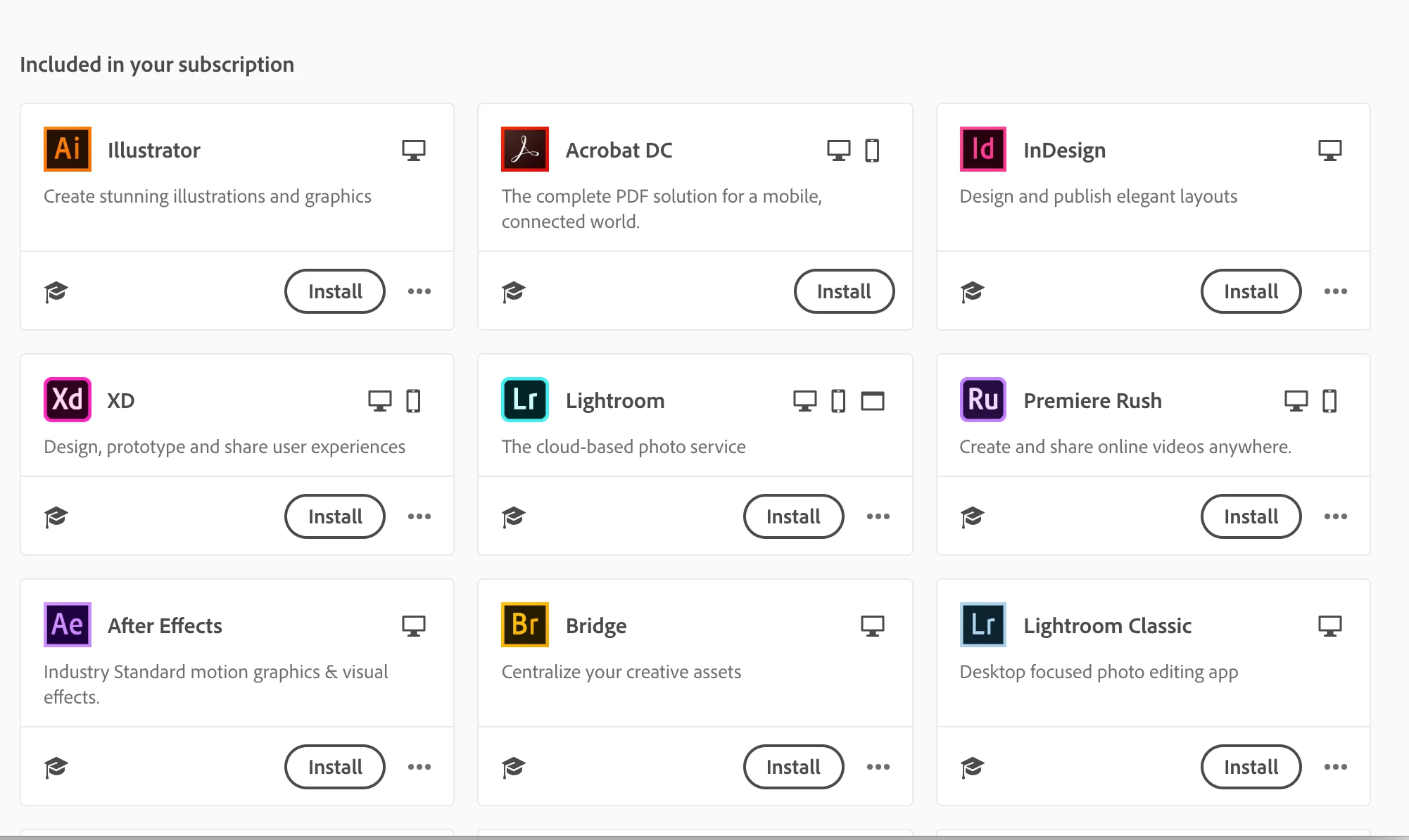
Perhaps a clearer screenshot of the 'included in your subscription' tab. Lightroom classic is under this tab even though I have it installed.


So you should click on Install, it probably shows that it is uninstalled because you have LR 8 installed and you need to install LR 9

4 replies

Participant
April 19, 2020

I have lightroom classic 5.5 on my computer.

I need to update to 5.7.1.

The links are no longer visible on-line.

Can someone please mail me a link or help me to get to the link that will actually download 5.7.1

Do-gooders beware....that classic link is no longer available to the public at the public web sites. It must now be gotten in some other fashion.  If anyone can contact me, step me thought this I would appreciated it.  I'm not a computer geek and these links are now stale and behind the secenes i need assistance in getting that 5.7.1 download.

Participant
April 19, 2020

disposable15@comcast.net please contact me there

GoldingD
Legend
January 23, 2020

Ok, rereading, perhaps you are looking at Adobe Creative Cloud Desktop App.


One possibility, close Adobe Creative Cloud Desktop App, then restart, force it's closure.


And if it that, Sign out, then sign in


And if not that uninstall Adobe Creative Cloud Desktop App. Download a fresh new copy and reinstall


see: https://helpx.adobe.com/creative-cloud/kb/creative-cloud-application-recognizing-available.html


and: https://helpx.adobe.com/creative-cloud/help/uninstall-creative-cloud-desktop-app.html


and: https://www.adobe.com/creativecloud/desktop-app.html


THE FIRMAuthor
Participating Frequently
January 23, 2020

Indeed, I tried updating via the Creative Cloud app, not via the App store.


I already tried logging out and back in again and just now I also did an uninstall and reinstall, but that has, unfortunately, not fixed the problem. Lightroom is still not showing up as an installed app on my Mac and I really don't understand why.

THE FIRMAuthor
Participating Frequently
January 24, 2020

When I do that it gives these as my installed apps, which is correct except Lightroom Classic is not given as an installed app (see first screenshot). Instead it's under the 'included in your subscription' section and is given as an app that needs to be installed still, even though it is installed (see 2nd screenshot). I'm guessing that's the problem, creative Cloud not recognizing the app is installed or something, but I don't know why or how.


Perhaps a clearer screenshot of the 'included in your subscription' tab. Lightroom classic is under this tab even though I have it installed.

GoldingD
Legend
January 23, 2020

Updates are accomplished  in the Adobe Creative Cloud Desktop App, not from a particular program, like Lightroom Classic, not from your OS App store or updates.


Perhaps you were not clear in your posting as to if you are doing that?


dj_paige
Legend
January 23, 2020

Uninstalling Lightroom does not make you lose your catalog with 700+ photos in it. 


Nevertheless, this is the wrong thing to do. You may need to update your Adobe Creative Cloud application, and/or re-install that.

THE FIRMAuthor
Participating Frequently
January 23, 2020

Does it keep my catalog? How can I make sure of this. I remember I've deleted the app in the past and that led to me losing my files, some I wanna make sure.


As said in response to @davidg36166309 I tried uninstalling, but that did not work unfortunately.