


Participant
November 14, 2020
해결됨

Why some Profiles are available for jpg and raw, and some only for raw pictures ?

  • November 14, 2020
  • 1 답변
  • 1254 조회

I started to use profile in LRC and I added some download from web and some I created myself in ACR.

When I am on a RAW picture all the profile are available see image below
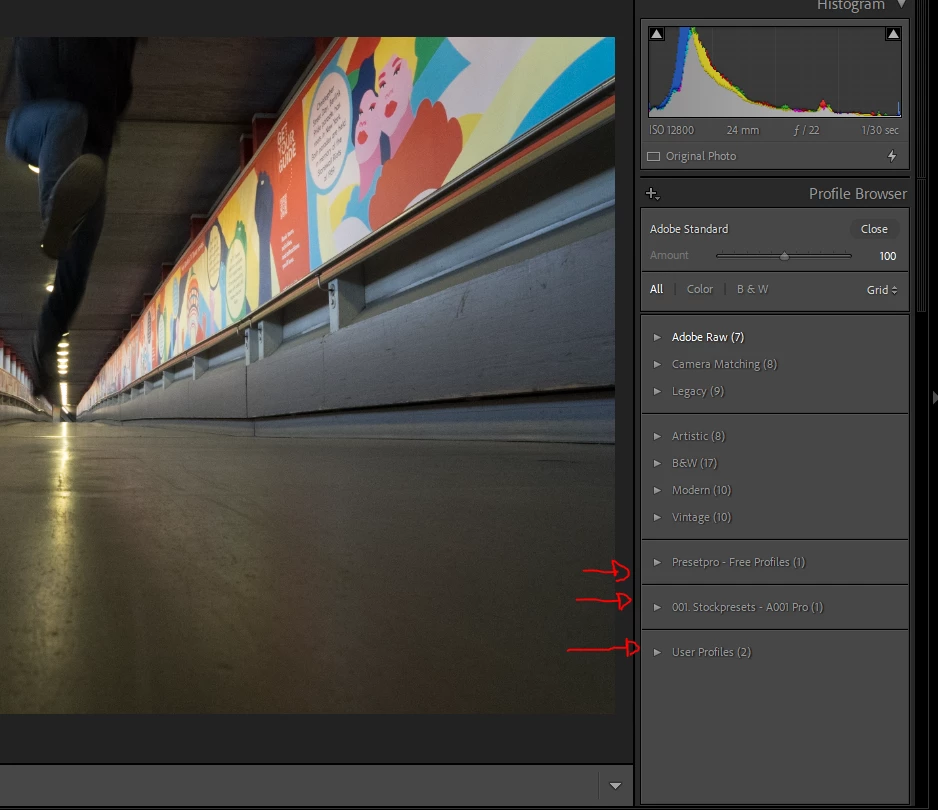
But when i on a jpg foto ( in this case take with my gopro) only half of the profile are available
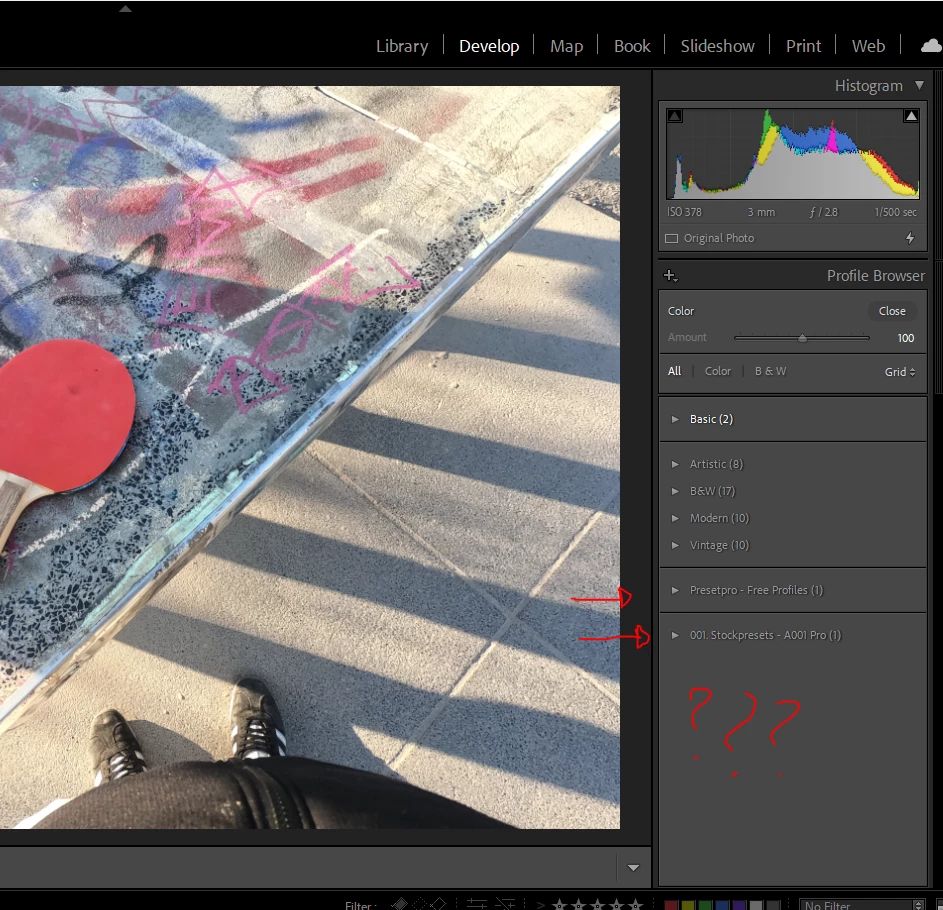
Any ideas why this happens and if there is a fix for it ?

Tnx in advance!

Ps ACR 13.0.2 - LRC 10.0 - PS 22.0.0 

이 주제는 답변이 닫혔습니다.
최고의 답변: Rob_Cullen

From the article in this link-

! PROFILE INFO (Lr Queen)

There are two main types of profiles – camera-specific profiles and creative profiles. Camera-specific profiles only apply to raw photos, so for rendered files (JPEG/TIFF/PSD/PNG), you’ll find a Basic folder containing just Color and B&W.


Demystifying Lightroom Profiles - In-Depth Guide (Free Profiles) - PhotoTraces


1 답변

Rob_Cullen
Community Expert
Community Expert
November 14, 2020

From the article in this link-

! PROFILE INFO (Lr Queen)

There are two main types of profiles – camera-specific profiles and creative profiles. Camera-specific profiles only apply to raw photos, so for rendered files (JPEG/TIFF/PSD/PNG), you’ll find a Basic folder containing just Color and B&W.


Demystifying Lightroom Profiles - In-Depth Guide (Free Profiles) - PhotoTraces


Regards. My System: Windows-11, Lightroom-Classic 15.1.1, Photoshop 27.3.1, ACR 18.1.1, Lightroom 9.0, Lr-iOS 10.4.0, Bridge 16.0.2 .
Participant
November 15, 2020

Thank you for the answer !

Now it kind of make sense, but I find this all story really time consuming and not intuitive at all and even less practical ... ( i just wasted my all evening trying to figure out those stuffs...)

But thanks again !