
Known Participant
August 30, 2018
Answered

Color shifts in Develop module LR Classic 7.5 (OS X) Leica M 262

  • August 30, 2018
  • 3 replies
  • 2430 views

I am experiencing sporadic self-activating color shifts to Leica M 262 .DNG images in the Develop Module of LR 7.5. I am running OS X High Sierra 10.13.6 on a MacBook Pro with graphics processor acceleration disabled. The camera has the latest firmware. This doesn't occur with all images, but seemingly at random, and without any user input. In the Library Module, the images appear normally.  I experienced this phenomenon for the first time when I upgraded to LR 7.3.1, but prior to that, using LR 7.2 and 7.3, it did not occur. At first, opening the image in the Develop Module, the color appears as it should, see screen shot below:
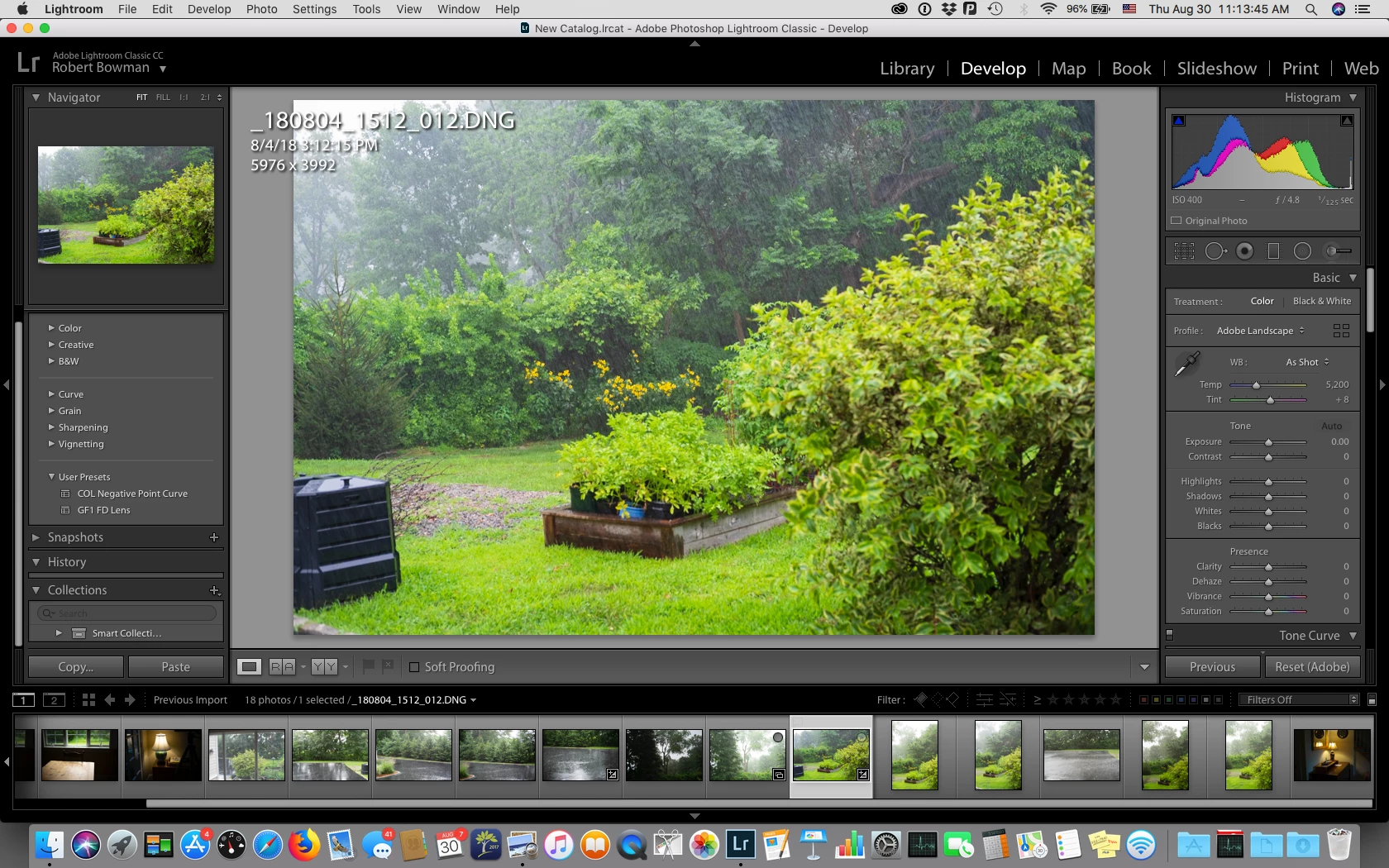
However, after a few seconds, the color shifts, without my having entered any command or pressing any key, as in the screen shot below:
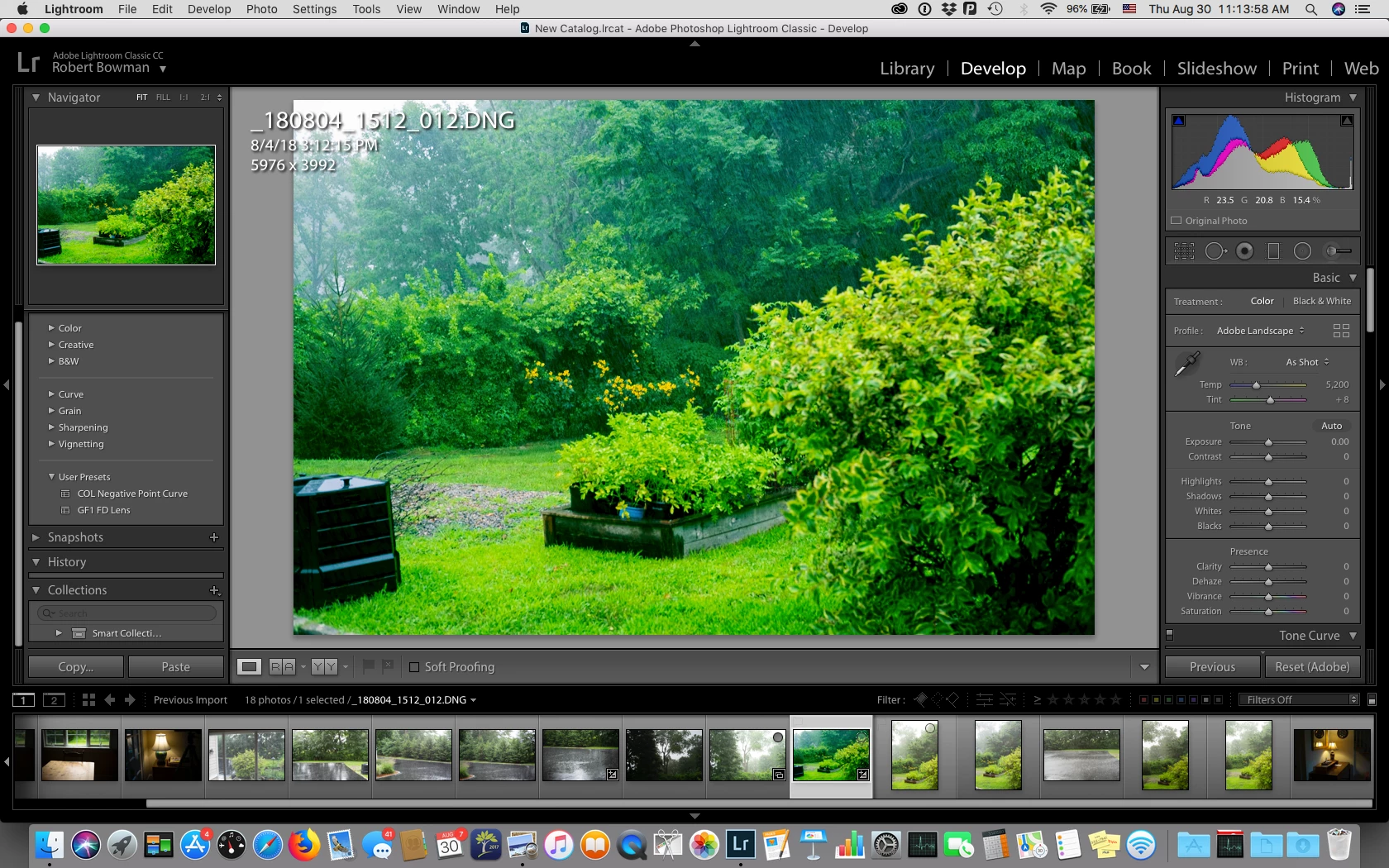
Note that the History panel is unchanged, and the Histogram remains the same also.

The color shift has not occurred with .DNG files from a Pentax 645D or from several Panasonic Lumix cameras.

Any help much appreciated.

This topic has been closed for replies.
Correct answer AviMathur
  1. Go To Profile Browser.
  2. Click on the '+' drop down and select Manage Profiles.
  3. Select "Legacy" group -> Save
  4. In the profile browser, you will find a group called "Legacy"
  5. Open the Legacy group to find the "embedded" profile.

Thanks,

Akshay

3 replies

AviMathur
Adobe Employee
AviMathurCorrect answer
Adobe Employee
September 14, 2018
  1. Go To Profile Browser.
  2. Click on the '+' drop down and select Manage Profiles.
  3. Select "Legacy" group -> Save
  4. In the profile browser, you will find a group called "Legacy"
  5. Open the Legacy group to find the "embedded" profile.

Thanks,

Akshay

TheBilboAuthor
Known Participant
September 14, 2018

Thank you, Akshay, yes that works!

Community Expert
August 30, 2018

Can you share one of the dng files? It is pretty strange that the embedded profile has disappeared. Either a new default processing got set for your Leica files or there is a newly introduced bug where it won't do embedded as default anymore which is possible with all the changes to the profile system that got introduced.

Is there a "camera default" for this camera?

johnrellis
Legend
August 30, 2018

I downloaded this sample for Leica M (Typ 262): Dropbox - 262-ME-samples - Simplify your life . When I first imported it into LR 7.5, it shows Profile: Embedded. However, if I then change the Profile to something else, e.g. Adobe Landscape, Embedded no longer appears as an option in the Profile dropdown menu. Doing Reset changes the profile to Adobe Color. The only way to get back Embedded is by doing Metadata > Read Metadata To File, unless you've done Save Metadata To File with the changed profile, and then there doesn't seem to be any way to be back to Embedded, even with ExifTool.

Todd Shaner
Legend
August 30, 2018

John, I was unable to download DNG file from the Dropbox link you provided. I did download a few Leica M 262 DNGs from another site and they all open with Adobe Color assigned and no 'Embedded' profile selection is available. No Import Develop Settings are selected and I use Embedded & Sidecar Preview setting on Windows 7 using LR 7.5.

Either way it appears to be a bug since DNG files can have multiple embedded camera profiles saved to the file. They ALL should appear in the LR Develop 'Profile' selections.

Todd Shaner
Legend
August 30, 2018

Two observations:

1) The History panel is empty. It should at least show one entry for 'Import.'  How did you get these files inside LR?

2) Adobe Landscape camera profile has been applied, which is not the normal default setting. What is your default setting for Profile for this and other cameras?

TheBilboAuthor
Known Participant
August 30, 2018

Two replies:

1) The files were initially brought into a LR 7.3.1 catalog from an SD Card via the usual "Import Photos and Video" dialog. After upgrading to LR 7.5 the same catalog is now in effect.  I cleared the History panel to be sure nothing was applied to the file.

2) Yes, I applied the "Adobe Landscape" profile. In earlier versions of LR my preferred camera profile for the Leica 262 has been "Embedded." When upgrading to 7.5 that option appears to be unavailable, and the profile for these images defaults to "Adobe Color." I had been looking for the "Embedded" profile. My preferred profile for the Pentax 645D is "Embedded" and for the Panasonic cameras, "Adobe Standard."

JohanElzenga
Community Expert
Community Expert
August 30, 2018

TheBilbo  wrote

Two replies:

1) The files were initially brought into a LR 7.3.1 catalog from an SD Card via the usual "Import Photos and Video" dialog. After upgrading to LR 7.5 the same catalog is now in effect.  I cleared the History panel to be sure nothing was applied to the file.

Clearing the History panel does not do that. It only clears the list, not the edits themselves. To clear the edits, press the Reset button. Hold the shift key to reset to Adobe defaults.

-- Johan W. Elzenga