



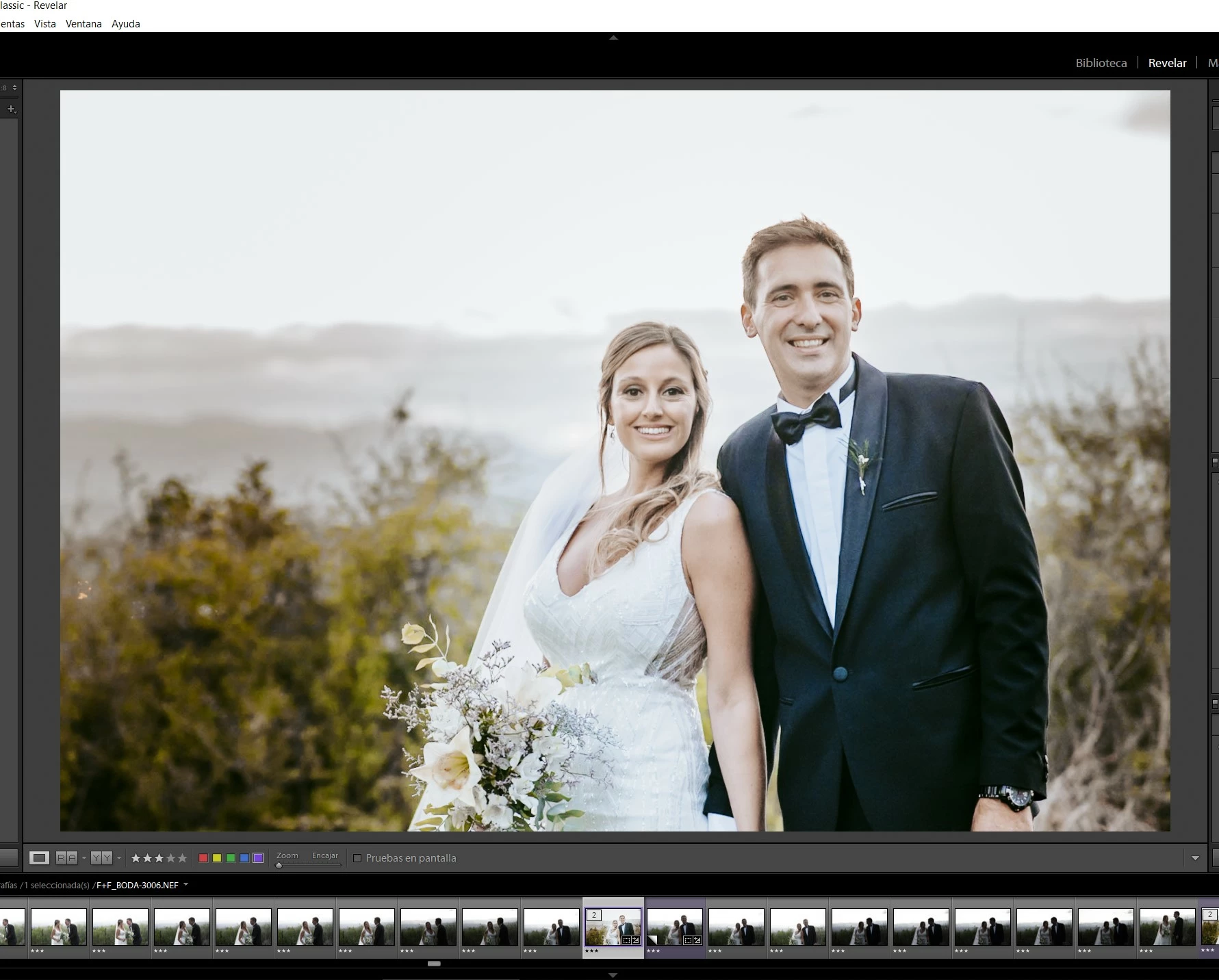
Lightroom muestra imágenes con aspecto distinto en los módulos biblioteca (bien) y revelar (MAL)
1st) I find it very bad that being a payment software Adobe delegate the attention of the fayos of their programs to other users who pay equally an annual or monthly fee. IT SEEMS ME VERY BAD SERVICE.
2nd) I asked for help by chat more than 2 hours ago and still no representative was able to help me ... the worst after sales service I saw in my life.
THE PROBLEM: Lightroom in the "REVEAL module" shows the photos without the changes made during the editing ... and in the LIBRARY module shows them correctly. In order to see the photos correctly in the REVEAL module, I must zoom 1: 1 and the image updates its preview correctly, but when I move to another photo and return again, the same image appears. I am a LT user several years ago and it is the 1st time this has happened. Windows 10 64bit OS and programs installed on solid disk SSD, Adobe LT runs virtual memory on a separate SSD.
----------------------------------------------------------------------------------------
1ero) me parece muy mal que siendo un software de pago Adobe delegue la atención de los fayos de sus programas a otros usuarios que pagan igualmente una cuota anual o mensual. ME PARECE UN SERVICIO MUY MALO.
2do) Pedi ayuda por chat hace más de 2hs y aun ningun representante pudo atenderme?... el peor servicio post venta que vi en mi vida.
EL PROBLEMA: Lightroom en el "módulo REVELAR" muestra las fotos sin los cambios realizados durante la edicion... y en el módulo BIBLIOTECA las muestra de forma correcta. Para poder ver las fotos correctamente en el módulo REVELAR debo hacer zoom 1:1 y la imagen actualiza su vista previa correctamente, pero al pasar a otra foto y volver otra vez se presenta la misma faya. SOy usuario de LT hace varios años y es la 1era vez que esto sucede. Windows 10 64bit OS y programas instalados sobre disco duro solido SSD, Adobe LT corre memoria virtual sobre un SSD aparte.
View in Library module (correct image):
Vista en módulo Biblioteca (imagen correcta):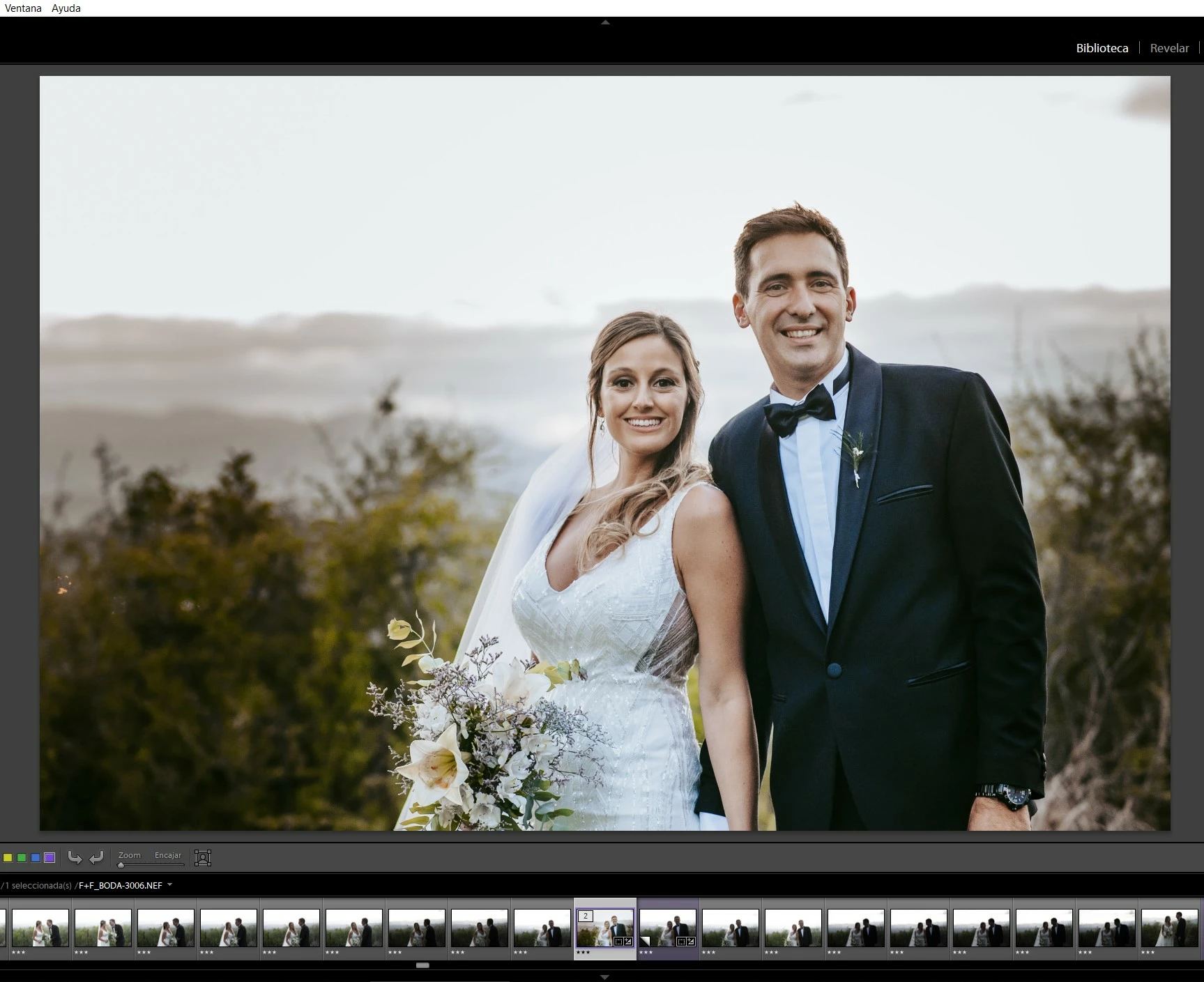
View in module REVEAL (incorrect image):
Vista en módulo REVELAR (imagen incorrecta):
 AdChoices