
Question
OnePlus 8 DNG files appears to have a violet tint when imported in Lightroom Mobile
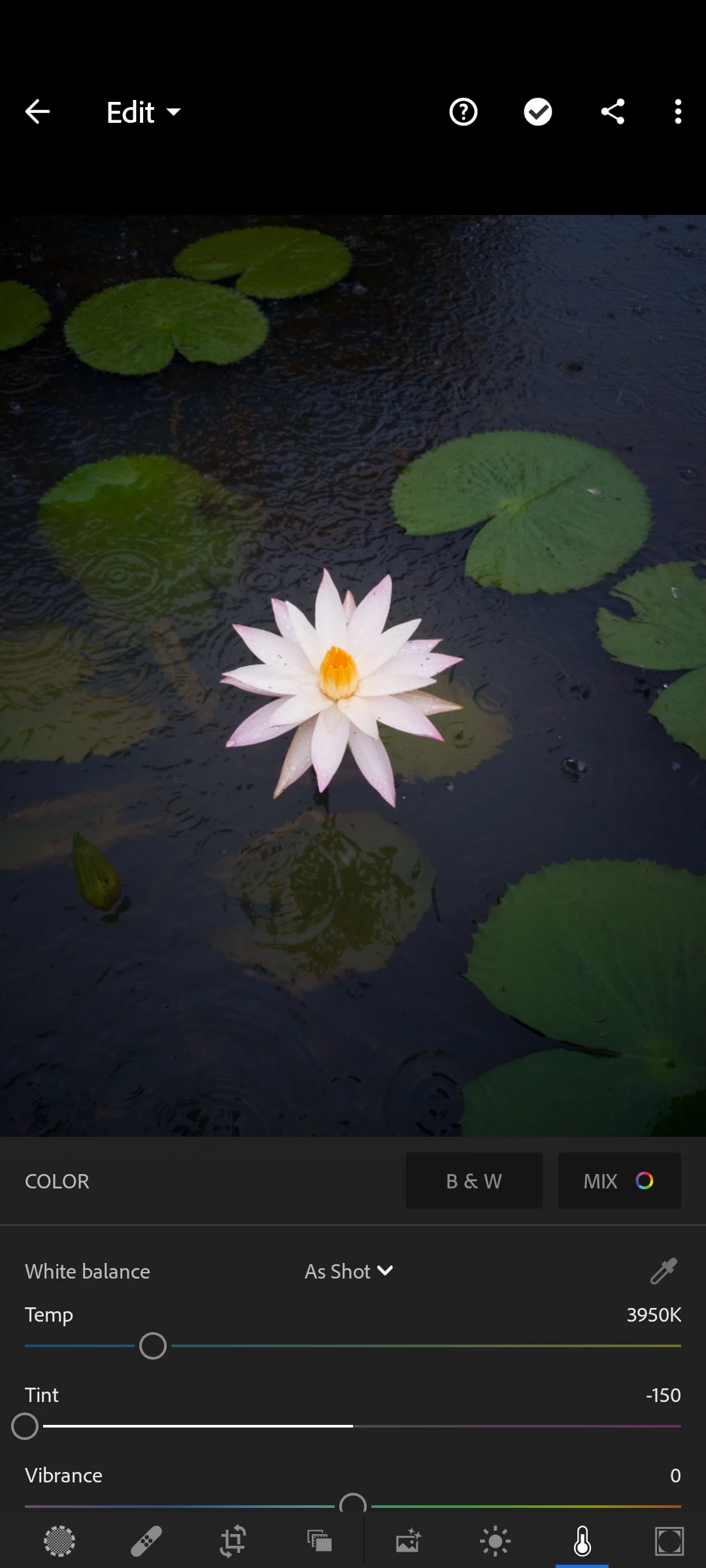
When I try to import a RAW dng file shot on OnePlus 8 to Lightroom Mobile CC, I get a weird violet cast. The tint is set to - 150 automatically and makes the slider unusable. This is really annoying. I had no such issues on my OnePlus 7T Pro.
I saw a similar thread in the community: https://community.adobe.com/t5/lightroom-for-mobile-apple-tv/lg-g6-dng-appears-in-lightroom-cc-with-violet-cast/td-p/9374395
I'm facing this exact same issue and I'm not sure if there's any proper fix to it. See the screenshot below. I'm also attaching the raw file for you to try out.
DNG file: https://drive.google.com/file/d/11sB-ULdSWiKKp8CpZb1rzPV2CVGRcv8G/view?usp=drivesdk
 AdChoices