


Adding LR images to Portfolio: Photos not Synced
Dear support community,
Hereby bumping an existing issue with the Portfolio integration in Lightroom. Although the topic (1) was marked solved by the OP, the issue persists for other users.
It is most annoying because it is preventing me from adopting and further using the Portfolio product. I really hope this will land on the developers backlog and get fixed soon.
Issue
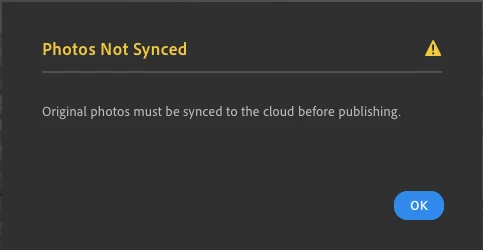
Whenever I try to add a LR image to an existing Portfolio project using the "Share to Adobe Portfolio" feature, I get the error message "Photos not synced", "Original photos must be synced to the cloud before publishing". All my photos are synced yet this problem continues (on multiple devices).
Context
I have tried to use this feature on multiple devices with the setup described below.
The issue happens both to photos which have been edited in LR as well as SOOC photos (RAW). Camera used is a Sony Alpha A7RII.
Windows Desktop (primary editing device)
- Adobe Photoshop Lightroom v3.2 20200204-0604-bc5e360
- Windows 10 Pro x64
- Storing photos in cloud as well as external HDD (connected at the time when trying to share to an existing project in Adobe Portfolio)
- All photos are synced to cloud and HDD
- Adding LR photos directly from Portfolio Web UI works (pull). But these photos don't show up in the Portfolio project in LR.
- Pushing photos from LR to Portfolio only seems to work when creating a new project.
Macbook Pro
- MacOS Catalina
- Fresh install of Lightroom version: 3.2 [ 20200204-0604-bc5e360 ] (Feb 4 2020)
- Wait a little after some albums have been downloaded ('synced') from the cloud to local
- Share to -> Adobe Portfolio -> Add to project (select existing one from dropdown) -> Continue
- Contrary to the Windows computer mentioned above, the Mac device does not have external storage attached for archiving originals.
Related posts:
 AdChoices