

Pete.Green
Community Manager
January 10, 2022
Question

Beta Feedback Panel is now available

  • January 10, 2022
  • 5 replies
  • 3077 views

Hello Photoshop desktop beta testers!


We are happy to announce that a new Photoshop beta feedback panel is now available in the latest build of Photoshop (Beta) as of version: 23.2.0 20220107.m.1618
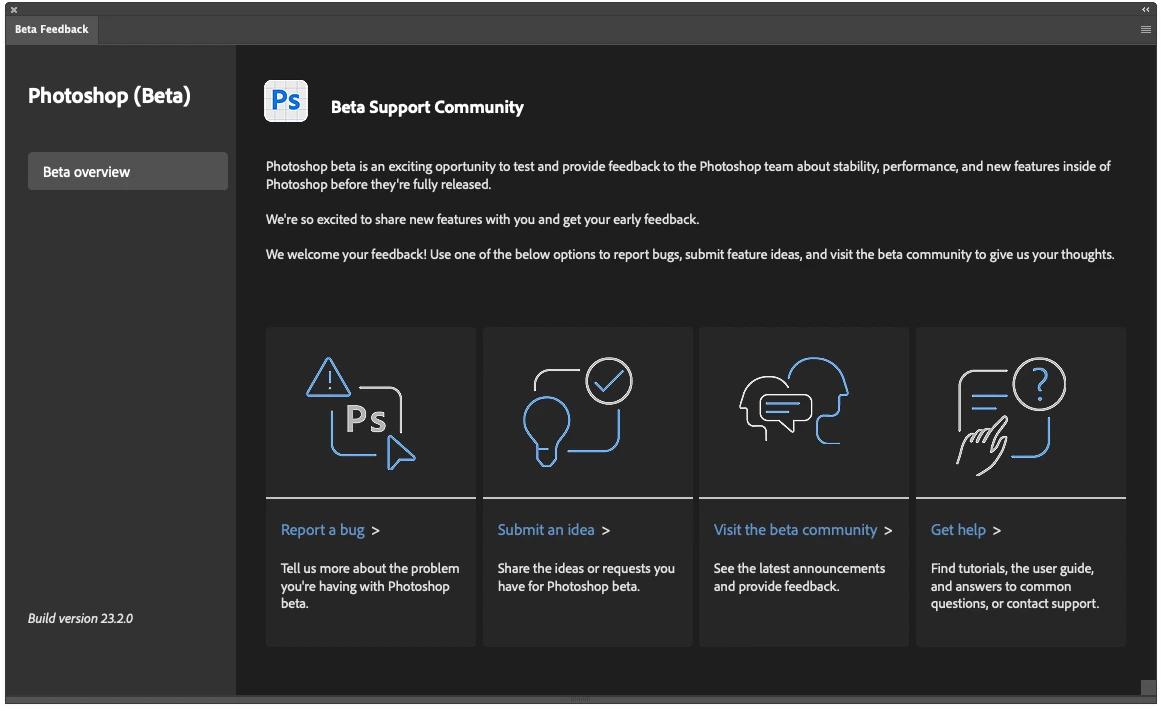


This new panel will provide access to this beta community and enable you to quickly provide feedback and visit this community by clicking:

  • Report a bug
  • Submit an Idea (Feature Requests)
  • Visit this beta community (to continue discussions or vote on other feature ideas)
  • Get Help (quickly access the Photoshop support content hub)


You can access this panel by clicking on the Beaker icon , or Window > Beta Feedback


In the near future, we will be adding more functionality and making improvements to this panel, and are open to any feedback you have on the panel itself. Let us know what you think!

This topic has been closed for replies.

5 replies

Participating Frequently
July 18, 2024

Pete,


I've found a bug in the PS Beta Remove Tool, how do I report it, I'm not a beta tester?

Participant
October 17, 2023

Please put jeg back in save as. I do not like running all over the place to save a jpg file. Put it in the properties and let the individual deside how save as looks.  You had a good thing do not screw it up.

Adobe Employee
September 5, 2023

Hi 
Is there a way to deactivate / disable beta services for users?
What options are available to disable?

Rowby
Inspiring
August 11, 2023

Hi

Where exactly can I find the Beaker Icon? On the Beta Photoshop app "home" page?    Or on the forum? 


 In your announcement message here, I see what is apparently a screen capture of the Beaker, etc., but am having trouble location it so I can give some terrific feedback on generative fill, for example. 

Thank!

Rowby


CShubert
Community Manager
Community Manager
August 11, 2023

@Rowby it should be in the upper right section of your Ps workspace.


Rowby
Inspiring
August 11, 2023

Thanks! I found it!

Best
Rowby

Participant
January 30, 2022

Hi! Where to read release notes (added features, changed features, removed features) of current betas? Thanks

Pete.Green
Community Manager
January 31, 2022

Hi andreylv! 

Great question, and for now, the Featured tab within this beta community is the best place for finding out what is in the beta today.  
In the future, we'd love to have this information flow into the beta panel, but we're not quite there yet. Stay tuned for that. 


Here's a list of features that are in the Photoshop beta:


Let us know if you have any other questions!

Regards,

Pete