

Participating Frequently
July 12, 2023
Answered

Generative Fill bar will not appear

  • July 12, 2023
  • 2 replies
  • 1547 views

I did it all; downloaded latest beta version, checked all updates, but it stays impossible to use the generative fill in Photoshop. Any ideas?

Correct answer CShubert

Hi Cory,


Thank you for all your help. I don't know what I'm doing wrong, in CCD it seems I did updated to the 24.7 beta version. But my Photoshop keeps stuck on the 24.6...


Kind regards,


Marieke


Please restart your computer, then find the icon/app for Ps beta, launch it, then select the file you wish to work on and open it, making sure you are still in Ps beta, it will look like this:
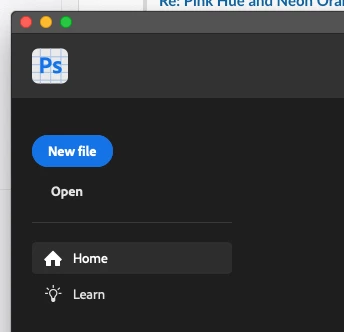
Then make your selection and send us a screenshot of your entire workspace.


2 replies

bravepercy
Participant
May 15, 2025

I'm using photoshop 2025 but I was having a similar problem whenever i used any selection tools. The solution that worked for me was on the dropdown list/menu that appeared when I clicked on 'Windows' on the bar at the top (File, Edit, View, History, Bookmarks etc). Near the bottom of the 'Windows' list I clicked/selected the 'Contextual Task Bar' option (a tick then appeared to the left of it) which meant my 'Deselect/Generative Fill' bar appeared again whenever I made a selection


I hope this helps.

CShubert
Community Manager
Community Manager
July 12, 2023

@Marieke310351275jeb could you please explain what you mean... "impossible to use"? Do you get an error message, what does it say? Any screenshots of what you are seeing would be helpful.


Participating Frequently
July 12, 2023

Got the contextuel task bar, but no generetive fill possibilities

CShubert
Community Manager
Community Manager
July 12, 2023

Thanks @Marieke310351275jeb 

It may help if we could see your Photoshop System Info. Launch Photoshop, and select Help >System Info...and copy/paste the text in a reply.