


Participant
May 23, 2023
Answered

No AI feature with new update

  • May 23, 2023
  • 139 replies
  • 286380 views

Just updated to the new beta version for PS, 24.6.0. (with AI)
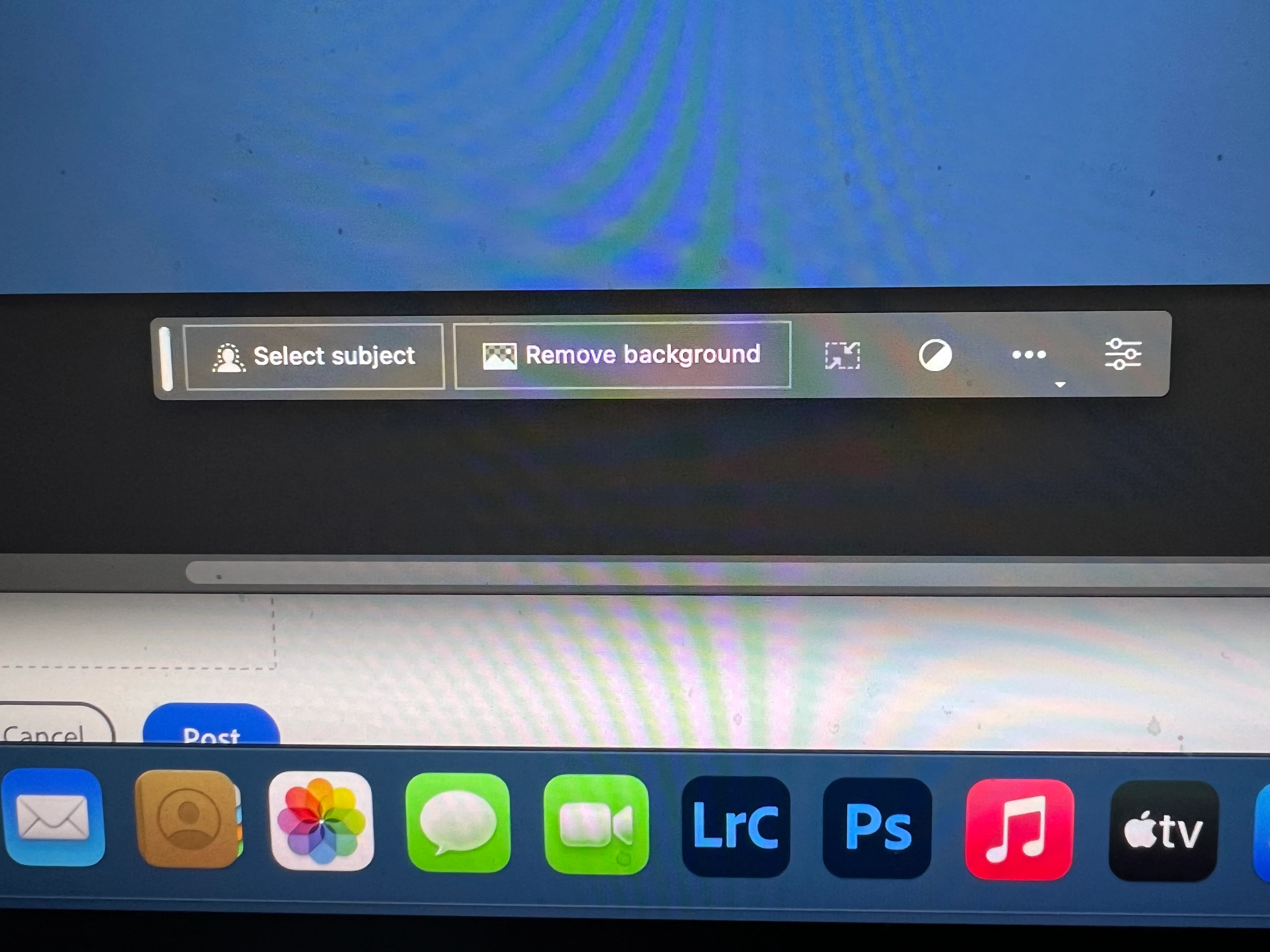
I got the new UI but it lacks the AI portion (or option) in the menu bar, or anywhere else.
Is there a minimum hardware requirement that I need? I might have missed the minimum requirements.
I am running Apple iMac Monterey 12.6.6. (Late 2015 build).
I am providing a screen shot of the UI I have available to me at this moment.
Thanks for any help you could provide.
Correct answer Kevin Stohlmeyer

Hi @Andrew30210510i27y uninstall that version then reinstall. The iterative version with Generative fill is 24.6.0 20230520.m.2181 4e0245f arm64 you are on the 516 release.

139 replies

Participant
May 23, 2023

Generative Fill seems to be missing. I just installed the latest beta version of Photoshop to see how generative fill works, and it's not there. It's not greyed out, it just doesn't exist anywhere in the beta.

Participant
May 23, 2023

I cant find genrative fill. Ive tried multip documents and nothing comes up when making a selection. 

Participant
May 23, 2023

Can't find generative fill

Participating Frequently
May 23, 2023

I've downloaded the beta... but the feature doesn't seem to be present.

Do I need firefly too?


Participant
May 23, 2023

Made a selection, not seeing any "Generative Fill" option anywhere. 
All the assumed requirements are enabled; RGB, and running PS Beta v.24.6


rickburress
Inspiring
May 23, 2023

Same here.

I activated Cloud image processing in Image Processing preferences and restarted. No fix.

Participating Frequently
May 23, 2023

I just downloaded the 24.6.0 version of Photoshop beta but I don't see the Generative AI feature.
I made a selection but nothing happens in the contextual toolbar.


CShubert
Community Manager
Community Manager
May 23, 2023

@franco calcagnì please share your sysinfo: Help > System Info and verify that on the first line you see: 24.6.0 20230520.m.2181 Ensure you are on the latest by refreshing the updater, please.


Participating Frequently
May 23, 2023

Thanks Cory I needed to run the updater 🙂


Franco

Participant
May 23, 2023

Hello, I downloaded Photoshop Beta, fully updated but there is no option for generative fill. I tried uninstalling and reinstalling but it did not make a difference. Any help is appreciated, thanks!

CShubert
Community Manager
Community Manager
May 23, 2023

Hi @georgiatravis 


It may help if we could see your Photoshop System Info. Launch Photoshop, and select Help >System Info...and copy/paste the text in a reply.  


Participant
May 23, 2023

Hi, i have Photoshop Beta 24.6.0 version, but still cannot find the Generate AI Option. Can someone help?

Participant
May 23, 2023

I can't seem to get the Generative Fill button to appear.  Everything is up to date and im using Ventura 13.0.01

DVSth
Known Participant
May 23, 2023

Yeah, same here its not appearing for me - amazing how Adobe doesn't give a f* about not responding. 

verhijden
Participating Frequently
May 23, 2023

I did today for the first the opening the beta Photoshop 2023. In the beginning the option was available. Then ( not for sure ) I did some fiddling with the remove tool. Now in that mini toolbar, the 'Generative' option is not available anymore. I did a restart, nothing helps. Also not available from the 'Edit'-menu. Yes I know, that I have to select a part. I saw the Scott Kelyb video today.


Latest MacOS on an iMac PRO. GPU is fully compatible according to your tools...

Participant
May 23, 2023

CC Teams user here, on updated v24.6, and Generative Fill isn't even visible to be greyed out. It's nowhere to be found in the Settings dialogue or the Early Access Feedback window either. Some instructions for how to get ahold of this feature would be appreciated.

Participant
May 23, 2023

Update: I thought I had updated the initial download, but apparently not. You have to specifically Check For Updates after the initial download.