


Participant
May 23, 2023
Answered

No AI feature with new update

  • May 23, 2023
  • 139 replies
  • 286415 views

Just updated to the new beta version for PS, 24.6.0. (with AI)
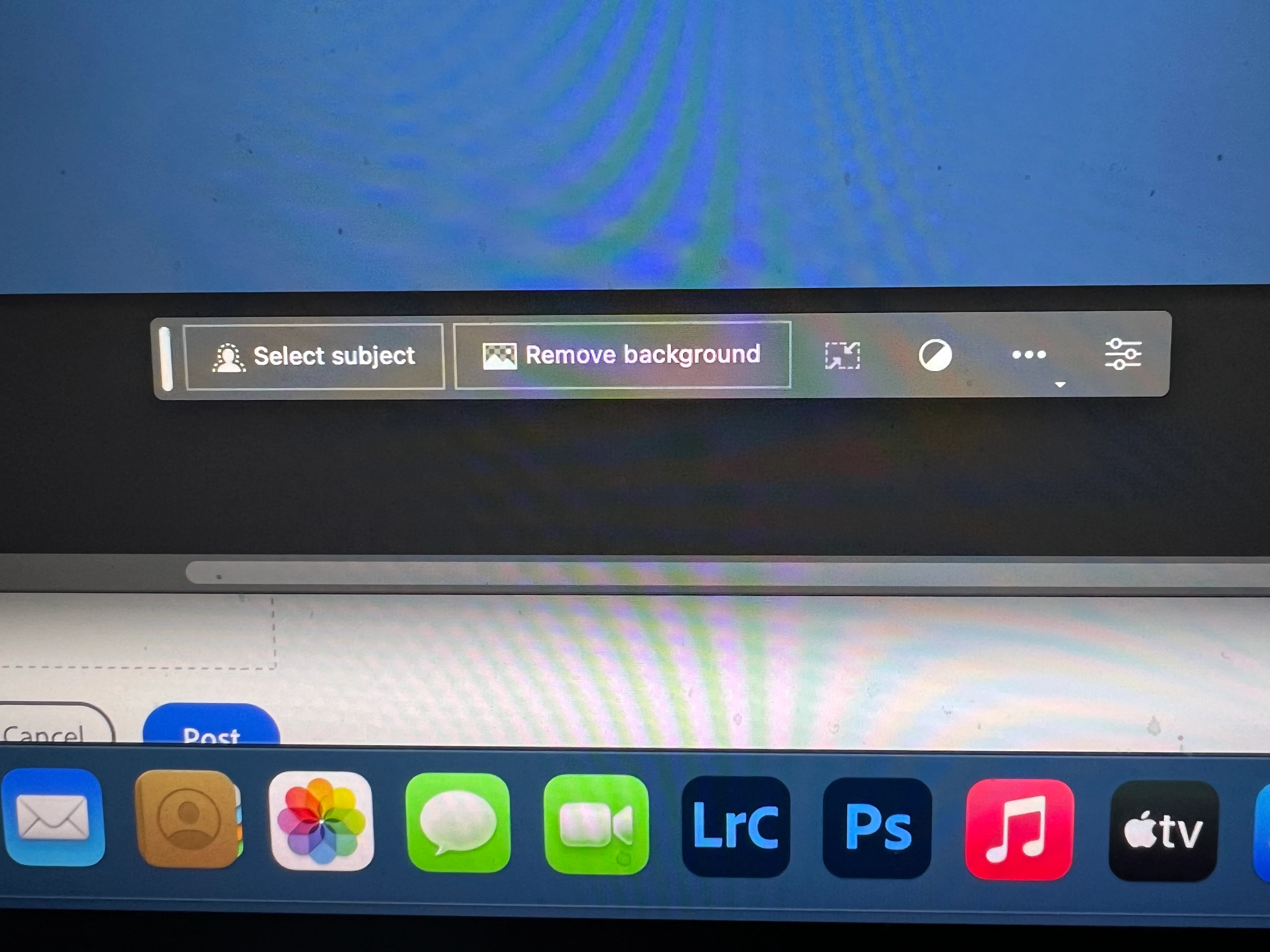
I got the new UI but it lacks the AI portion (or option) in the menu bar, or anywhere else.
Is there a minimum hardware requirement that I need? I might have missed the minimum requirements.
I am running Apple iMac Monterey 12.6.6. (Late 2015 build).
I am providing a screen shot of the UI I have available to me at this moment.
Thanks for any help you could provide.
Correct answer Kevin Stohlmeyer

Hi @Andrew30210510i27y uninstall that version then reinstall. The iterative version with Generative fill is 24.6.0 20230520.m.2181 4e0245f arm64 you are on the 516 release.

139 replies

Participant
May 23, 2023

Generative fill does not appear in my beta version (just downloaded today).


When I select an object, a bar appears, but only shows selection option (background/foreground) but does not show a textbox area for any text prompts.

Participant
June 16, 2023

You are in the regualr photoshop app, make sure you open Photoshop(BETA) not the photoshop 2023. 


Participant
May 23, 2023

I downloaded Photoshop beta from the landing page presenting the generative AI feature:

https://helpx.adobe.com/photoshop/using/generative-fill.html#apply-genai-fill


But the feature isn't present in the beta app I downloaded from creative cloud 😞

Participant
May 24, 2023

This is also happening to me aswell, not sure what to do.

Participant
May 23, 2023

Hi,

Why don't i have the Generative Fill  in my photoshop beta?

stevew72774233
Participant
May 23, 2023

reinstalled the beta, but no generative fill available on new task bar

Participant
May 23, 2023

+1

Participant
June 16, 2023

Photoshop Beta is its own app. Make sure to open that instead of regular photoshop

Participant
May 23, 2023

I have watched YouTube videos, but the menues are not showing on my Photoshop Beta. The new contextual tool bar is showing without the generative fill.

Participant
May 23, 2023

Hi there,
I tried to use the new generative tool on the Photoshop beta, but it doesn't show up in the contextual task bar.
Is there any fix, please?


Participant
May 25, 2023

same


Participant
May 23, 2023

i am a bit frustrated. i have been trying to get this option but it is just not appearing. i have the contextual task bar without Generative fill. i updated both Photoshop and Photoshop beta and i am using an 8 bit image in RGB color mode but still no luck

Participant
May 23, 2023

Generative Fill Option doesn't show up at all on selection of object. 

Participant
May 23, 2023

I have the Photoshop beta version 24.6 m.2174 and I want to test the new generative fill function, but with the select tool it is not showing to me.

I am from austria, is this the problem, is it only in the US avalable? 


Participating Frequently
May 23, 2023

Im still not seeing it even after refreshing updates im still stuck on 24.5 when i push check for updates it just says that its up to date.. any ideas what could be up? Mac OS Monterry, in the UK if that makes a difference and Educational license

Adobe Photoshop Version: 24.5.0 20230426.m.2152 bba44a7 x64 Number of Launches: 2 Operating System: Mac OS 12.6.6 System architecture: Intel CPU Family:6, Model:6, Stepping:1 with MMX, SSE Integer, SSE FP, SSE2, SSE3, SSE4.1, SSE4.2, AVX, AVX2, HyperThreading Physical processor count: 4 Logical processor count: 8 Processor speed: 2500 MHz Built-in memory: 16384 MB Free memory: 8195 MB Memory available to Photoshop: 13361 MB Memory used by Photoshop: 70 % Crash Handler: Adobe DCX Version: 7.1.3 SAM SDK Version: 4.1.2 ACP.local Status: - SDK Version: 3.2.0 - Core Sync Status: Reachable and compatible - Core Sync Running: 6.5.0.24 - Min Core Sync Required: 4.3.66.28 Live Edit Client SDK Version: 4.0.0 Content Credentials is not available Manta Canvas: Enabled. Alias Layers: Disabled. Highbeam: Enabled. Touch Bar Property Feedback: Enabled. Image tile size: 1024K Image cache levels: 4 Font Preview: Medium HarfBuzz Version: HarfBuzz Not Initialized TextEngine: Unified Text Engine ======= GPU
Native API stable: True OpenGL API stable: True OpenCL API stable: True GPUDeny: 0
GPUForce: 0
useGPU: 1
useOpenCL: 1
isGPUCapable: 1
GPUName: AMD Radeon R9 M370X
GPUVendor: AMD
IsNativeGPUCapable: 1
IsOpenGLGPUCapable: 1
IsOpenCLGPUCapable: 1
HasSufficientRAM: 1
GPU accessible RAM: 2,147 MB
Required GPU accessible RAM: 1,500 MB
UseGraphicsProcessorChecked: 1
UseOpenCLChecked: 1
Display: 1 Display Bounds: top=0, left=0, bottom=900, right=1440 High DPI Monitor Main Display ------- Sniffer output
[0 ms]