


Participant
May 23, 2023
Answered

No AI feature with new update

  • May 23, 2023
  • 139 replies
  • 286415 views

Just updated to the new beta version for PS, 24.6.0. (with AI)
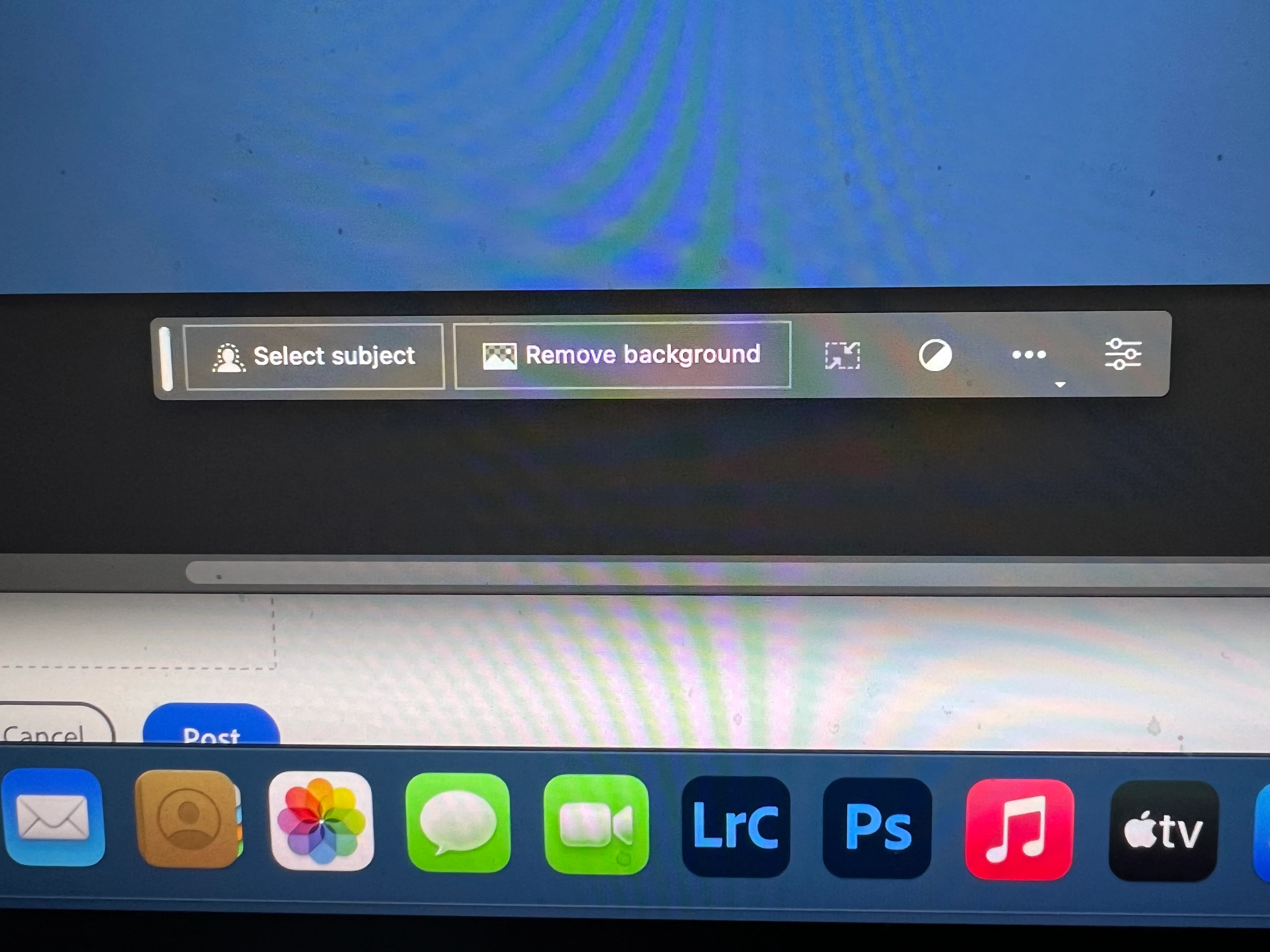
I got the new UI but it lacks the AI portion (or option) in the menu bar, or anywhere else.
Is there a minimum hardware requirement that I need? I might have missed the minimum requirements.
I am running Apple iMac Monterey 12.6.6. (Late 2015 build).
I am providing a screen shot of the UI I have available to me at this moment.
Thanks for any help you could provide.
Correct answer Kevin Stohlmeyer

Hi @Andrew30210510i27y uninstall that version then reinstall. The iterative version with Generative fill is 24.6.0 20230520.m.2181 4e0245f arm64 you are on the 516 release.

139 replies

Participant
May 23, 2023

I just ran the install for the PS Beta, and the Generative Button is missing from the install in all locations.

Participant
May 23, 2023

What's with the new Generative Fill Function? I can't find this in the actual Windows Version of Photoshop CC Beta contextual task bar of the lasso tool:


On youtube you find a description of this function there:

https://www.youtube.com/watch?v=Sp6K3qpVFO0

It seems to be an apple version. Is this function not available for windows?

Participant
May 23, 2023

Hello team,

It seems like I am having big time in finding Generative Fill in photoshop.

Could you kindly let me know if this is something to be looked into?

Participant
May 23, 2023

Heyo Pete,
Tried loading the generative fill from the new Beta app and it's not showing up in the contextual task bar? Any insight?
Thanks in advance!

TheCowboy
Participant
May 23, 2023

Hi,


I select an area and see the overlay bar pops up but without the Generative Fill.


I'm over 18 years old and I don't live in China (factors that would make Generative Fill disabled)


Thanks Ahead for helping

geraldjoehri
Participating Frequently
May 24, 2023

It's simple: Go to Behance and sign in. You'll be asked for your date of birth. Add what is asked, start PS BETA and have fun!


Participant
May 24, 2023

This worked thanks for the Heads up.


Participant
May 23, 2023

I installed the latest version of Photoshop Beta on my Win 11 machine to try out the new generative ai tools included in the beta. However, there's a complete lack of that option from anywhere described in your help/training documentation. I've restarted, uninstalled/reinstalled, and tried several file formats. A screenshot is included for context. What gives?

Participant
May 23, 2023

Hi Just downloaded the BETA and I wanted to try the Generative Fill...but it seems to not be available on the menu...I can't find it in the HELP MENU too. U can see that the menu doesn't have that option on the screenshot

Mattnok
Participant
May 23, 2023

Same issue...

Participant
May 23, 2023

I am on the most recent version of Photoshop Beta.. and I am a paid subscriber of the Creative Cloud.

Generative fill doesn't come up as a feature/option for me.  Please advise.

Mattnok
Participant
May 23, 2023

Hi, have you done this: To access Generative Fill, first download the Photoshop BETA app in the Creative Cloud installer. Next, turn on "Synthetic Fill" in the preferences under "Early Access". To turn on the contextual taskbar, enable it in the "Window" menu under "Application Frame" and "Tools".

hernandoc48689185
Participant
May 23, 2023

The Generative Fill button is not shown in the context dialog of by PS beta:


Any ideas how to fix?


Thanks!

DeenaMack
Participant
August 5, 2023

Oddly,  it is nested under the

LASSO tool.  Hope this helps! Mackie

Participant
May 23, 2023

Generative fill isnt showing up on beta. I downloaded directly from generative fill beta app ad. Please help!