


Participant
May 23, 2023
Answered

No AI feature with new update

  • May 23, 2023
  • 139 replies
  • 286415 views

Just updated to the new beta version for PS, 24.6.0. (with AI)
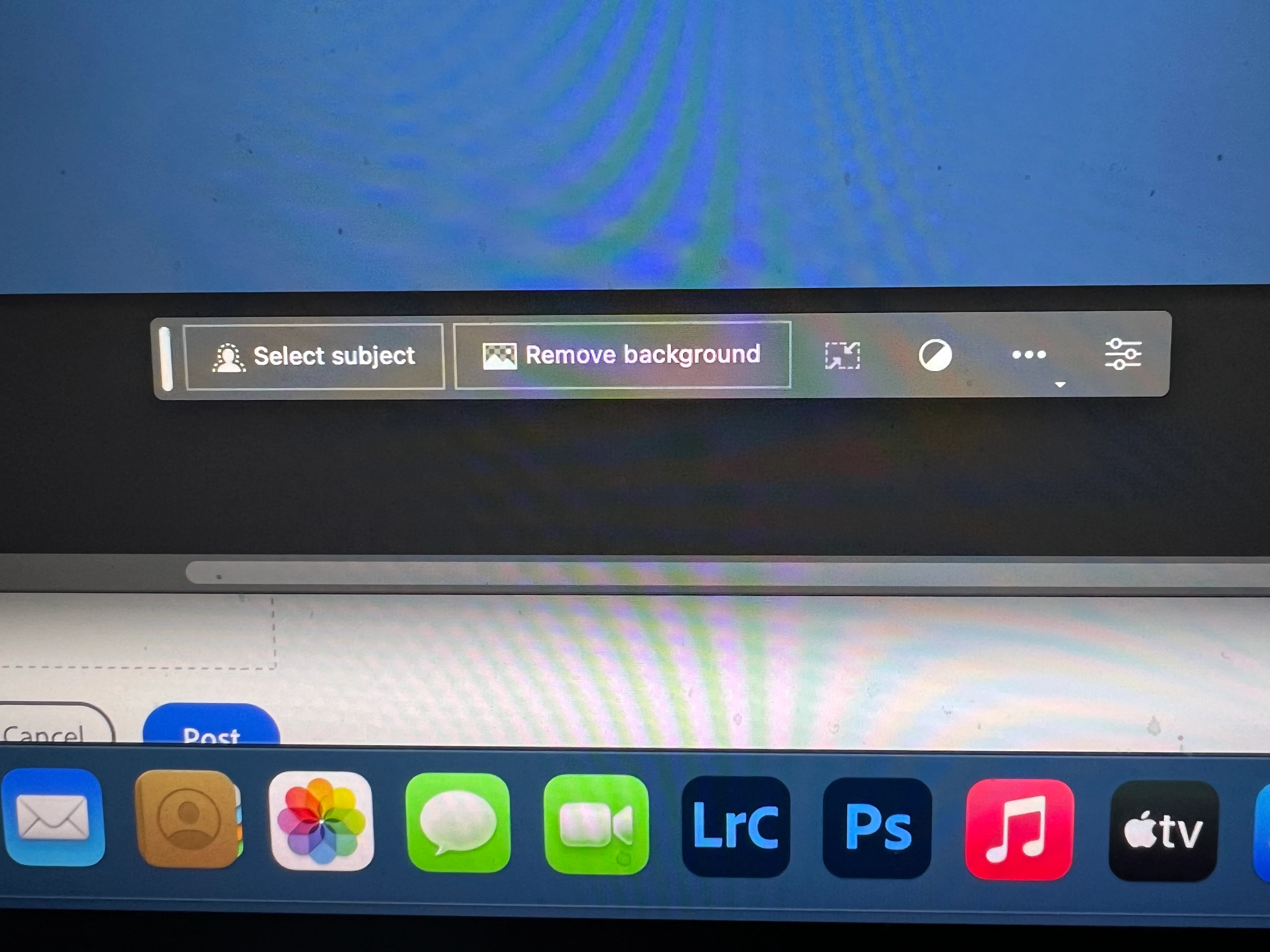
I got the new UI but it lacks the AI portion (or option) in the menu bar, or anywhere else.
Is there a minimum hardware requirement that I need? I might have missed the minimum requirements.
I am running Apple iMac Monterey 12.6.6. (Late 2015 build).
I am providing a screen shot of the UI I have available to me at this moment.
Thanks for any help you could provide.
Correct answer Kevin Stohlmeyer

Hi @Andrew30210510i27y uninstall that version then reinstall. The iterative version with Generative fill is 24.6.0 20230520.m.2181 4e0245f arm64 you are on the 516 release.

139 replies

Participant
June 21, 2023
it will still same idont have generative fill in my photoshop beta so why i still and pays sorry i cant to every time send message by i stop
Kevin Stohlmeyer
Community Expert
Community Expert
June 21, 2023

Hi @Dubail30626498cl1x go to Photoshop Help Menu System info. What specific version number of Photoshop are you running?

Participant
June 20, 2023

Hi! I have updated to the latest version and I don't have the Generative AI tool. Can someone help me? how can I activate it?

Kevin Stohlmeyer
Community Expert
Community Expert
June 20, 2023

Hi @Julieta305914460077 Photoshop updates do not include the beta software - that is a separate install.

Go to your CC desktop app and look here for the installers:

Participant
June 21, 2023

Thank you so much!!!

Participant
June 15, 2023

I have the latest beta - 24.7 and this feature is missing still. 

Participant
June 14, 2023

On Creative Cloud, search "Photoshop (beta)" and download. This feature hasn't been integrated into Photoshop 2023 yet I believe.

Participant
June 8, 2023

This is so unbelievably frustrating. Got the Beta version, 24.6.0. Generative fill nowhere in sight. A window even popped up asking me if I wanted training on it or to learn more about it! Yet it's not in the beta version. C'mon Adobe.

Participant
June 8, 2023

I have updated to 24.6 and still not working

Participant
June 8, 2023

Sometimes the contextual bar hides. You have to go to Menu>Windows>Contextual Bar. It's all the way at the bottom.

Participant
June 7, 2023

Same issue here. Even with the latest updates of all apps and the beta it still doesn't appear during selection. I even checked the process with someone else who has a working system and while their's works mine does not. Their even requires an update and it's still working, while mine is all updated and generative fill doesn't appear.

I've supplied evidence of all apps being up to date and generative fill not being activated in Photoshop, even after a restart and recheck of all updates.

Participant
June 7, 2023

Someone created this article which apprently also has a video:

Photoshop generative fill not showing up (and how to fix it)

My issue was I had it already installed, but wasn't launching it from Beta Apps.

(It's recommended to close current version of Photoshop, if open.)

Participant
June 7, 2023

Hi I'm using version 24.6 and I'm trying out this genereative fill. The issue I'm haveing is that when it generates a fill, back ground extension for example, it ends up shifting the original color. Why is this happening? Thanks