


Participant
May 23, 2023
Answered

No AI feature with new update

  • May 23, 2023
  • 139 replies
  • 286415 views

Just updated to the new beta version for PS, 24.6.0. (with AI)
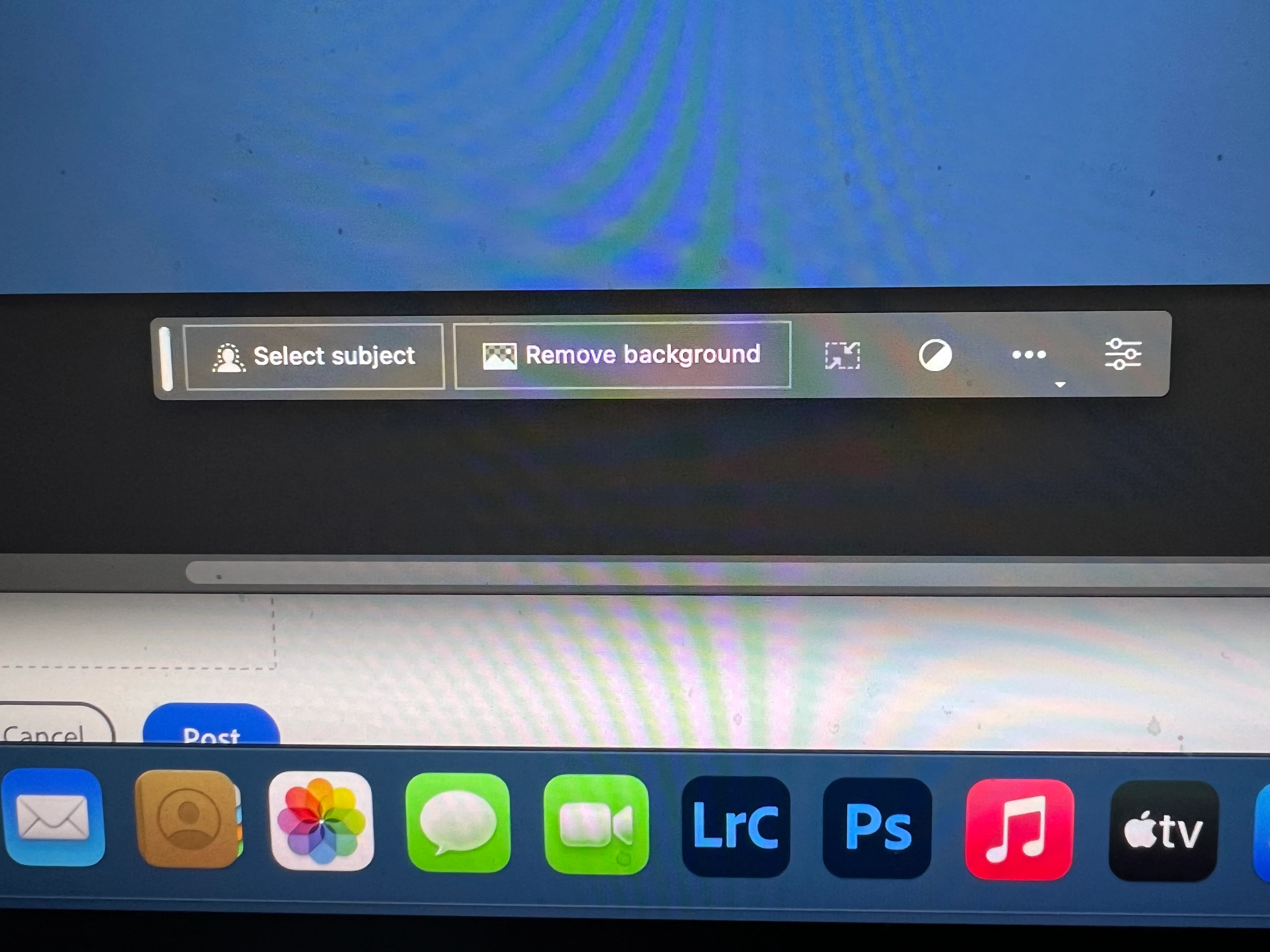
I got the new UI but it lacks the AI portion (or option) in the menu bar, or anywhere else.
Is there a minimum hardware requirement that I need? I might have missed the minimum requirements.
I am running Apple iMac Monterey 12.6.6. (Late 2015 build).
I am providing a screen shot of the UI I have available to me at this moment.
Thanks for any help you could provide.
Correct answer Kevin Stohlmeyer

Hi @Andrew30210510i27y uninstall that version then reinstall. The iterative version with Generative fill is 24.6.0 20230520.m.2181 4e0245f arm64 you are on the 516 release.

139 replies

Participant
May 24, 2023

Hi, I can't use generative fill, it is not active on my computer, why


geraldjoehri
Participating Frequently
May 24, 2023

It's simple: Go to Behance and sign in. You'll be asked for your date of birth. Add what is asked, start PS BETA and have fun!


Participant
May 24, 2023

 Is it available or "available for some"?

Participating Frequently
May 24, 2023

I have the sama issue. I have just installed photoshop beta just to experience "generative fill" feature but on the tool bar generative fill grayed out and tips says "generative fill is currently not available" 

Is that mean it is going to be available soon or not going to be available in some areas?

I would appreciate if someone enlighten me. 

Participating Frequently
May 24, 2023

I have the same issue. I am currently signed up as a student. Might this be the problem?

Participant
May 24, 2023

I have installed Photoshop Beta (24.6.0) and i can't find the generative fill, what can i do? Thanks in advance!

Participant
May 24, 2023

Found it, forcing updating, sorry!

Participant
May 24, 2023

How you can forcing updating?


GTPhotographyNY
Participant
May 24, 2023

dozens of reboots.....had adobe help desk in my computer....unable to get the software to work

Keith23242116exw5
Known Participant
May 25, 2023

The "add your date of birth" fix above worked for me

Participant
May 24, 2023

Hi, I've downloaded PS (Beta), however the Generative fill button/prompt box in the Contextual Task Bar isn't visible?


Keith23242116exw5
Known Participant
May 25, 2023

The "add your date of birth" fix above worked for me

Participant
May 24, 2023

I am on the latest version of Photoshop Beta and Mac OS but the gerative fill option is not available. I can see the floating tool panel on my image, by the GF option is dimmed with object or background selected.

Participant
May 24, 2023

I used the generative AI features with another account at the office and the generative AI bar worked fine, and I played around with it a lot. but when I instaelled the beta on my computer at home, the generative AI bar, isn't showing the typable generative AI bar (see screenshot).


Please advise how to get it enabled.


Thank you

Participant
May 24, 2023

I installed the latest version today on my macbook and can't utilize the feeature.

Participant
May 24, 2023

Hi 


The Generative Fill is not active in my Beta version

Participant
May 24, 2023

Gen ai box is not poping up. 

Participant
May 24, 2023

Same issue.  When I make a selection with lasso, it doesn't generate the option of generative fill.