


Omineus
Known Participant
May 24, 2023
Question

Text Layer style copy

  • May 24, 2023
  • 2 replies
  • 691 views

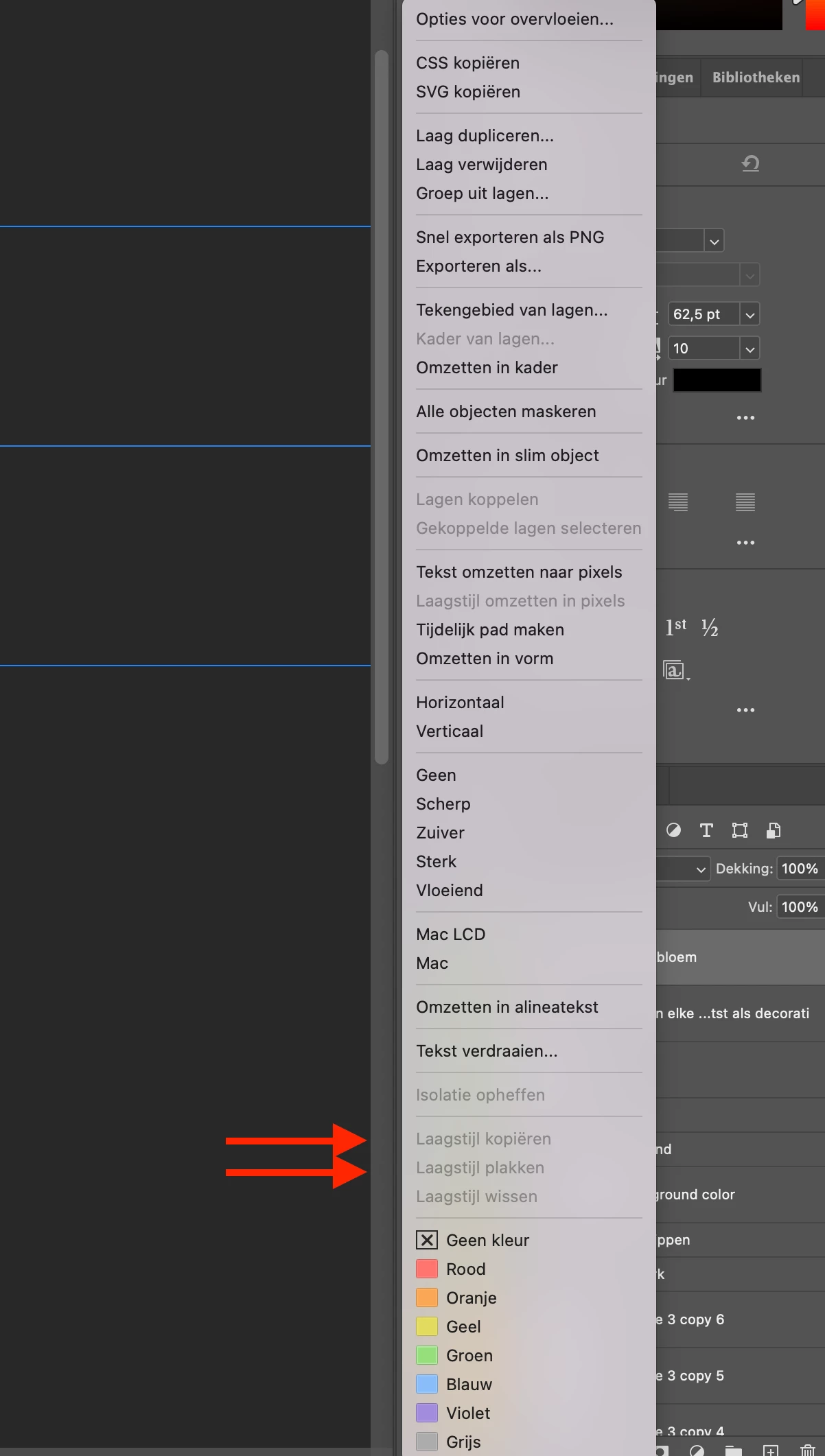
When I want to copy layer style from my text, to paste it to other text. 

The options are not available. Is there a setting that I am missing?


I normaly do it: 

Control + click on text later
 

This topic has been closed for replies.

2 replies

Kevin Stohlmeyer
Brainiac
May 26, 2023

Hi @Omineus from what little I can see of your layers panel - it appears there isnt a layer style applied to the layer selected to copy from.

Omineus
OmineusAuthor
Known Participant
May 30, 2023

Is that needed? 

I only want to copy and paste the font + size to a different layer text

jane-e
Brainiac
May 30, 2023

@Omineus 

The copy and paste is for Layer Effects/Styles, not for text formatting.

Jane

jane-e
Brainiac
May 26, 2023

@Omineus 

There are several ways to copy a layer style to another layer:

  • Right-click one layer and copy; right click second and paste
  • Use the panel menu
  • Drag the fx icon to move the effect; Alt+drag to copy (Option for macOS)


Details here:

https://www.photoshopessentials.com/basics/copy-layer-effects-photoshop/ 


Is your question about the beta version or the released version?


Jane


Omineus
OmineusAuthor
Known Participant
May 30, 2023

Hi Jane, 


Thanks for the reply


Unfortunately it is not completely clear to me, perhaps there are options missing in my version of Photoshop?


I am using the new Photoshop beta 24.6.


Where is the copy button after right-click one layer?


How to do it using the panel manu?

Omineus
OmineusAuthor
Known Participant
May 30, 2023

Oeps, I did not want to upload this picture.. How can I delete this post?
