




The Photoshop beta is now available.
We are excited to announce the first of many releases of the Photoshop beta.
For more info on what a beta is and how you can participate, see Adobe Creative Cloud Beta FAQ.
Why should I try the Photoshop beta?
- Be the one of the first customers to try brand-new features and directly influence the future of Photoshop
- Become a part of a community of Photoshop enthusiasts
- Share your thoughts and ideas directly with Adobe here in the beta community
- Participate in exclusive live sessions with design influencers and evangelists
- Occasionally receive financial incentives for providing feedback
How do I install the Photoshop beta?
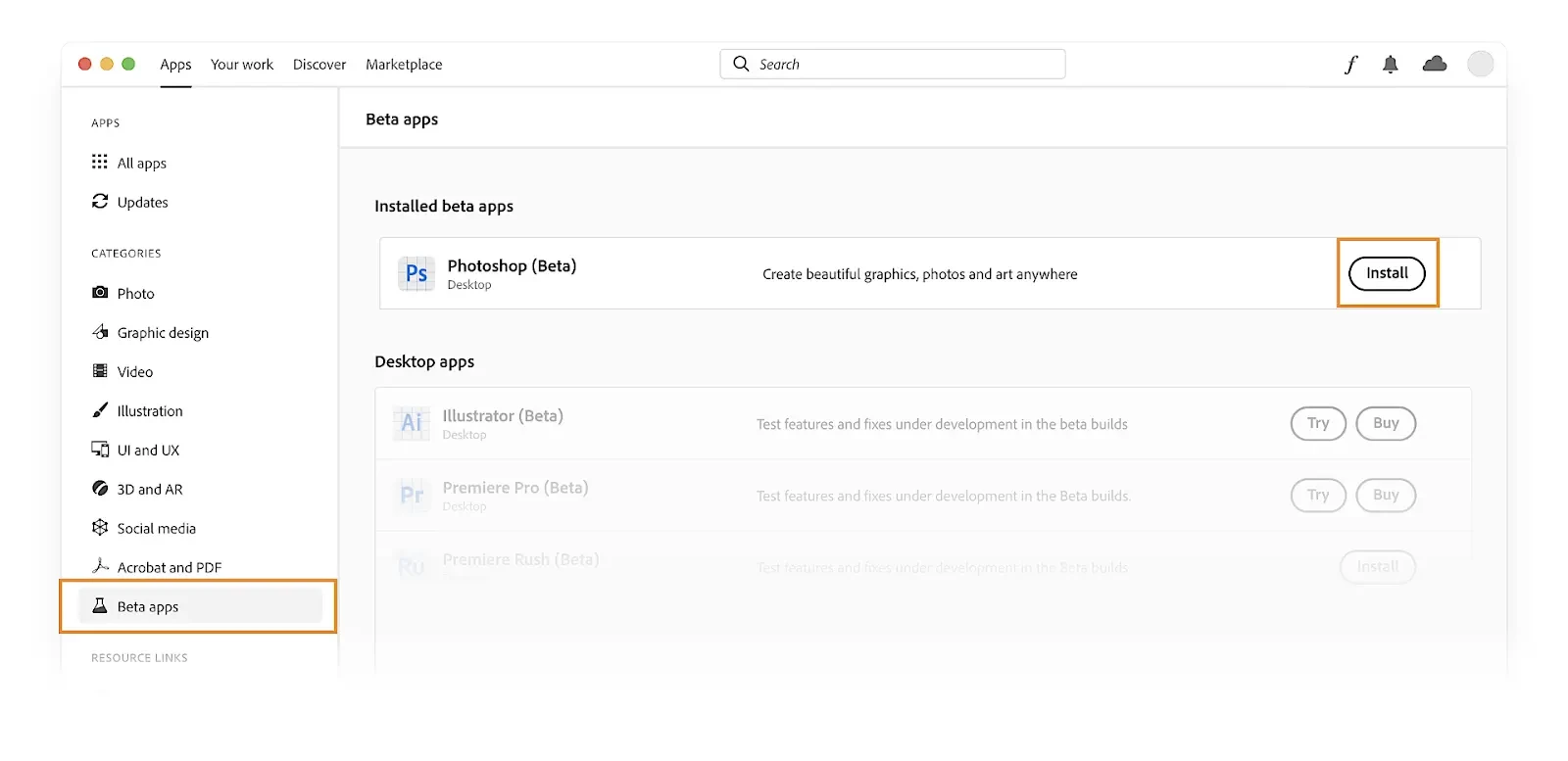
Visit the Beta apps tab of the Creative Cloud desktop app and select Install next to Photoshop (Beta).
How can I provide feedback on my Photoshop beta experience?
Here in the Photoshop beta community, you can search and vote on any thread.
If a similar thread does not yet exist, feel free to create a new bug or idea thread where others can vote.
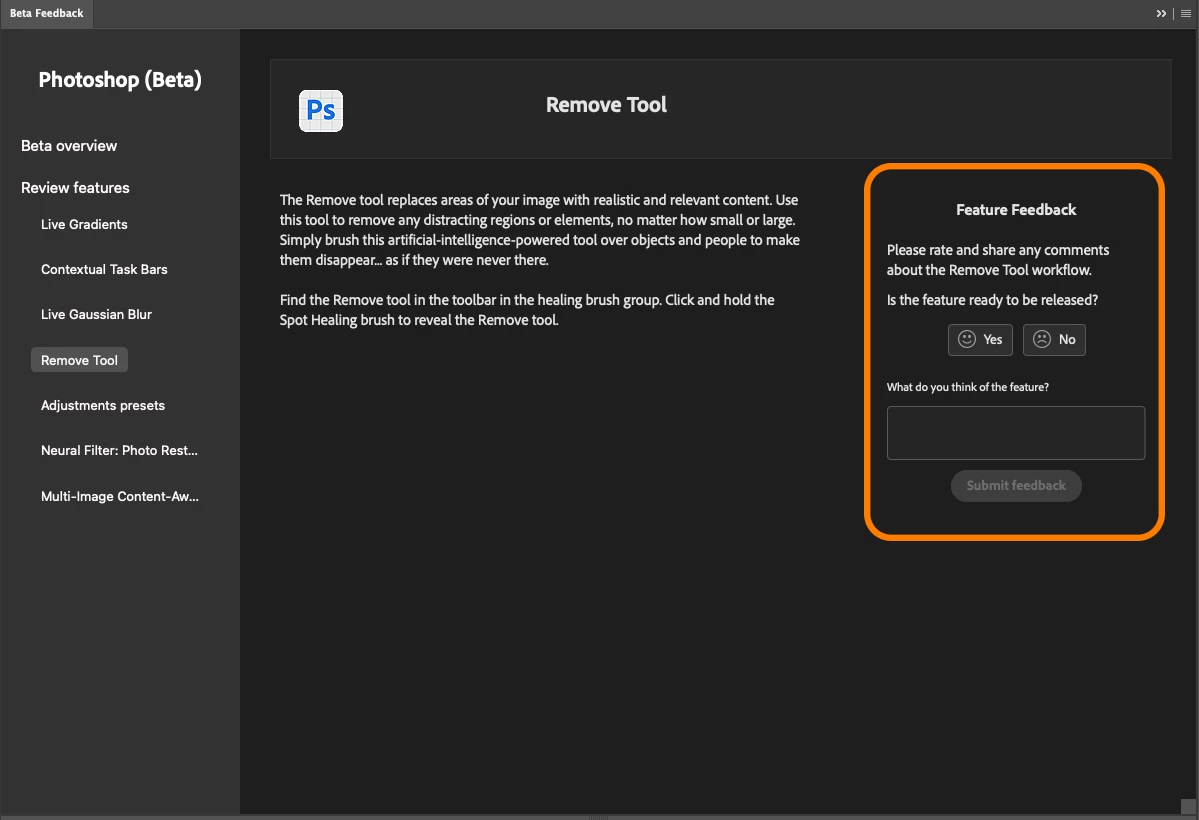
You can also provide feature feedback by voting on features in the Beta Feedback panel (Window > Beta Feedback) right in Photoshop.
How does the Photoshop beta community work?
For more details on searching, posting, and voting in the Photoshop beta community, see Welcome to the Photoshop beta community! (things to know).
Should I use the Photoshop beta if I'm on a deadline?
Generally, we recommend against using beta software if you are on a project with a deadline. Beta software can have versions of features that are not yet complete, and it's possible that you may encounter bugs or stability issues.
Of course, if you run into any bugs or stability issues with the Photoshop beta, please let us know here in the beta community!
 AdChoices