
Participant
September 16, 2023

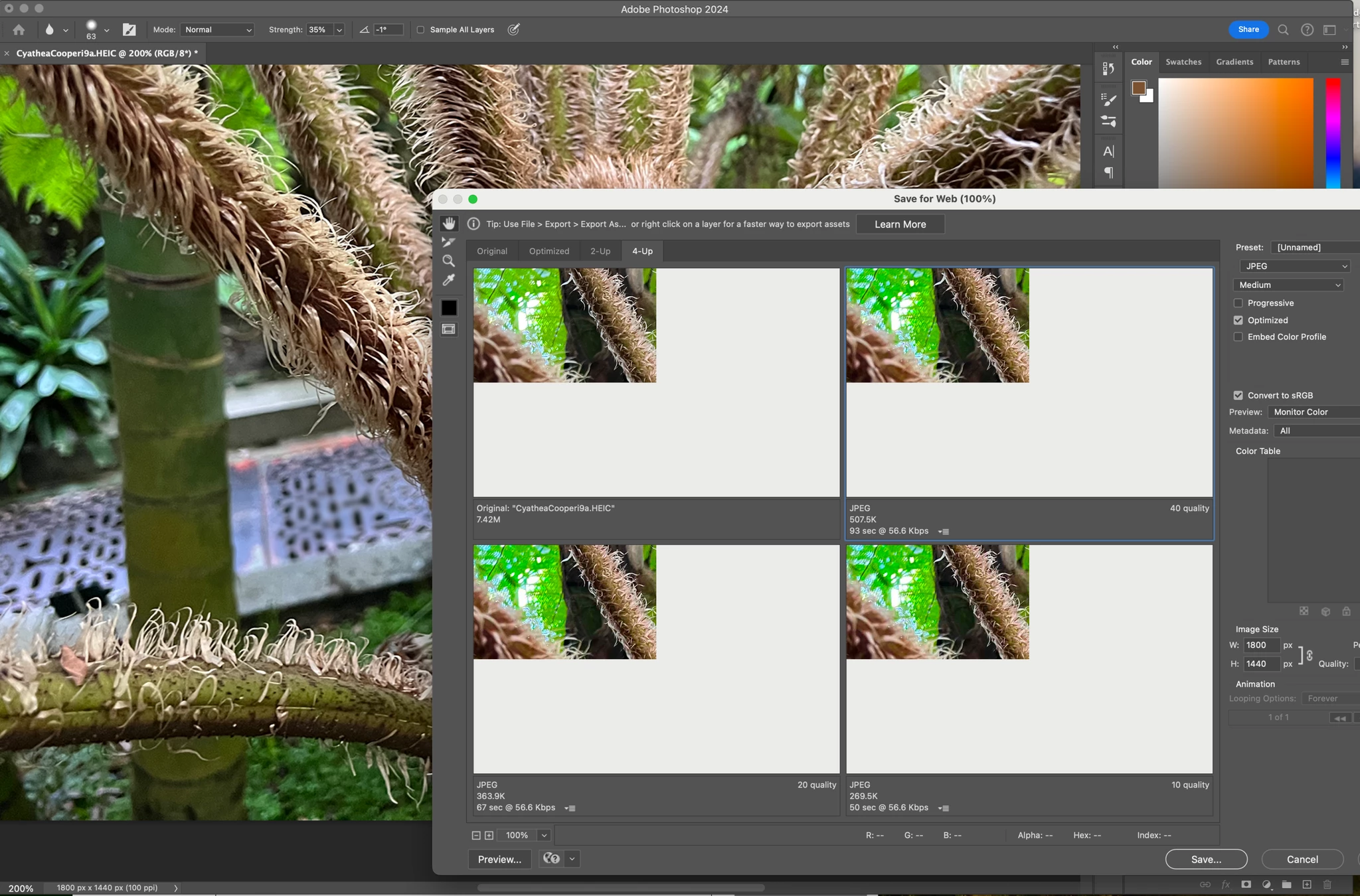
P: (macOS Sonoma) Photoshop 2023/2024 Save for Web shows incomplete preview

  • September 16, 2023
  • 184 replies
  • 38207 views

Have just updated to Photoshop 2024 and my save to web panel is now not displaying correctly - see screengrab.  How can I adjust it to have the full image fill the four windows?  cheers, Bob


184 replies

Participant
October 10, 2023

Same here.

Participant
October 10, 2023

Same here, glad i'm not alone, I thought I was the only one that still uses Save for Web

Participant
October 9, 2023

Participant
October 9, 2023

Same issue here and even cause my hot corners lagging while using it, especially while using photoshop or illustrator. Why apple and adobe don't have the urgency to resolve this issue? Thousand of ppl are using this software and we are paying monthly and now they still wanted to hike up the subscription plan with this kind of servivces.

D'kaizersoze
Participant
October 9, 2023

All of us have the same issue. I tried it on an external monitor and it works there. So very strange.

murpium
Participant
October 9, 2023

This is still a problem. Your monthly subscription dollars hard at work!

Participant
October 9, 2023

same issue here!

Participant
October 9, 2023

I have had this issues for a couple days now and it has really been bugging me. I have not seen anyone else have this same issue or its an easy fix that I dont know, but when I go to save for web legacy my preview windown only shows the top left corner of my document. I am on photoshop 25.0 on a macbook. Anyone know how I can see my whole document again?


Participating Frequently
October 9, 2023

Looks like bug. I do encounter the same issue. Mac OS Sonoma, Macbook Pro M2Max.

Participating Frequently
October 9, 2023

i have same problem and switching to any different version icl 25, 24.x 23.x or resetting settings didn't help