



Ged_Traynor
Community Expert
Community Expert
September 24, 2025

P: Photoshop 26.11 freeze at launch on Reading Brushes & Building Color Conversion Tables

  • September 24, 2025
  • 100 replies
  • 11222 views

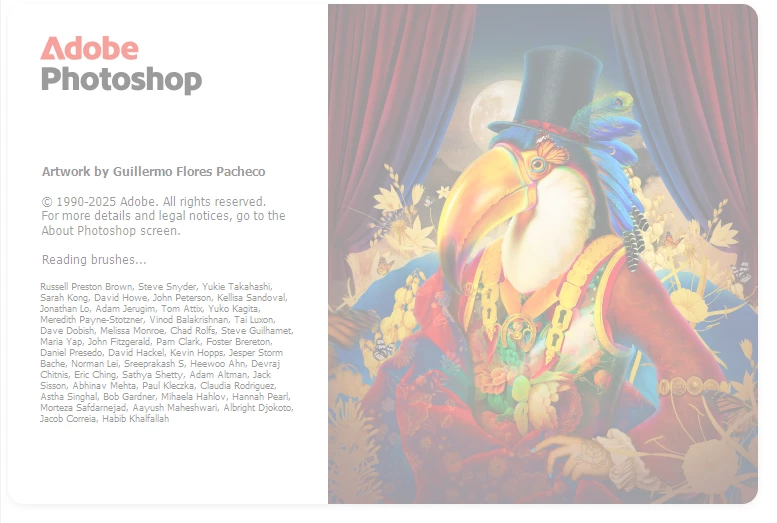
Just installed version 26.11 on Windows 10 and Photoshop is freezing on reading brushes, have already tried manually resetting the preferences, uninstalling version 26.11 and deleting the Adobe Photoshop 2025 folder from the appdata folder, reinstall version 26.11 same issue.

Reverted back to version 26.10, and it's working fine.
 

100 replies

chuckt53667258
Participating Frequently
October 28, 2025

Ok! After rechecking updates, TWO updates were available for Photoshop: v26.1.1 and v27.0. Downloaded v27.0 and got an error; retried, and it installed correctly.  v27.1 of the PS beta was also available, and installed correctly.

chuckt53667258
Participating Frequently
October 28, 2025

Not seeing v27 as available here in Los Angeles Oct. 28th at 10 AM, I will say that the Beta loads and runs MUCH more smoothly for those who care to use the beta.

Sameer K
Community Manager
Community Manager
October 28, 2025

Hello everyone,


An update for Adobe Photography products has been released as part of the MAX cycle. This update addresses the reported issue.


If you don’t see the update in your Creative Cloud app, refresh it using [Ctrl/Cmd] + [Alt/Opt] + [R].

Please note: It may take up to 24 hours for the update to appear.


Thank you for your continued patience.

chuckt53667258
Participating Frequently
October 25, 2025

Have now installed Photoshop Beta v27.0.1, and the freeze at "Loading Brushes" no longer occurs.  I had uninstalled the Beta version, but I will stick with it until Adobe makes its announcements in a couple of days.

chuckt53667258
Participating Frequently
October 25, 2025

Old PC with Nvidia 1080ti would hang on "Loading Brushes."  Wanted to buy a new PC anyway.  Nvidia 5070ti, 64GB RAM, the works.  Same problem.  Hangs on "Loading Brushes." v 26.11 - does not hang on any other step.  Terminate Photoshop with Windows "End Task," load PS again, no problem.  Between new PC and old PC, I've experienced this issue for several weeks now, but don't know what previous build numbers were, sorry.

Participant
October 25, 2025

The problem seems to be related to resetting Photoshop preferences. If you load Photoshop by pressing the SHIFT key and answering NO at the question about resetting user preferences, the problem is temporarily circumvented. It has worked for me. Even when I load Photoshop from double-clicking on a JPG, for example.

Participant
October 24, 2025

first uninstall and then install 26.10 worked for me.
simply changing the version which has the vesrion change handled by creative cloud desktop did not work,
im on windows 10. i chose to keep my presents option. and they all came back working. 
so you have to do the uninstall then install 26.10 and make sure you dont have autoupdate turned on for photoshop.
btw, its also working in the beta 27.1 if you choose that path. and also 25 last was ok too. 

Known Participant
October 24, 2025

Mine is also crashing at building color conversion tables as another user has mentioned. The only way I can open the app is if I resent preferences by holding ctrl + windows + alt during start up... everytime.


Windows 11 PC with Nvidia 3070. Drivers and PC are all up to date as of this comment.

Participant
October 24, 2025

A few days ago, my Photoshop desktop app stopped opening. It would start loading (with the parrot page - initialising, etc.) then that would just disappear. I contacted Adobe and have spent hours with their staff remotely trying to get my photoshop desktop app working. The only way they could get it to work is to revert back to the 2020 version. While that does everything I need it to - I'm questioning why I am paying so much every month for an app which supposedly suddenly(!) isn't compatible with my system. I am wondering if I have any other options. I certainly can't afford to upgrade my PC as it's only 3 years old! (HP with decent spec). The Adobe staff say my graphics card is too old(!!) I've attached what I think might be relevant... I am a creative not a techie so please be gentle with me!

Participating Frequently
October 23, 2025

Yes, just have to forget about this update. Wait until the next few come out.