



Buckminster
Participant
October 5, 2023
Question

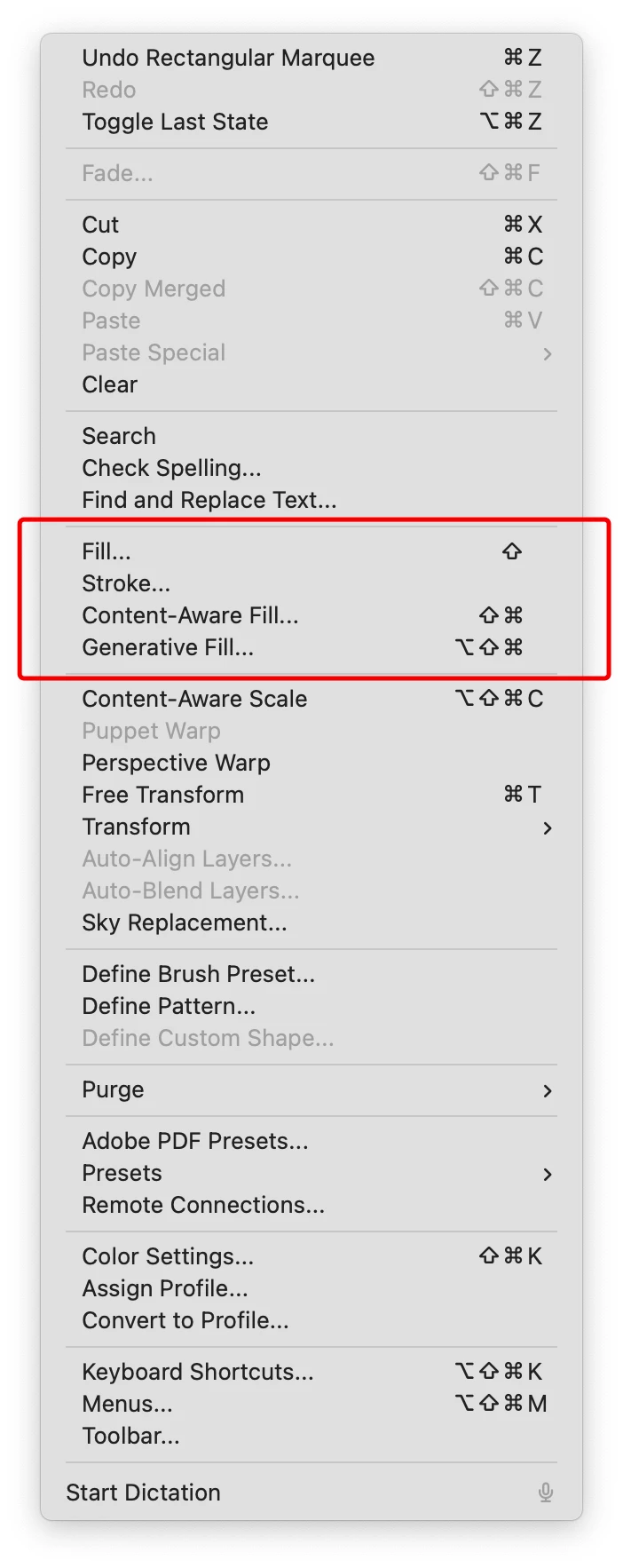
Shortcut Keys F5/F6+ Missing in Menus

  • October 5, 2023
  • 2 replies
  • 244 views

Photoshop 25.0

macOS 13.5.2


Steps: Assign custom function key shortcuts to fill, content-aware fill, and generative fill. Then click the Edit menu.

Expected Result: Function key shortcut full names appear next to menu items

Actual Result: Function keys missing
This topic has been closed for replies.

2 replies

Shangara Singh
Inspiring
November 20, 2023

The Photoshop team is aware of this bug. It's fixed in Ventura and Ps Beta.

Shangara SINGH.
Known Participant
November 20, 2023

Same problem with Photoshop 25.1.0 on macOS Sonoma 14.1.1 – all shortcuts (both custom and default) using function keys are missing in the menus. Very annoying!