


Gibson Editions
Inspiring
December 19, 2022
Question

2 up vertical duplicate image colour shift (bug?)

  • December 19, 2022
  • 5 replies
  • 3019 views

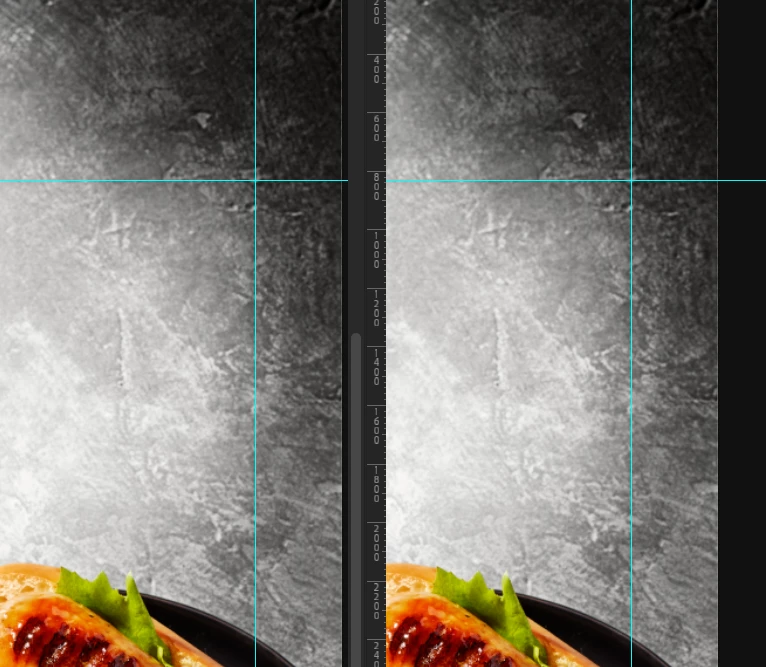
I am trying to resolve an issue. I am seeing a color/ luminance shift when viewing two identical images created with image>duplicate in two up vertical view. (see screenshot attached)


Is this a known issue?


PS V 24.1.0

OSX 12.6.2

M1 Max processor (macbook pro 16")

Eizo CG279X monitor

Custom color profile 90cd,0.4cd, 6800k, 2.2 (v4 profile)
 

This topic has been closed for replies.

5 replies

Gibson Editions
Inspiring
December 19, 2022

Basically any image i take and duplicate and view side by side shows a difference. Can anyone else repicate this on their setup. 


Currently i have been able to replicate the issue on a M1 mac with CG279X and  Intel Mac pro 6.1 with CG277 both running PS24.1

TheDigitalDog
Inspiring
December 19, 2022
quote

Basically any image i take and duplicate and view side by side shows a difference. Can anyone else repicate this on their setup. 


Currently i have been able to replicate the issue on a M1 mac with CG279X and  Intel Mac pro 6.1 with CG277 both running PS24.1


By @Gibson Editions


I cannot. I'm using an NEC SpectraView PA271Q. M1 Mac, 24.1 version of Photoshop, the latest version of macOS. 

FWIW, I'm using a much, much better test image to compare:

http://www.digitaldog.net/files/Gamut_Test_File_Flat.tif

Author “Color Management for Photographers" & "Photoshop CC Color Management/pluralsight"
Gibson Editions
Inspiring
December 19, 2022

Many Thanks for having a look, I really appreciate it. I will use your test image for comparision in future. 

TheDigitalDog
Inspiring
December 19, 2022

V4 profiles bring nothing to the party! I know of no software creating them that supports the PRMG. Just select V2, your life will be easier 😋

Author “Color Management for Photographers" & "Photoshop CC Color Management/pluralsight"
Gibson Editions
Inspiring
December 19, 2022

and what about LUT vs Gamma EOTF ?

TheDigitalDog
Inspiring
December 19, 2022
quote

and what about LUT vs Gamma EOTF ?


By @Gibson Editions

YMMY, depending on software (making and using) LUTs. 

Mine are in the panel; better.

Author “Color Management for Photographers" & "Photoshop CC Color Management/pluralsight"
D Fosse
Community Expert
Community Expert
December 19, 2022

There is no difference. Here's an overlay with zebra-striped mask:

Gibson Editions
Inspiring
December 19, 2022

Many thanks for checking, In theory they are identical

Gibson Editions
Inspiring
December 19, 2022

Many Thanks i will try this. However surely, LUT based profiles should be theoretically more accurate than Matrix based ? 


see attached a 100% view. To my eye the left hand side is reading cooler and darker/ slightly more contrast than the right. I am talking very subtly. Probably not viewable in difference unless applified 


Gibson Editions
Inspiring
December 19, 2022

So ive just had a colleague using the same test image duplicated and displayed 2 up vertical. this time on a different machine (Mac pro 6.1) with a different Eizo CG277 and same calibration target and they are seeing the same shifts that i am on screen. 


"left hand side is reading cooler and darker/ slightly more contrast than the right." 


Any ideas Adobe? 


Gibson Editions
Inspiring
December 19, 2022

Thanks Michael, I was thinking this too. However, My colleague has performed the same test on a different machine, in a completely environment (different building). Which makes me believe this is software bug, The cooler representation is always on the left. I can even see the difference using a blank white canvas 


I've just performed the following test. I made a blank document White background, and duplicated it then arranged them 2 up vertical. 


I then measured the two sides with i1pro2 and see the results. This is for sure a bug


D Fosse
Community Expert
Community Expert
December 19, 2022

When I overlay these two and flip between them, I am absolutely unable to discern any difference whatsoever. Difference blend mode is pitch black until finally with a maximum curve you get a very faint uniform noise, probably because the screenshot isn't at 100%. Using an Eizo CG2730.


Generally, v4 is slightly risky, but LUT-based profiles can be problematic even in Photoshop. Both are defaults in ColorNavigator. Matrix profiles (called  gamma (eotf) value in CN) are much safer and much more reliable, and I would recommend you change this in Preferences.