


Answered
3D Text in Multiple Colors using Photoshop cc 2015
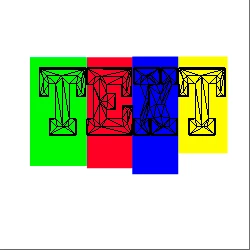
I am using Adobe Photoshop cc 2015, is it possible to extrude text in multiple colours as I can't seem to do this even if my text shows in multiple colours in the layer as soon as I extrude it into 3d it adjusts to one colour.
For example I am not referring to gradients therefore I mean R in colour red e in colour blue and d in colour white.
This sounds very simple but the only way I can do this is by creating a layer for each letter and then extruding it then lining it up to the previous letter.
Is it possible to select what letters you want in the specific colour rather than having to make them all the same colour etc.
I think I am missing something really simple but any help on this would be great.
Thanks

 AdChoices