

April 17, 2022
Answered

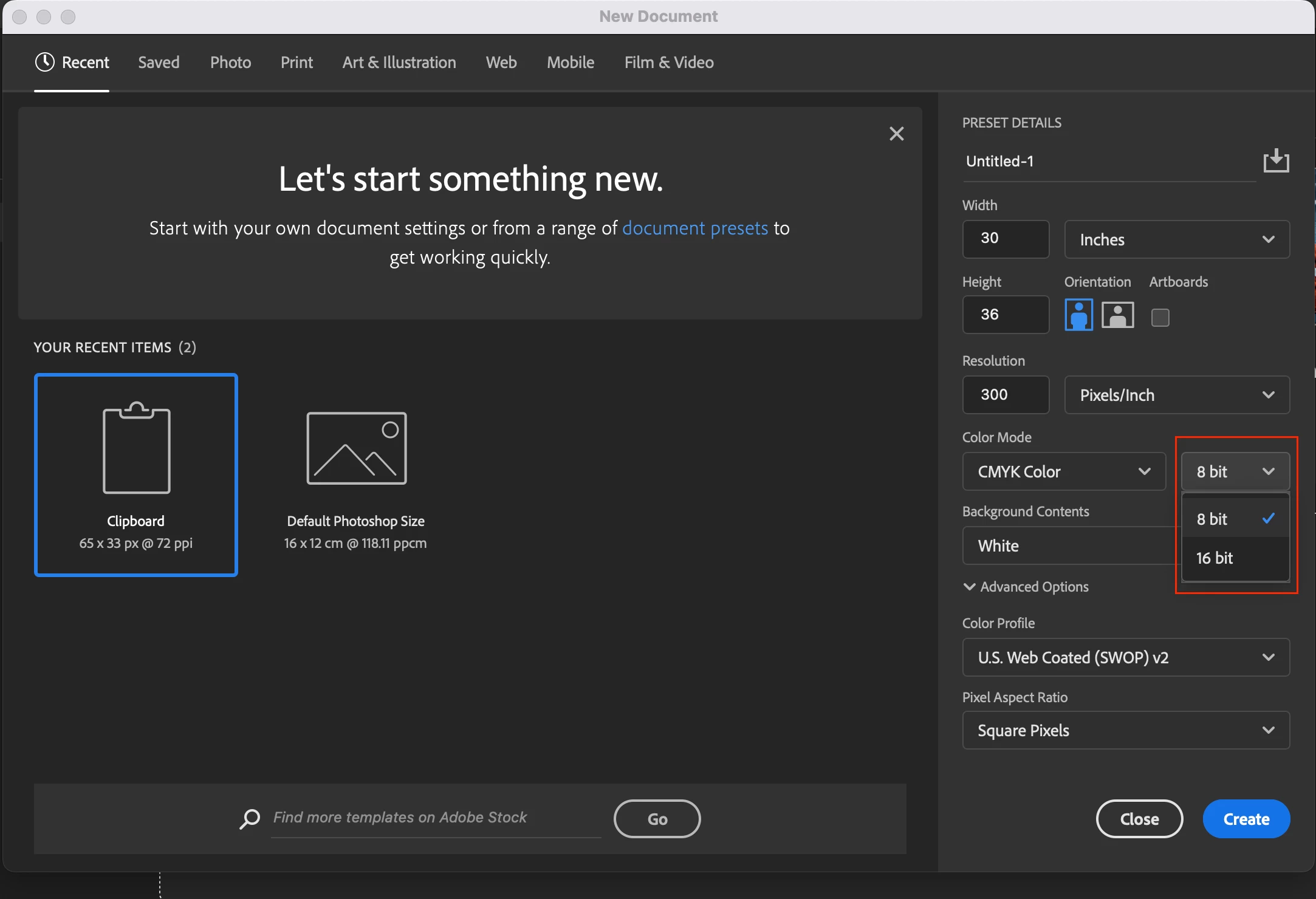
8 bit and 16 bit in CMYK Color

  • April 17, 2022
  • 2 replies
  • 9178 views

Hi,


Would you tell me the difference between 8 bit and 16 bit in CMYK Color?


Hosun
This topic has been closed for replies.
Correct answer davescm

At the bottom left of the document window there is some information (next to where the zoom level is displayed). If you click on the small reveal arrow you will see a menu with a choice of items to display. By setting that to 'Document Profile', you can see the profile of any open document.


Dave

2 replies

TheDigitalDog
Inspiring
April 17, 2022

See: http://digitaldog.net/files/TheHighBitdepthDebate.pdf

True for RGB or CMYK.

Oh and bit depth doesn't equal colors FWIW, this is the encoding of color values, not necessarily colors (which we must be able to see):

http://digitaldog.net/files/ColorNumbersColorGamut.pdf

Author “Color Management for Photographers" & "Photoshop CC Color Management/pluralsight"
davescm
Community Expert
Community Expert
April 17, 2022

The colour mode - RGB or CMYK describes how the colour is stored for each pixel. In the case of RGB it is a value for Red, one for Green and one for Blue. In CMYK it is one for Cyan, one for Magenta one for Yellow and one for Black.


The bit depth 8 bit 16 bit or 32 bits/channel is the number of bits used to store each value. So in 8 bits/channel there are 256 possible values. In 16 bits/channel there are 65536. That does not give a larger range, just a larger number of steps across the same range.  32 bit/channel is a bit different in that it does extend the range so each value can be darker than the darkest displayed black or whiter than the whitest displayed white. It is a specialist mode for HDR (High Dynamic Range) and not needed for normal images.


There is a third element that needs to be considered and that is the colour profile. There is no generaic RGB and generic CMYK. The way in which the values at each pixel represent actual colours is described in the document colour profile. That is why when someone asks for a document to be in CMYK it is essential to know which CMYK profile. Without that information the values are meaningless.


Dave


April 17, 2022

Hi,


Thank you very much for your reply.


In Photoshop, I can find out the color mode (CMYK and 8 bits/channel).


Where can I find out the color profile (US Web Coated SWOP v2)?


Hosun

TheDigitalDog
Inspiring
April 17, 2022
quote

Hi,


Thank you very much for your reply.


In Photoshop, I can find out the color mode (CMYK and 8 bits/channel).


Where can I find out the color profile (US Web Coated SWOP v2)?


Hosun


By @19197929


US Web Coated SWOP v2 is a CMYK color space, based on an ICC profile provided by Adobe. It has no bit depth but an image you convert from RGB to that color space may be either 8-bit or 16-bit.

Using Convert to Profile you can locate and use any ICC profile loaded on your machine. Mode change to CMYK is based on what you select in your color settings for CMYK.


See: http://digitaldog.net/files/PhotoshopColorSettings.mp4

Photoshop CC Color Settings and Assign/Convert to Profile video

Author “Color Management for Photographers" & "Photoshop CC Color Management/pluralsight"
