


Known Participant
June 15, 2021
Answered

Action executes perfectly within file, fails when Batching

  • June 15, 2021
  • 7 replies
  • 6684 views

Using Photoshop 22.4.2 on BigSur 11.4


I've created an Action that I'm using to open a folder of PSD files, crop them square, and save as a JPEG.


The Action runs perfectly as expected when running it on an open file in Photoshop.

Before:
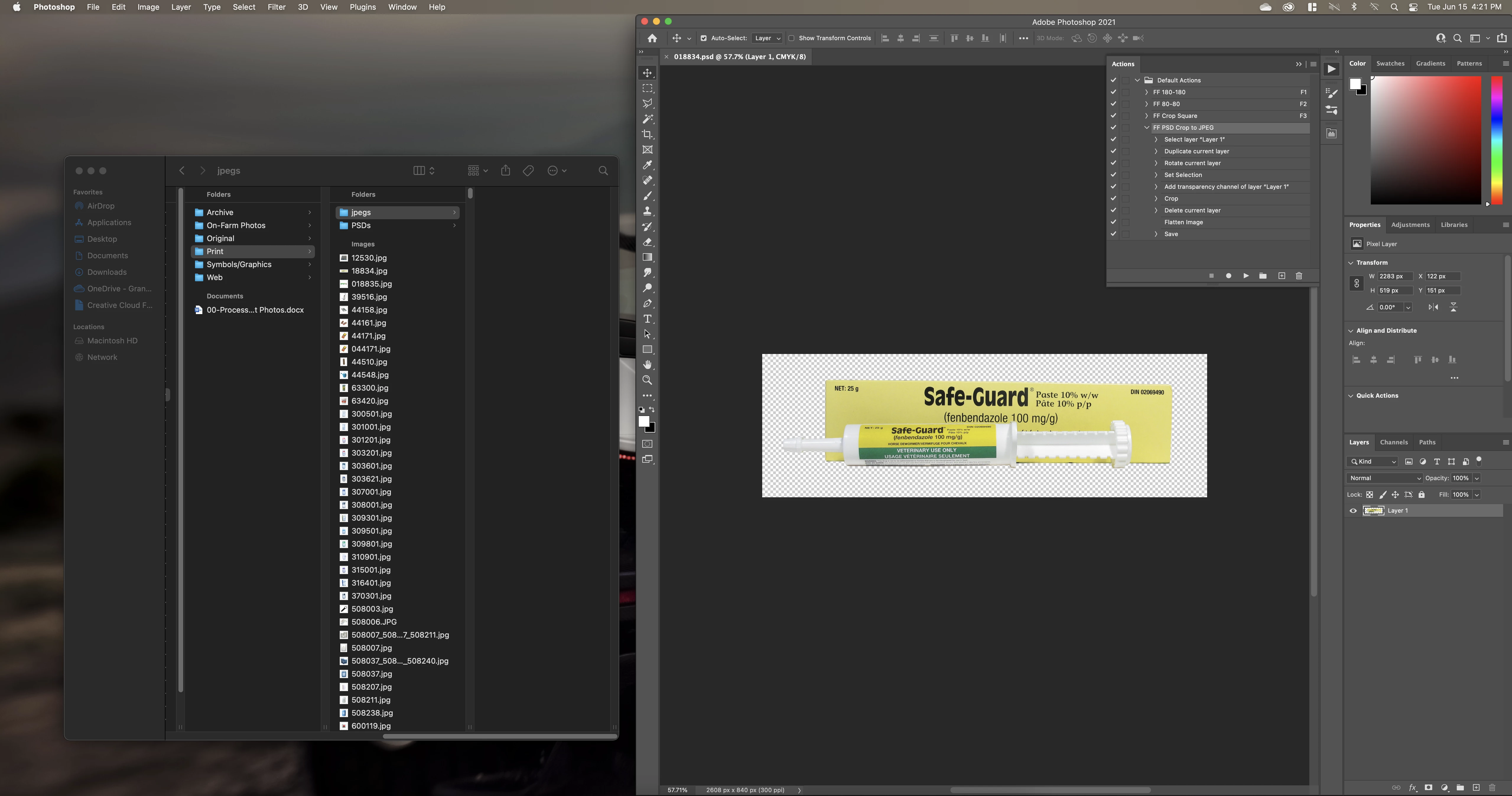
After:
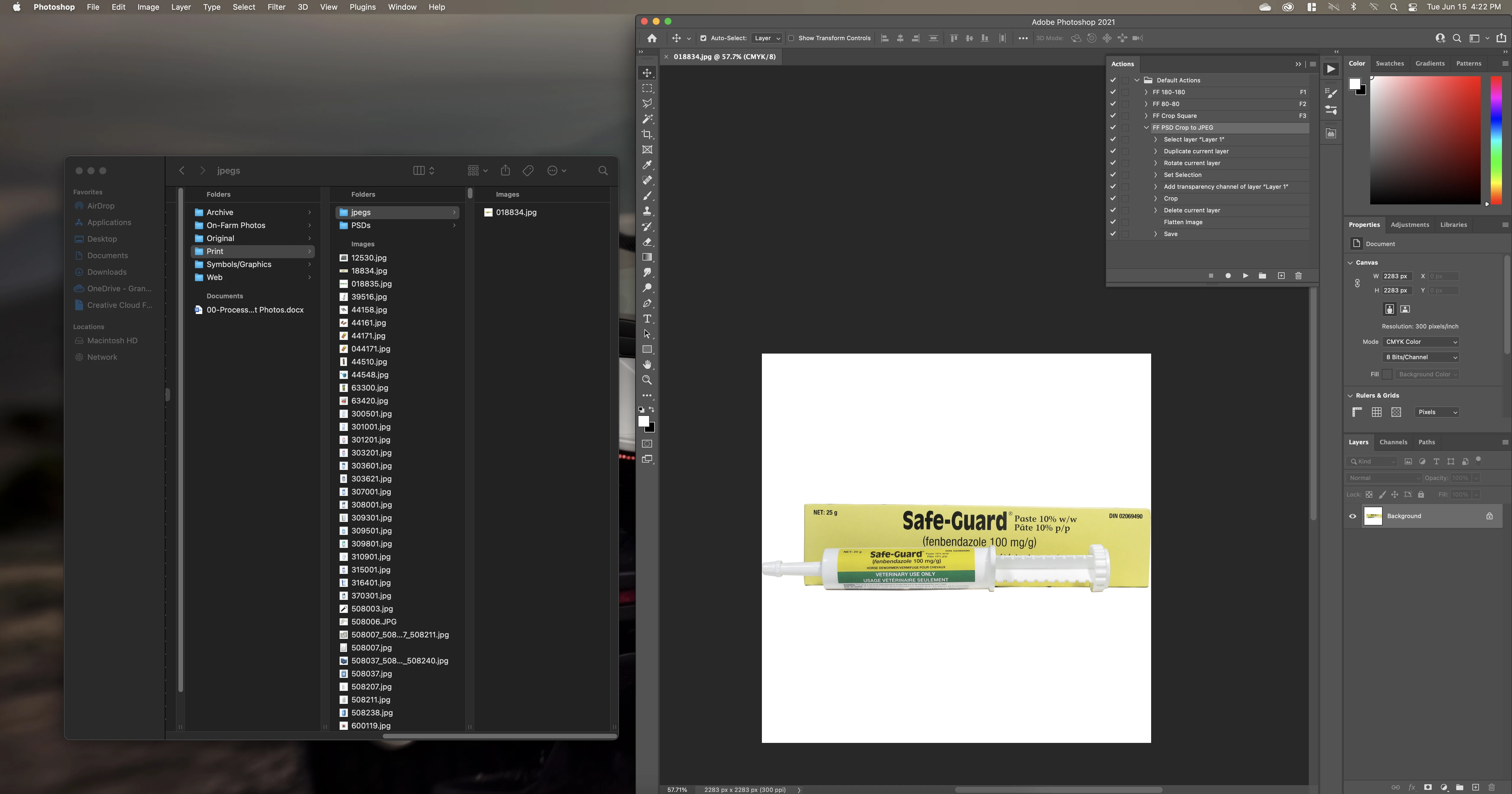
Note that the all the commands completed and a JPEG was saved into the folder on the left.

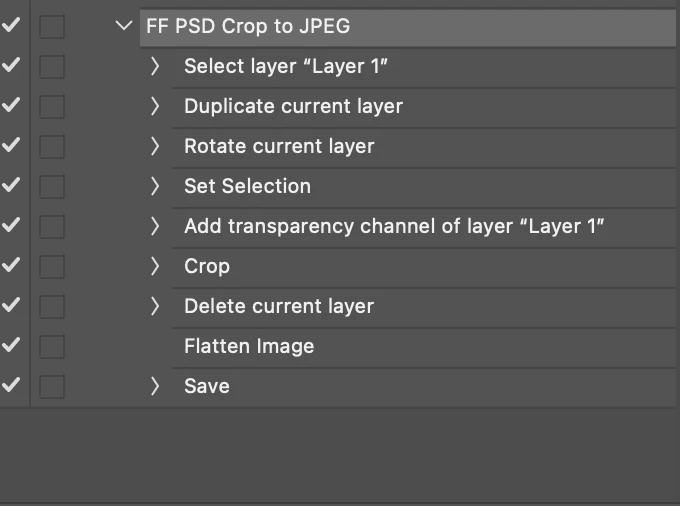
Closeup of the Action:
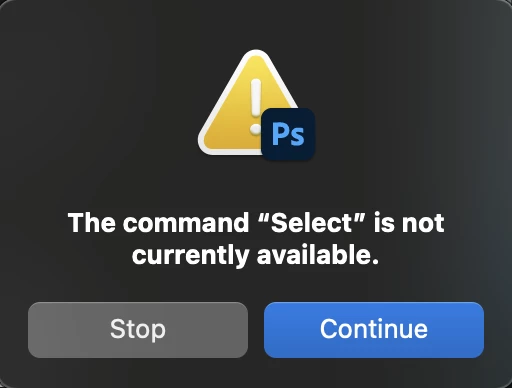
I have ~100 PSD files to apply this to, plus other actions/batches I would like to execute in the future, but when I close the open file and use File>Automate>Batch to run the action on a folder of PSDs, the batch fails with a "The command "Select" is not currently available" which is the first command in the Action. This repeats for every command.


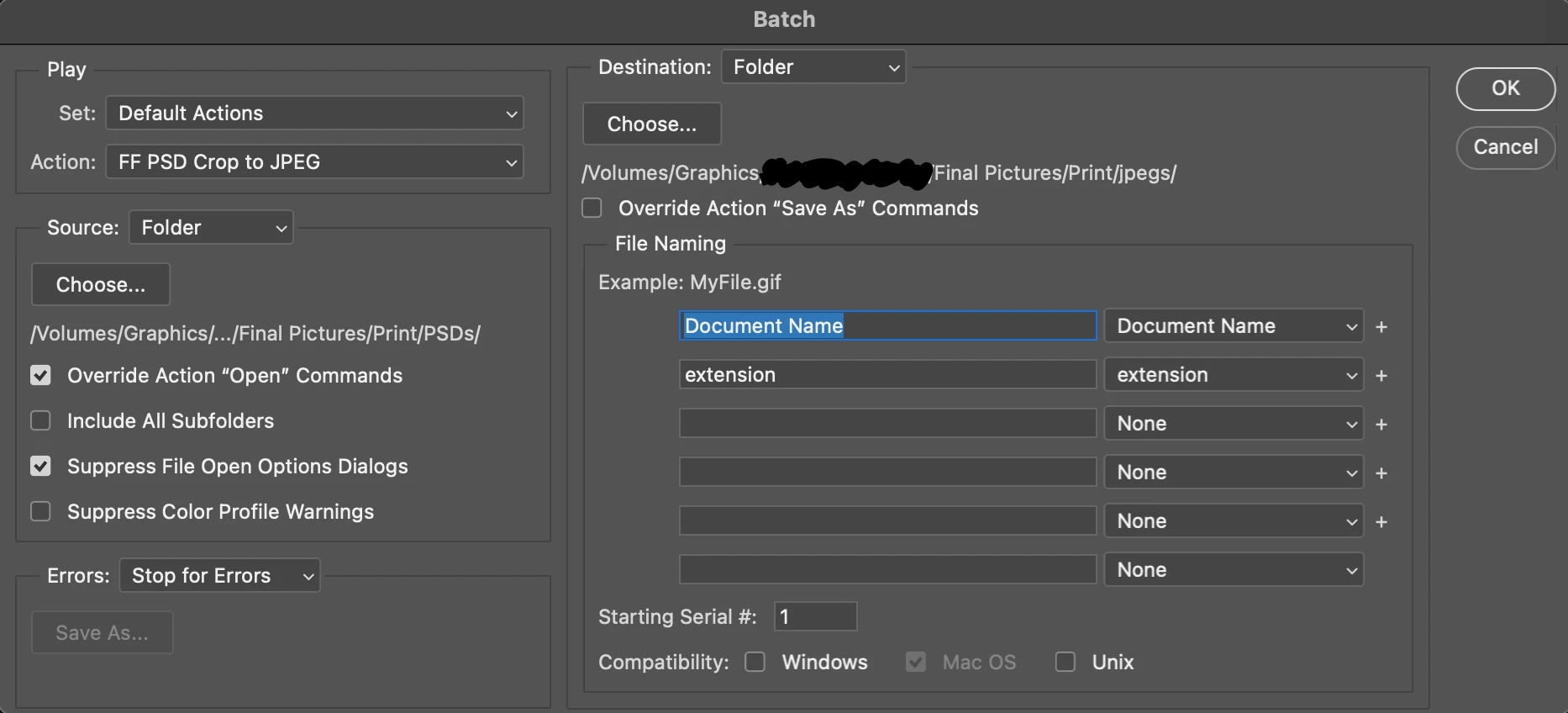
Batch window:
 

Error popup:
 

Things I've tried:

  • Running the Action without the beginning "Select" (assuming maybe the file opens with the layer already selected, and is unable to select it again) returns the same error with "The command "Duplicate" is not currently available". The file that I tested the Action on is also the first file in the folder, so it is the one causing the hiccup in the batch.
  • Also tried running the Batch using local folders rather than on a network drive, same result
  • Tried with another PSD at the beginning of the folder, same result
  • Batching using other Actions (that also work within files) also doesn't work
  • Restarted Photoshop
  • Restarted Mac


Not sure what I'm doing wrong? I use Actions regularly but haven't tried to Batch in about a year. Has any one else experienced problems like this? Thanks!

This topic has been closed for replies.
Correct answer Kukurykus

I didn't follow this thread, just looked at your original post and I think you should record to your action 'open' item (of any file from any location), that should happen before 'Selecting Layer' item. I mean if there's in batch 'Override Action "Open" Commands' then your action should start from it? Without any document opened by action and controlled via batch you're getting error dialog.

7 replies

Participant
December 28, 2022

So what was the solution that didn't involve some other method of batching?  I'm having the same exact problem out of nowhere on an action that has worked for years.

Stephen Marsh
Community Expert
Community Expert
December 28, 2022
quote

So what was the solution that didn't involve some other method of batching?  I'm having the same exact problem out of nowhere on an action that has worked for years.


By @Bobby6C14


If the action includes a recorded open step, then the Batch option for "override action open options" may need to be checked.


If the action includes a recorded save/save as step, then the Batch option for "override action save options" may need to be checked (does not work for recorded export save for web).


https://helpx.adobe.com/photoshop/using/processing-batch-files.html#process_a_batch_of_files


Kukurykus
KukurykusCorrect answer
Legend
June 16, 2021

I didn't follow this thread, just looked at your original post and I think you should record to your action 'open' item (of any file from any location), that should happen before 'Selecting Layer' item. I mean if there's in batch 'Override Action "Open" Commands' then your action should start from it? Without any document opened by action and controlled via batch you're getting error dialog.

MPKVRAuthor
Known Participant
June 16, 2021

Apparently you're the first person who looked at my post before replying, because this was the issue, thanks a bunch!


"Override Open" worked opposite of what I expected, which was causing the issue. Photoshop was trying to run an Action item without a file open!

Legend
June 16, 2021

Yeah.

Well then you should enable "Override Save As" because you have "save as JPG" in action.

Otherwise you will resave your PSD (I think so) : )

Legend
June 15, 2021
Show not a screenshot of the error window, but the entire screen  (at the time of the error) , where we can see the action panel and the open file.
 
MPKVRAuthor
Known Participant
June 16, 2021

Error only comes up when the file is closed with the Batch window open. That window appears as pictured above, along with the error message.

Legend
June 16, 2021

I don't use the Batch command ... never, it's easier to write a script.

I'm wondering what you mean by the Batch window?

As far as I know, there shouldn't be any windows at runtime.

You say the file is closed. This is strange.

Naturally, there will be an error, since the Action has nothing to work with.


You have something strange going on.

It would be better if you recorded a video or posted your Action here + a screenshot of the Batch settings.

Then one could try to reproduce your situation

tomzag
Inspiring
June 15, 2021

Your action wants to select a layer with the name "Layer 1".

If there is no "Layer 1" you receive the error mentioned (in your screenshot there is only a layer with the name "Background"). I think this is the problem.

Stephen Marsh
Community Expert
Community Expert
June 15, 2021

Can you post a cropped screenshot of the action panel with all steps expanded?

MPKVRAuthor
Known Participant
June 15, 2021


Here you go! Although as I mentioned, the Action has no problem running within the file, the issue only comes up when trying to use Automate > Batch. Thanks!

MPKVRAuthor
Known Participant
June 15, 2021

That is without the Select command at the start, forgot to re-add it while troubleshooting.

Stephen Marsh
Community Expert
Community Expert
June 15, 2021

The first step is explicitly selecting "Layer 1". Do all the files have this exact layer name?


Are all files only single layered?


You can run bulk processing using an action with various scripts such as the Image Processor script that ships with Photoshop, or other scripts such as Image Processor Pro, Picture Processor etc. These scripts perform the open and save steps so remove or disable the save step in your action if you use these scripts.

MPKVRAuthor
Known Participant
June 15, 2021

Yes, the all have only one layer called "Layer 1". Even if that weren't the case, the Action still runs fine within the file, so the Batch process not being able to find that layer can't be the problem, can it?


@tomzag same applies

MPKVRAuthor
Known Participant
June 15, 2021

Edit: I understand that generally this occurs when a Command's expected prerequisite isn't met, but seeing as it is the first Command within an Action (plus it works perfectly within an open file) I'm struggling to find the source of the problem.


Thanks again for any help!