


Known Participant
August 4, 2022
Answered

Action or script to prompt to add to layer name

  • August 4, 2022
  • 2 replies
  • 1066 views

Hi all,

Can anyone let me know if it's possible to create a script or action to prompt for a word to be entered, then add that name to all layers, or specific layers, or replace a specific word if it exists in layers.


e.g. I'm creating a template with generate image assets enabled so I can quickly and easily generate a predefined set of image sizes / formats etc. just from dropping the image into a smart layer.

That's all sorted and working - but I'd like to be able to specify the filenames based on the main image rather than having to rename layers individually and manually.

So I'd have 

Template Names                  Saved layer names

50x50.jpg                              New Logo 50x50.jpg

50x50.png                             New Logo 50x50.png

1000x1000.png                     New Logo 1000x1000.png


So rather than having to add "New Logo" or whatever the filename needs to be based on the project, I could just enter it once and then they get updated?


I hope that makes sense!

Fingers crossed
This topic has been closed for replies.
Correct answer Stephen Marsh

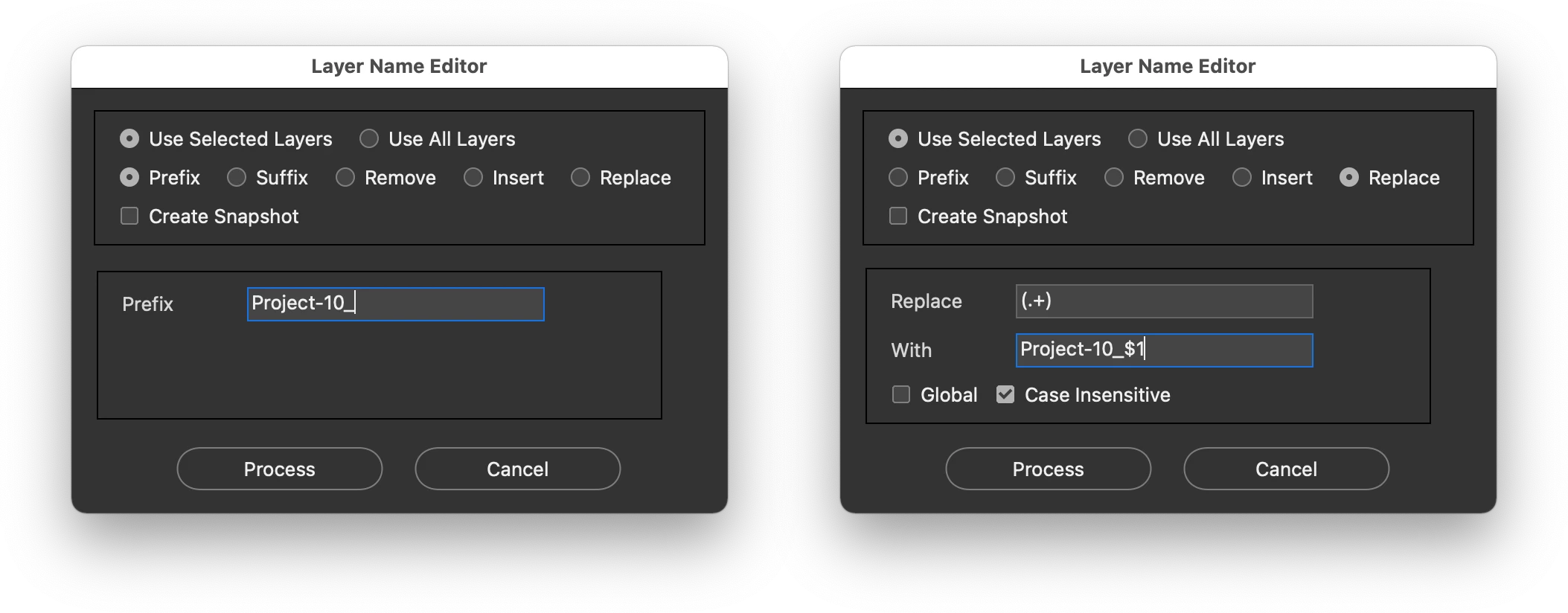
@Big Rick Cowell – Try this script, it works on both layers and layer groups:


https://github.com/Paul-Riggott/PS-Scripts/blob/master/Layer%20Name%20Edit.jsx


A couple of examples, either adding a new name as a prefix, or using a regular expression find/replace to to the same:


2 replies

Stephen Marsh
Community Expert
Stephen MarshCommunity ExpertCorrect answer
Community Expert
August 7, 2022

@Big Rick Cowell – Try this script, it works on both layers and layer groups:


https://github.com/Paul-Riggott/PS-Scripts/blob/master/Layer%20Name%20Edit.jsx


A couple of examples, either adding a new name as a prefix, or using a regular expression find/replace to to the same:


Known Participant
August 8, 2022

PS - just in case anyone else is using this and finds the same - the script window was pale grey on mine, so I've edited the background in the script - changing line 20 to:

var myBrush = g.newBrush(g.BrushType.SOLID_COLOR, [0, 0, 0, 0]);
Stephen Marsh
Community Expert
Community Expert
November 7, 2023

An adaptive colouring to match your application settings:


var myBrush = g.newBrush(g.BrushType.THEME_COLOR, "appDialogBackground");


Known Participant
August 4, 2022

Yes - but must not have searched well, I was getting all sorts of unrelated results.

Thanks - checking it out now...