


shubhado
Participating Frequently
July 6, 2018
Question

Add a built-in custom shape creates new layer everytime?

  • July 6, 2018
  • 2 replies
  • 616 views

Hello,

I had been learning to Add a built-in custom shape.
I have attached the screenshot. It keeps popping every time I click anywhere in the image while using this tool. And if I choose OK. It creates a new layer. As per the tutorial, there is only one layer but because of this pop -up, many layers are getting created.
I understood the concept but can someone tell me what can I do to avoid creating unnecessary layers.Every time it creates layers with a custom shape, it displays the shape automatically outside the Workspace.
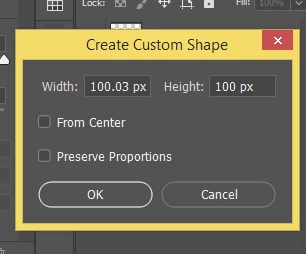
This topic has been closed for replies.

2 replies

c.pfaffenbichler
Community Expert
July 6, 2018

Maybe I should have written »meaningless« instead of »useless«, but ultimately I think the screenshot you posted does not provide relevant information.

Whenever a Tool behaves in unexpected ways the settings in the Options Bar are prime »suspects«.

What are the settings the tutor uses in the tutorial you are referring to?

shubhado
shubhadoAuthor
Participating Frequently
July 6, 2018

The settings are same in the tutorial too. The 4th video on this link :Add text and shapes |

c.pfaffenbichler
Community Expert
July 6, 2018

Now I guess I finally understand, my bad …

every time I click anywhere in the image while using this tool.

That is was this Tool is supposed to do when one clicks on the Canvas; but to manipulate the existing Shape Layer you don’t need the Custom Shape Tool anymore, you can change to the Move Tool for example or the Pen Tool or Direct Selection Tool if you want to edit the Path itself. (edited)

c.pfaffenbichler
Community Expert
July 6, 2018
I have attached the screenshot.

And as so many others you have clipped a screenshot pretty much to the point of uselessness.

What are the Tool’s settings in the Options Bar?

Is it set to »Shape«?

shubhado
shubhadoAuthor
Participating Frequently
July 6, 2018

I am learning the custom shape so yes it is set to Shape in Option Bar. And why do you think the screenshot is useless? My question is related to that screenshot.

c.pfaffenbichler
Community Expert
July 6, 2018

If I understand your original post correctly you don’t want to create a Shape Layer but add to an existing Path or pixel Layer.

If so you can change the setting accordingly.

And why do you think the screenshot is useless? My question is related to that screenshot.

It seems to me your question concerns the behaviour of a certain Tool, not just some dialog window, so as the screenshot does not actually include the pertinent elements (Toolbox, Options Bar, Paths Panel, Layers Panel, …) it is useless.