



MuteNeighbor
New Participant
June 2, 2021
Question

Adjustment Threshold Layer clipped to layer producing grayscale values

  • June 2, 2021
  • 2 replies
  • 1557 views

This seems like a relatively new phenomena. When I have a threshold adjustment layer clipped to the image, the edges of the image show all sorts of gray pixels. I can't think of any reason this should be happening. Adding to the weirdness, if the adjustment layer is unclipped, then the image it rendered as expected - total black and white.


My PSD eventually has dozens of differing threshold needs, so the unsnapped option isn't doable. At a loss!
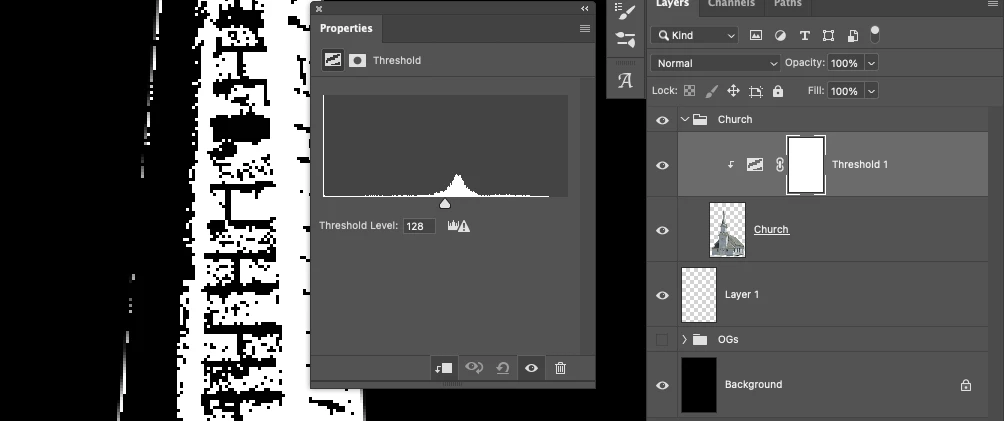
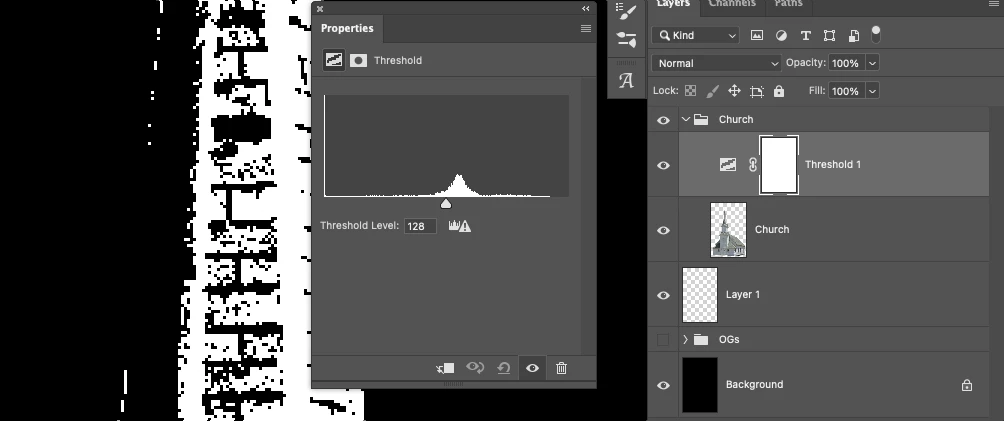
 

This topic has been closed for replies.

2 replies

c.pfaffenbichler
Community Expert
June 2, 2021

Maybe this can help illustrate the issue. 

c.pfaffenbichler
Community Expert
June 2, 2021

Seems perfectly possible depending on the Layer’s edge pixels. (edited)


Please provide the image. 


MuteNeighbor
New Participant
June 2, 2021

If the whole function of a threshold is to reduce pixels to either black or white, though, that makes it weird that gray would be possible/appearing at all regardless of the edges, no?

c.pfaffenbichler
Community Expert
June 3, 2021

No. 

You don’t seem to fully understand what you are doing when you Clipping Mask an Adjustment Layer to a Layer. 


The Adjustment Layer affects the pixels’ RGB/CMYK/…-values, not their transparency. 

So if the Layer has a gray pixel with 50% transparency the Clipping Masked Threshold Adjusstment Layer will result in a white or black pixel (depending on the values) with 50% opscity. 


Again: Please provide the file.