Participant
November 17, 2020
Answered

Adobe Fonts Bug

  • November 17, 2020
  • 1 reply
  • 420 views

Hi People, 

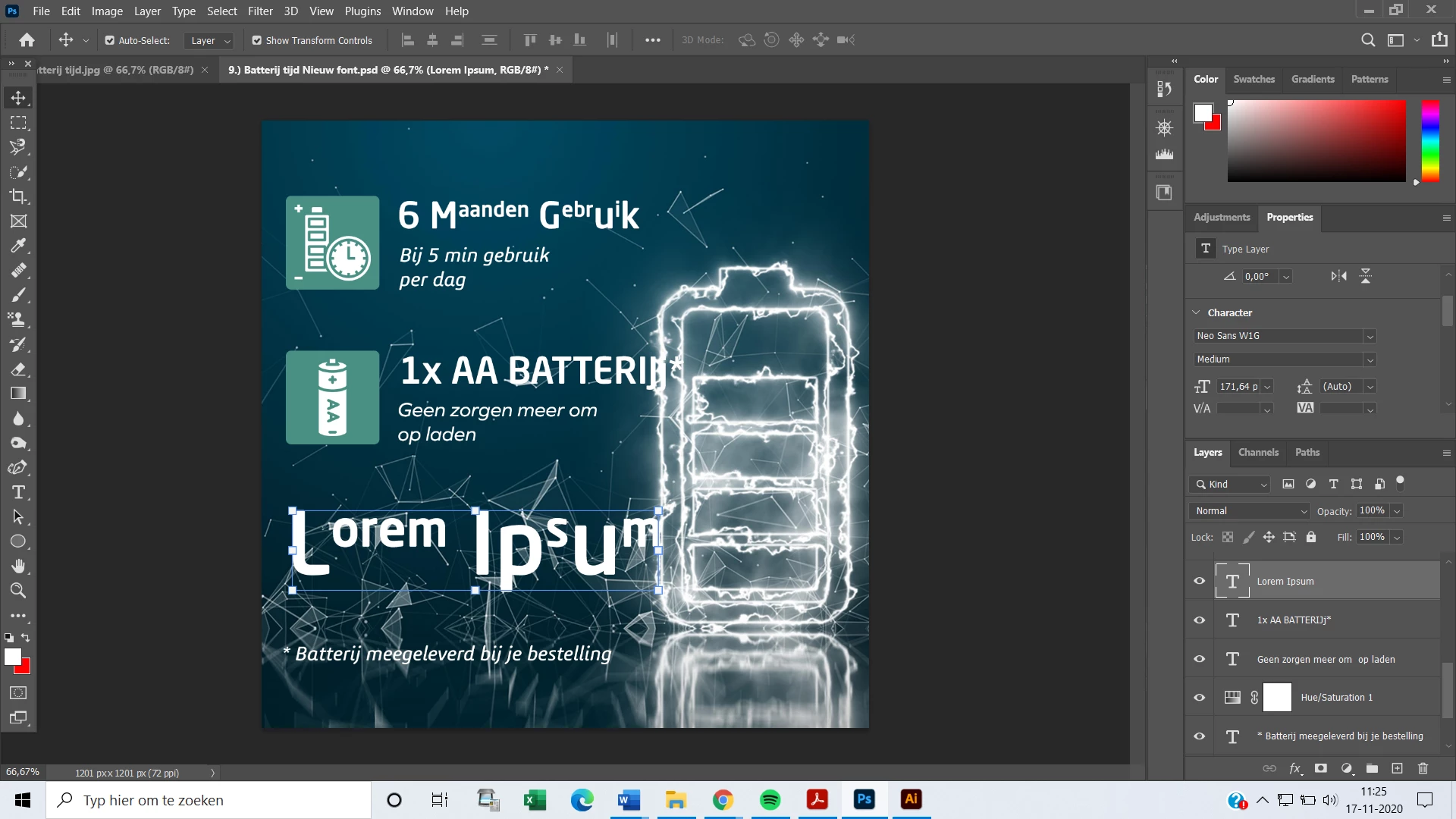
I have problems with the use of adobe fonts. I installed the font 'Neo Sans' at Adobe Fonts, but when I use it on Photoshop it types really weird lower and uppercase. In Illustrator, I don't have this problem. (See the screenshots in the word document for a good overview of the problem). 
Can someone please tell me where to fix this problem? Also where can I reach out to the customer service of Adobe to fix these problems because I can't find there contact email anywhere?

Thanks for helping, 
Kind regards Ivan


This topic has been closed for replies.
Correct answer jane-e


Hi

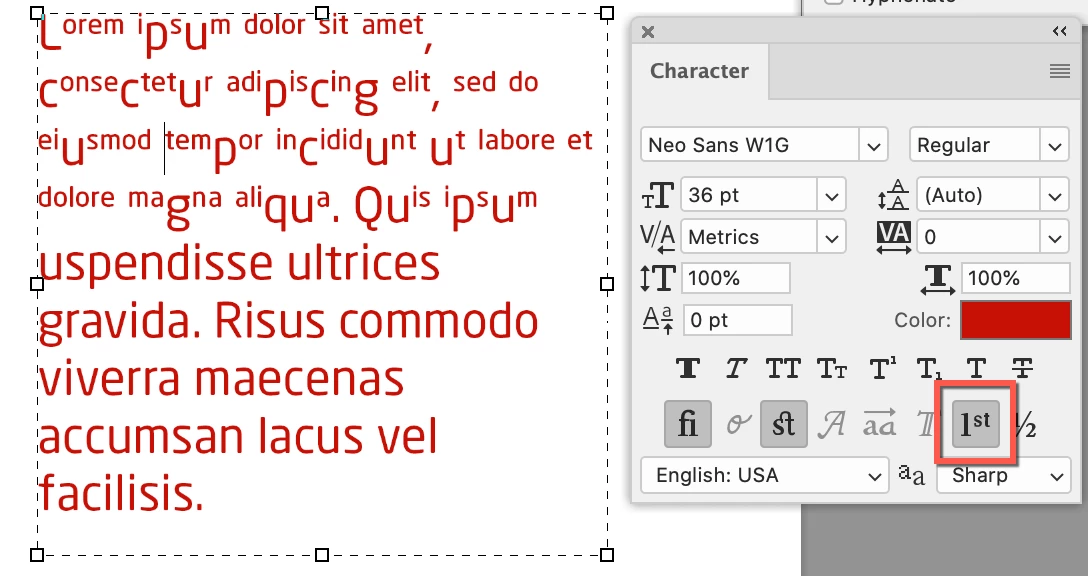
Select your text and turn off Ordinals in the Character panel (Window menu).

~ Jane


1 reply

jane-e
Community Expert
jane-eCommunity ExpertCorrect answer
Community Expert
November 17, 2020


Hi

Select your text and turn off Ordinals in the Character panel (Window menu).

~ Jane


Ivan5CF5Author
Participant
November 23, 2020

Thanks Jane, this is really helpful!

jane-e
Community Expert
Community Expert
November 23, 2020

You're welcome, @Ivan5CF5 , I'm glad it's working for you now! 😊

~ Jane